EasyManua.ls Logo

Grundig STR 310 - Page 14

Grundig STR 310
39 pages
Print Icon
To Next Page IconTo Next Page
To Previous Page IconTo Previous Page
Loading...
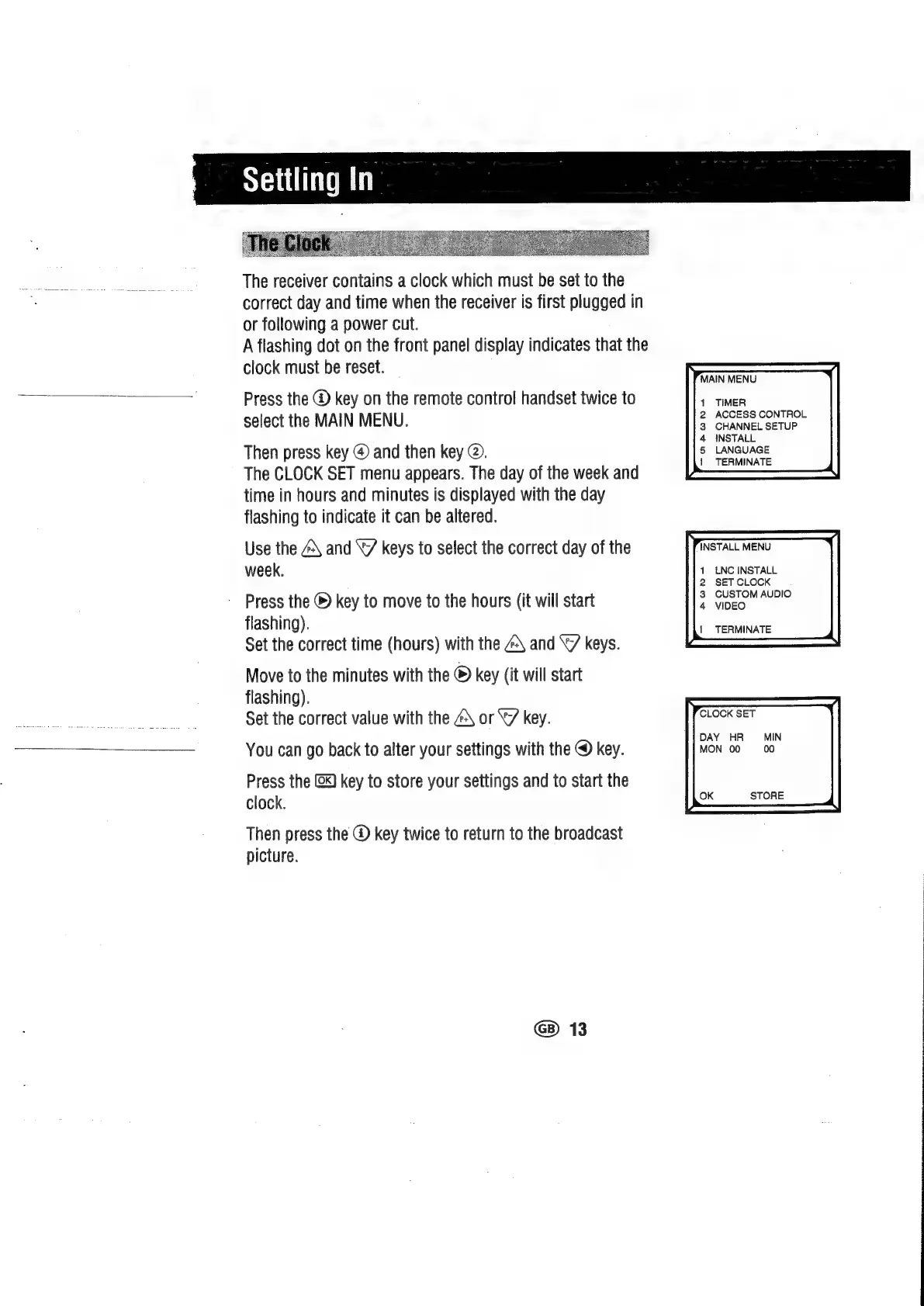
The
receiver
contains
a
clock
which
must
be
set
to
the
correct
day
and
time
when
the
receiver
is
first
plugged
in
or
following
a
power
cut.
A
flashing
dot
on
the
front
panel
display
indicates
that
the
clock
must
be
reset.
Press
the
@
key
on
the
remote
control
handset
twice
to
select
the
MAIN
MENU.
Then
press
key
@
and
then
key
@.
The
CLOCK
SET
menu
appears.
The
day
of
the
week
and
time
in
hours
and
minutes
is
displayed
with
the
day
flashing
to
indicate
it
can
be
altered.
Use
the
4\
and
‘7
keys
to
select
the
correct
day
of
the
week.
Press
the
®
key
to
move
to
the
hours
(it
will
start
flashing).
Set
the
correct
time
(hours)
with
the
@\
and
‘7
keys.
Move
to
the
minutes
with
the
®
key
(it
will
start
flashing).
Set
the
correct
value
with
the
@\
or
“7
key.
You
can
go
back
to
alter
your
settings
with
the
@
key.
Press
the
@x)
key
to
store
your
settings
and
to
start
the
clock.
Then
press
the
@
key
twice
to
return
to
the
broadcast
picture.
@)
13
MAIN
MENU
TIMER
ACCESS
CONTROL
CHANNEL
SETUP
INSTALL
LANGUAGE
|
TERMINATE
LNC
INSTALL
SET
CLOCK
CUSTOM
AUDIO
VIDEO
TERMINATE
CLOCK
SET
DAY
HR
MON
00
MIN
00

Related product manuals