EasyManua.ls Logo

Grundig STR 310 - Page 17

Grundig STR 310
39 pages
Print Icon
To Next Page IconTo Next Page
To Previous Page IconTo Previous Page
Loading...
Operation
Selecting
a
Channel
Position
Directly
You
can
move
directly
to
a
particular
channel
in
the
Favourite
mode
by
keying
in
its
channel
position
number
1
to
9
with
the
numeric
keys
@
to
@.
For
the
channel
positions
10
to
29
enter
the
number
as
two
digits
with
the
numeric
keys.
Make
sure
to
key
in
the
second
digit
within
about
2
seconds.
You
can
also
allocate
other
satellite
channels
to
the
30
preset
channel
positions
(see
chapter
Selecting
Your
Favourite
Satellite
Channels).
You
will
find
a
list
of
the
factory-preset
channels
on
the
enclosed
info
sheet.
RS
Are
In
the
Favourite
and
radio
mode
you
can
change
the
favourite
channels
to
suit
your
taste
using
the
channels
stored
in
the
Normal
mode
(see
chapter
Normal
Mode).
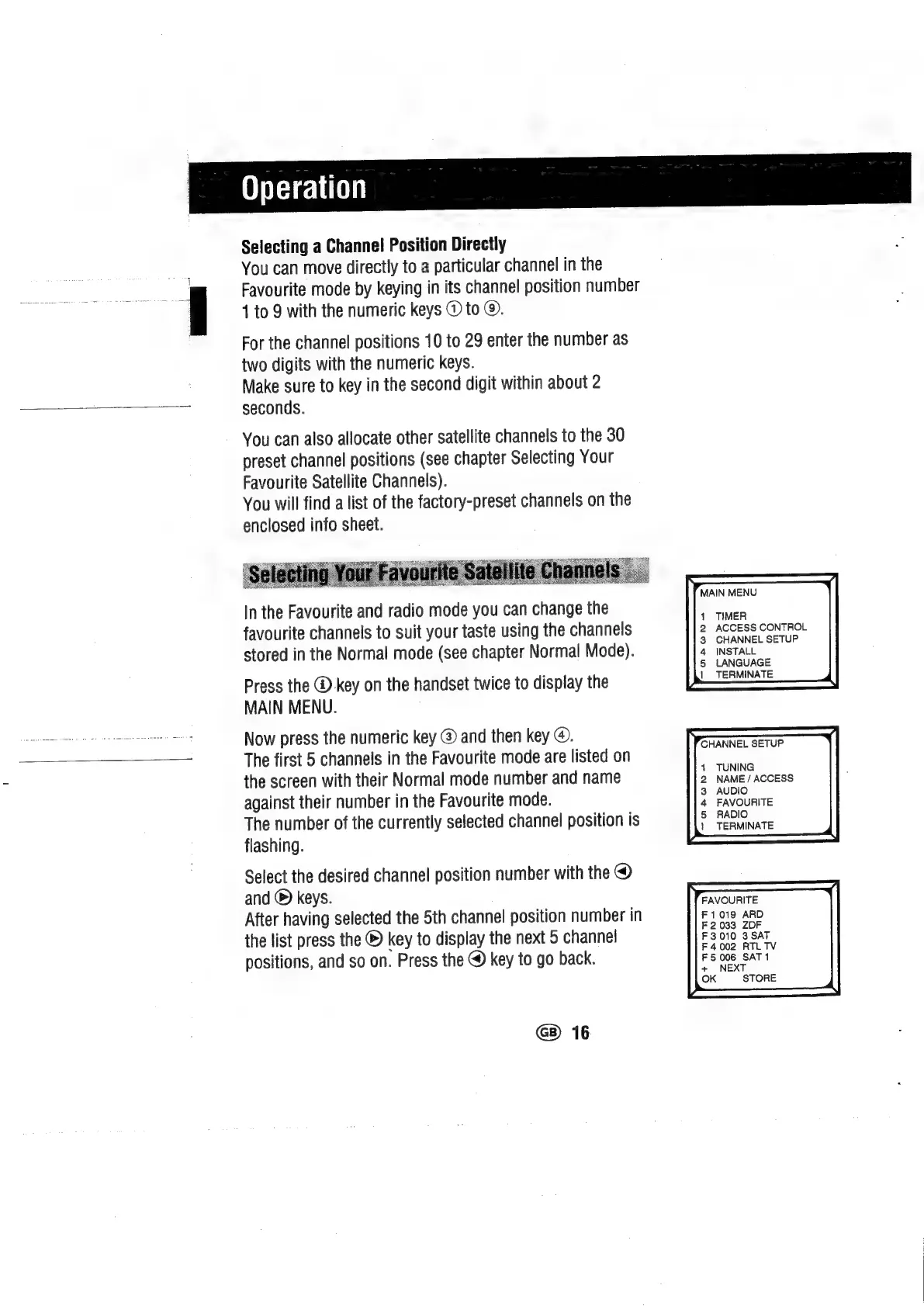
Press
the
®
key
on
the
handset
twice
to
display
the
MAIN
MENU.
Now
press
the
numeric
key
@
and
then
key
@.
The
first
5
channels
in
the
Favourite
mode
are
listed
on
the
screen
with
their
Normal
mode
number
and
name
against
their
number
in
the
Favourite
mode.
The
number
of
the
currently
selected
channel
position
is
flashing.
Select
the
desired
channel
position
number
with
the
@
and
©
keys.
After
having
selected
the
5th
channel
position
number
in
the
list
press
the
®
key
to
display
the
next
5
channel
positions,
and
so
on.
Press
the
@
key
to
go
back.
16
MAIN
MENU
1
2
3
4
5
|
TIMER
ACCESS
CONTROL
CHANNEL
SETUP
INSTALL
LANGUAGE
TERMINATE
CHANNEL
SETUP
{
2
3
4
5
|
TUNING
NAME
/
ACCESS
AUDIO
FAVOURITE
RADIO
TERMINATE
FAVOURITE
F1019
ARD
F
2033
ZDF

Related product manuals