EasyManua.ls Logo

Grundig STR 310 - Page 18

Grundig STR 310
39 pages
Print Icon
To Next Page IconTo Next Page
To Previous Page IconTo Previous Page
Loading...
Select
your
favourite
channels:
Use
the
@\
and
“7
keys
to
increase/decrease
the
Normal
mode
channel
number.
You
can
also
enter
the
number
with
the
numeric
keys.
Repeat
these
steps
until
the
30
favourite
channel
positions
are
programmed
to
suit
your
taste.
Store
the
setting
with
the
x)
key.
Press
the
@
key
twice
to
exit
the
menu.
poe
a!
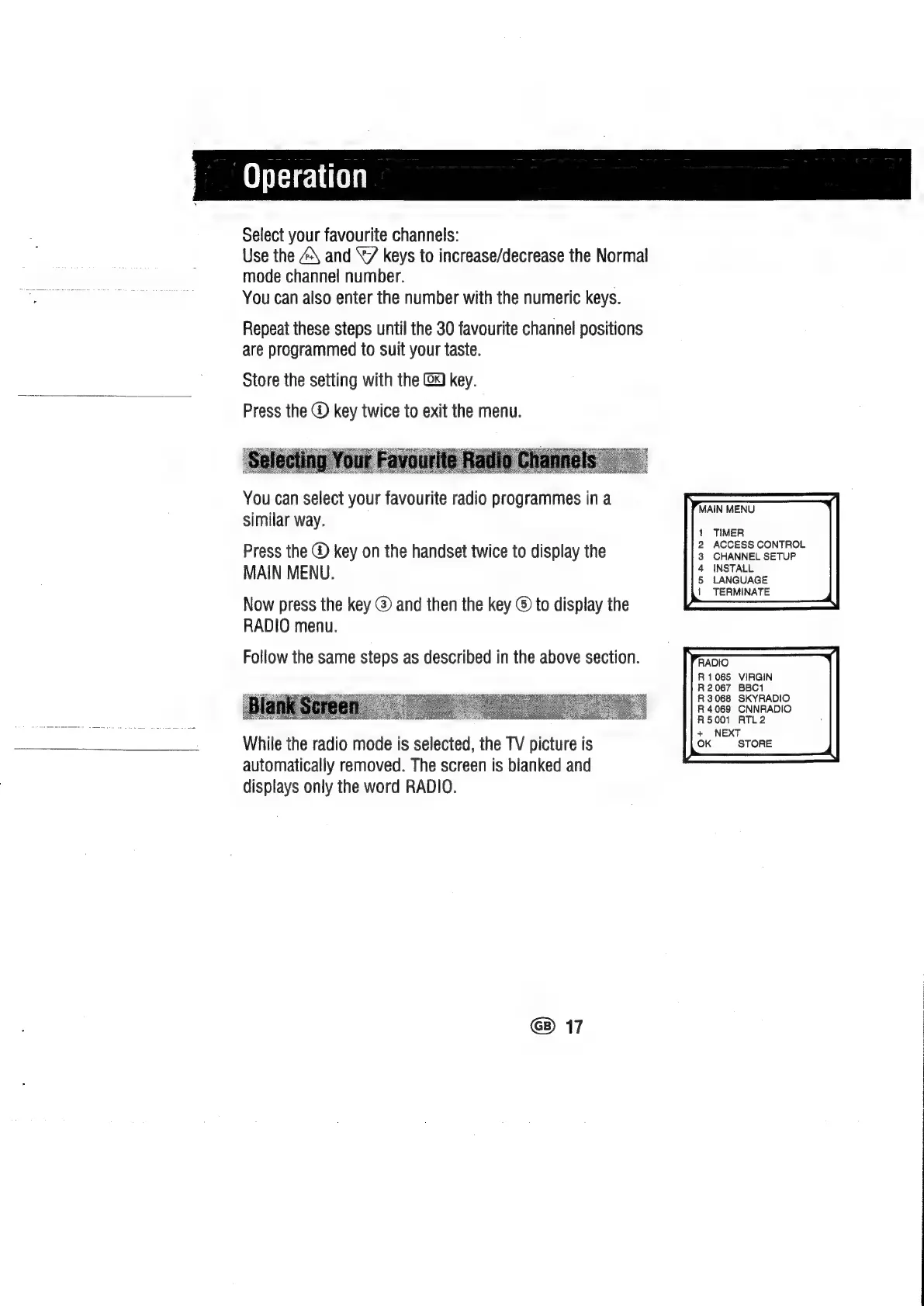
You
can
select
your
favourite
radio
programmes
ina
similar
way.
Press
the
@
key
on
the
handset
twice
to
display
the
MAIN
MENU.
Now
press
the
key
@
and
then
the
key
®
to
display
the
RADIO
menu.
Follow
the
same
steps
as
described
in
the
above
section.
While
the
radio
mode
is
selected,
the
TV
picture
is
automatically
removed.
The
screen
is
blanked
and
displays
only
the
word
RADIO.
@)
17
MAIN
MENU
TIMER
ACCESS
CONTROL
CHANNEL
SETUP
INSTALL
LANGUAGE
TERMINATE
R1065
VIRGIN
R2067
BBC1
R3068
SKYRADIO
R
4069
CNNRADIO
R5001
ATL2
+
NEXT
OK
STORE

Related product manuals