EasyManua.ls Logo

Gryphon Gryphette - User Manual

Gryphon Gryphette
4 pages
Print Icon
To Next Page IconTo Next Page
Loading...
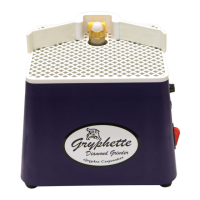
Gryphette
Grinder
Instructions
©2005 Gryphon Corporation
www.gryphoncorp.com
Question and Answer IconNeed help?

Do you have a question about the Gryphon Gryphette and is the answer not in the manual?

Summary

Safety Precautions

Eye and Body Protection

Always use eye and body protection when using power tools like this grinder.

Clothing and Jewelry

Remove jewelry or loose clothing that could get caught in the grinding head.

Power Switch

Ensure the power switch is set to off before plugging in the grinder.

Electrical Outlet and Cords

Use a grounded 110V/60Hz outlet; extension cords are not recommended.

Water Safety

Place grinder away from water; route cord to prevent water reaching outlets.

Grinder State When Not In Use

Turn off the grinder when it is not in use.

Tool Placement

Do not leave the hex wrench or other tools on the grinder when it is in use.

Grinding Without Water

Never grind without water.

Changing Grinding Bits

Bit Compatibility

Most brands of standard grinding bits will fit this grinder.

Bit Installation

Loosen the set screw with the hex wrench to remove the old bit.

Lubrication for Bit Changes

Apply lubricant, like petroleum jelly, to the shaft for easier future bit changes.

Operating Instructions

Environment Setup

Place the grinder in an area with good ventilation and lighting.

Wing Attachment

Attach flexible wings as shown in the illustration on the previous page.

Power Connection

Plug the grinder into a grounded three-prong socket.

Water Tray Management

Add water to the tray; ensure it remains full during operation.

Sponge Placement

Place sponge in hole, ensuring it absorbs water and touches the grinding bit.

Grinder Activation

Turn on the grinder using the switch or an approved foot switch.

Grinding Technique

Press material against the head with moderate pressure using smooth strokes.

Drilling a Hole

Use a grinding pin, bringing glass to contact at a 45° angle to start.

Post-Grinding Cleaning

Turn off, clean the grinder, and rinse the sponge regularly after use.

Assembly and Use of Optional Face Shield

Face Shield Extension Placement

Place Face Shield Extensions into slots on the Wing Bracket.

Face Shield Attachment

Snap the Face Shield into the top of the Extensions.

Wing Installation

Insert rubber wings into slots on either side of the Wing Bracket.

Final Assembly

Press the assembly with wings and face shield into slots on the platform.
Summary

Safety Precautions

Eye and Body Protection

Always use eye and body protection when using power tools like this grinder.

Clothing and Jewelry

Remove jewelry or loose clothing that could get caught in the grinding head.

Power Switch

Ensure the power switch is set to off before plugging in the grinder.

Electrical Outlet and Cords

Use a grounded 110V/60Hz outlet; extension cords are not recommended.

Water Safety

Place grinder away from water; route cord to prevent water reaching outlets.

Grinder State When Not In Use

Turn off the grinder when it is not in use.

Tool Placement

Do not leave the hex wrench or other tools on the grinder when it is in use.

Grinding Without Water

Never grind without water.

Changing Grinding Bits

Bit Compatibility

Most brands of standard grinding bits will fit this grinder.

Bit Installation

Loosen the set screw with the hex wrench to remove the old bit.

Lubrication for Bit Changes

Apply lubricant, like petroleum jelly, to the shaft for easier future bit changes.

Operating Instructions

Environment Setup

Place the grinder in an area with good ventilation and lighting.

Wing Attachment

Attach flexible wings as shown in the illustration on the previous page.

Power Connection

Plug the grinder into a grounded three-prong socket.

Water Tray Management

Add water to the tray; ensure it remains full during operation.

Sponge Placement

Place sponge in hole, ensuring it absorbs water and touches the grinding bit.

Grinder Activation

Turn on the grinder using the switch or an approved foot switch.

Grinding Technique

Press material against the head with moderate pressure using smooth strokes.

Drilling a Hole

Use a grinding pin, bringing glass to contact at a 45° angle to start.

Post-Grinding Cleaning

Turn off, clean the grinder, and rinse the sponge regularly after use.

Assembly and Use of Optional Face Shield

Face Shield Extension Placement

Place Face Shield Extensions into slots on the Wing Bracket.

Face Shield Attachment

Snap the Face Shield into the top of the Extensions.

Wing Installation

Insert rubber wings into slots on either side of the Wing Bracket.

Final Assembly

Press the assembly with wings and face shield into slots on the platform.

Gryphon Gryphette Specifications

General IconGeneral
BrandGryphon
ModelGryphette
CategoryGrinder
LanguageEnglish

Related product manuals