16
Hazardous
live AC
Do not expose the unit to drip-
ping water or moist.
Placement:
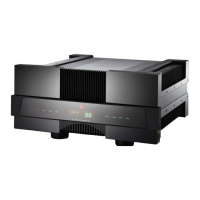
Do not place your Diablo on top
of any heat producing products,
such as power amplifiers or
DACs. If you place the Diablo
inside any Hi-FI furniture or cab-
inets, there must be a clearance
of a minimum of 10cm (4 inch-
es) above the product and a
minimum of 5cm (2 inches)
along the sides. To allow a flow
of cooling air the back of the
cabinet must be open. If these
guidelines are not observed,
overheating may result.
Mains Switch:
To place your Diablo into stand-
by mode use the main switch.
The switch is located in the bot-
tom on the right side just
beneath the acrylic front panel.
SAFETY
INSTRUCTIONS



 To Next Page