Hexylon High-performance portable meter
12
Gestures
Hexylon has an innovative interface, exclusively
designed to get the most out of its 8” multi-touch
display.
To do this, Hexylon uses some gestural commands
that are explained below:
Tap: one fast touch with one nger
Double tap: two fast consecutive touches
with one nger
Swipe: short swipe with one nger
Drag: drag with one nger
Pinch/Spread: pinch/spread two
ngers on the screen
Drag and drop
Before starting
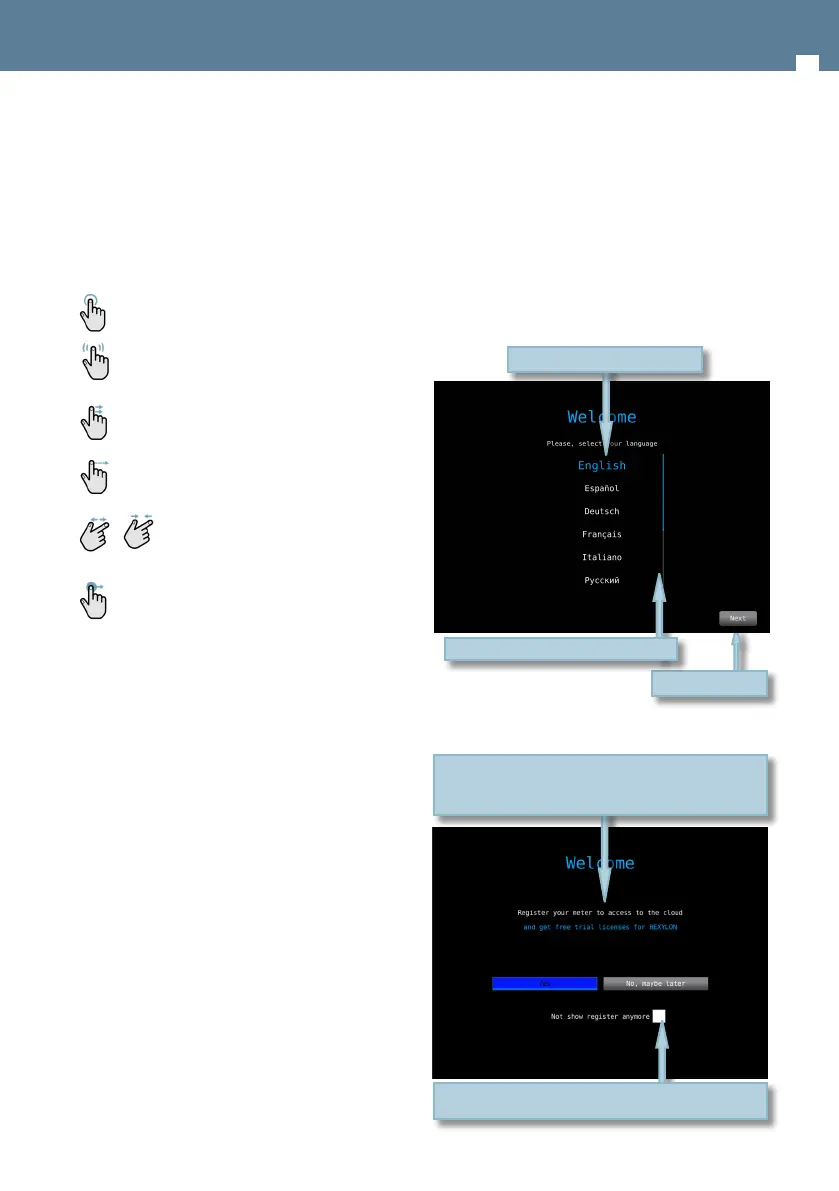
The rst time you turn your Hexylon on, please
follow the next steps for a proper registration. To
do that, you must be registered on our website
(www.gsertel.com)
In addition, you need internet connection
(Ethernet or Wi-Fi). Then, please follow the next
steps that will be shown in the screen:
1.- Choose the language
2.- Choose if you want to register your meter:
Tap to continue
Scroll the bar to see all the languages
Tap to choose the language
Check the box to not show the registration window
again. See section 1.- Settings to show it again
No: cancel the registration. If you cancel the registration,
you will be prompted to register your meter each time
you turn it on


 To Next Page
 Loading...