Hexylon High-performance portable meter
52
8.4.- Radio features
This section explains all the features available to
visualize in the widgets of the Mosaic 3+1 and
Mosaic6 modes.
8.4.1.- Radio info
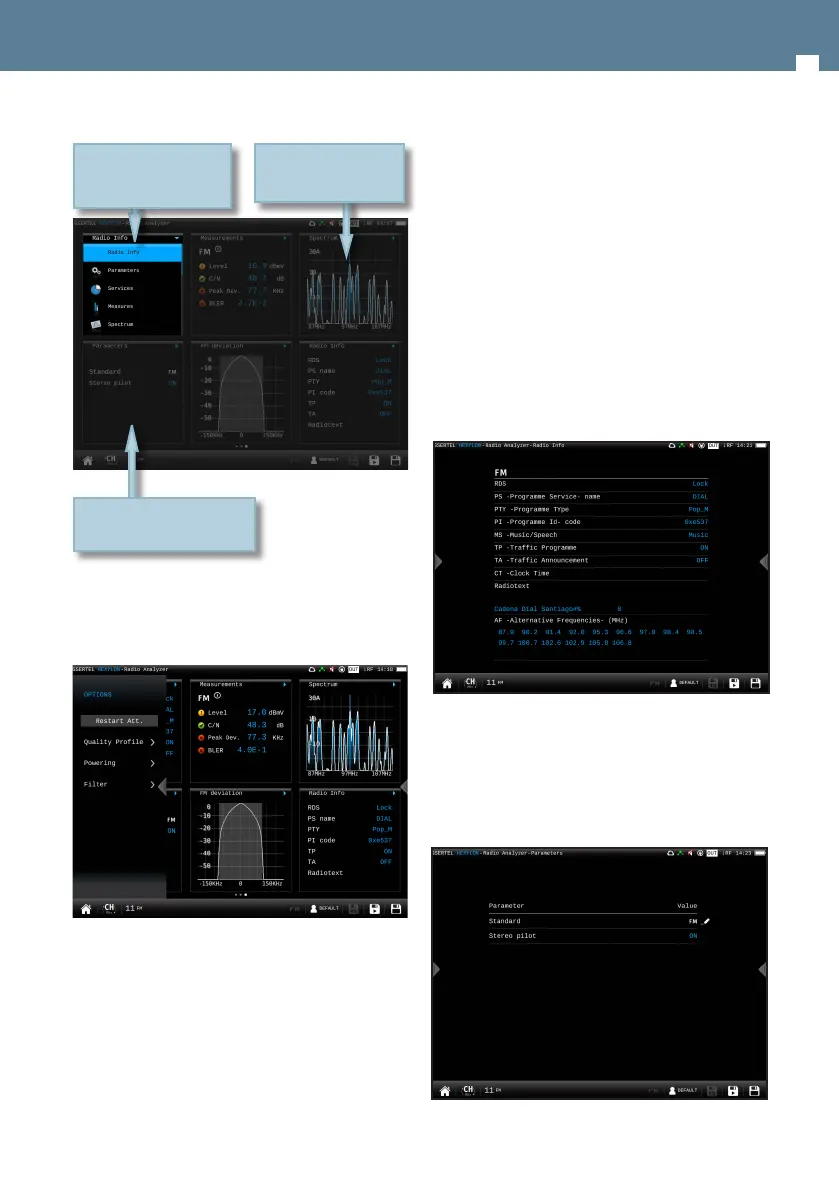
This feature shows the information of the tuned
channel.
If it is a FM channel, the information shown is:
RDS, PS name, PTY, PI, MS, TP, TA, CT, alternative
frequencies, and radio text.
8.4.1.1.- Main Window
-
8.4.2.- Parameters
This feature shows the parameters of the locked
signal.
8.4.2.1.- Main Window
8.3.1.- Main window
All the available features are explained in section
8.4.- Features.
8.3.2.- Options context menu
• Restart Att: restarts the control attenuation.
• Quality prole: allows to select the quality prole
• Powering:
- VDC: Selects the preamplier powering.
Double tap to see the function
in full screen
Tap on the title bar of the
widget to change the
function
Swipe on the spectrum
to change the channel


 To Next Page
 Loading...