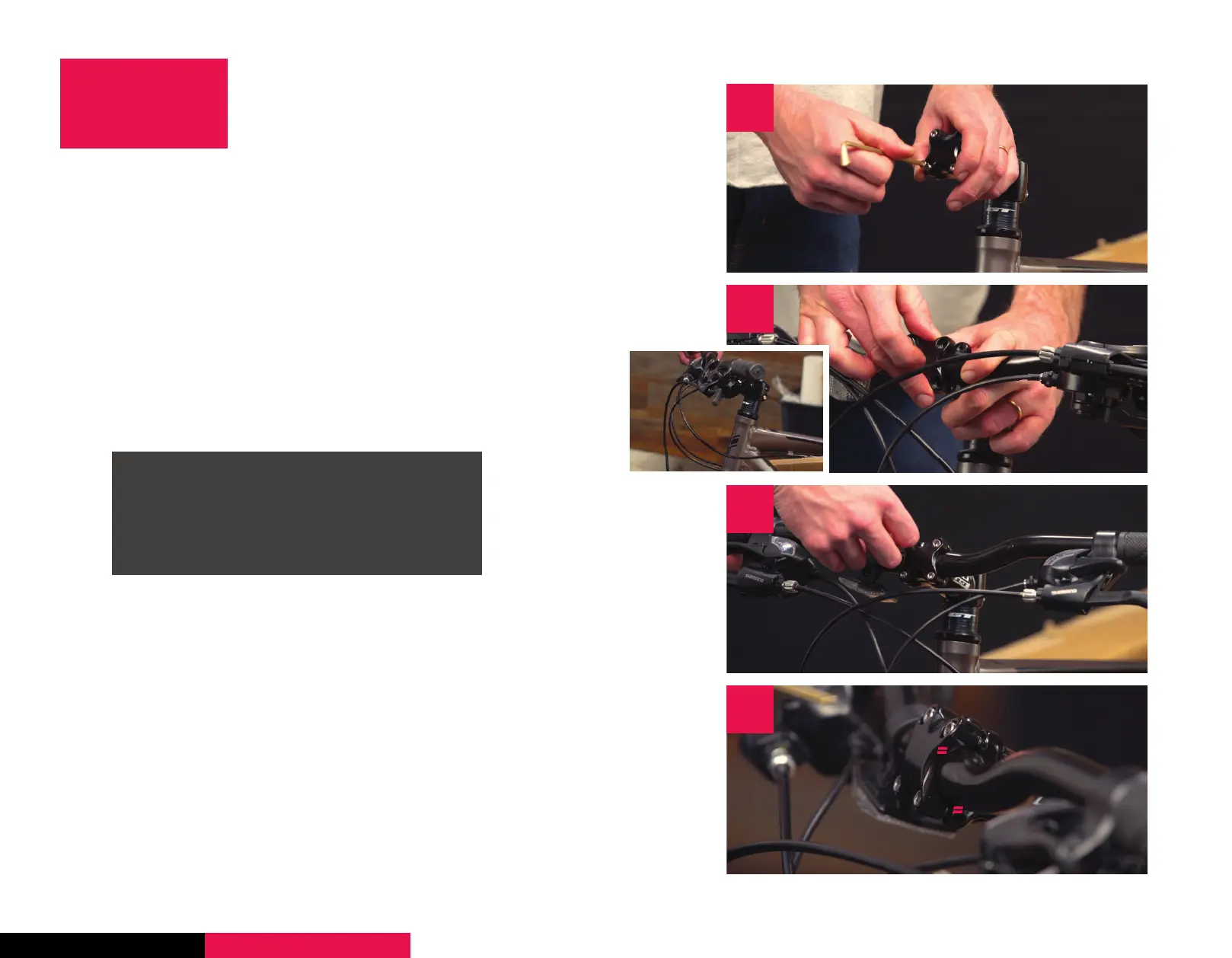
1. Using the included Allen wrench, remove the bolts
and the faceplate from the stem. The stem is what
connects the handlebar to the fork. Set them aside
together, so you don’t lose anything.
2. Insert the handlebar into the stem, and put the
faceplate back on, loosely tightening one of the bolts.
3. Screw in the remaining three bolts in a crosswise
fashion. Don’t tighten them down fully yet.
Roll the handlebars into a comfortable position, then
hand-tighten the stem bolts with the Allen key. We’ll
fully tighten these later.
4. Ensure that the gap on the faceplate is the same on
the top and the bottom of the bar.
STEP 1
INSTALL
HANDLEBARS
1
1
3
4
2
SETUP STEP 1 STEP 2 STEP 3 STEP 4 CONGRATS!
Ensure that the brake and the shifter cables
wrap around the frame in the correct
manner. You don’t want any kinks or twists.
Center your handlebar in the stem using the
markings on the bar.



 To Next Page