1010
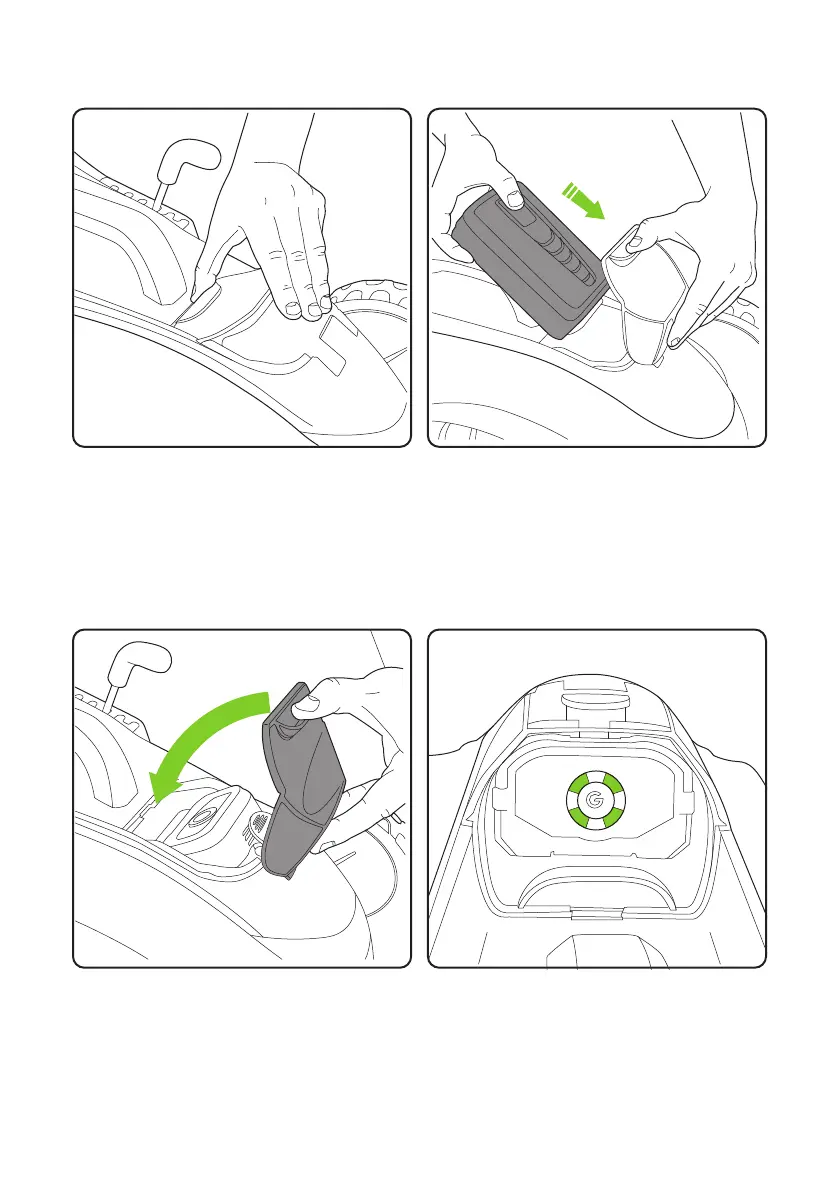
Ensure the ‘G’ logo is facing upwards when
you slide the battery into the battery housing.
It will push firmly into place once fitted
correctly.
Li up the clear visor to reveal the battery
housing.
Inserting the battery
The state of charge indicator on the battery
will be visible through the visor.
The visor will return to its original position.


 To Next Page