EasyManua.ls Logo

GTRS S800 - Quick Tour; Connecting to Audio Devices; Powering On and LED Indicator; Switching Preset Tones

GTRS S800
8 pages
Print Icon
To Next Page IconTo Next Page
To Previous Page IconTo Previous Page
Loading...
QUICKTOUR
02
www.gtrs.tech
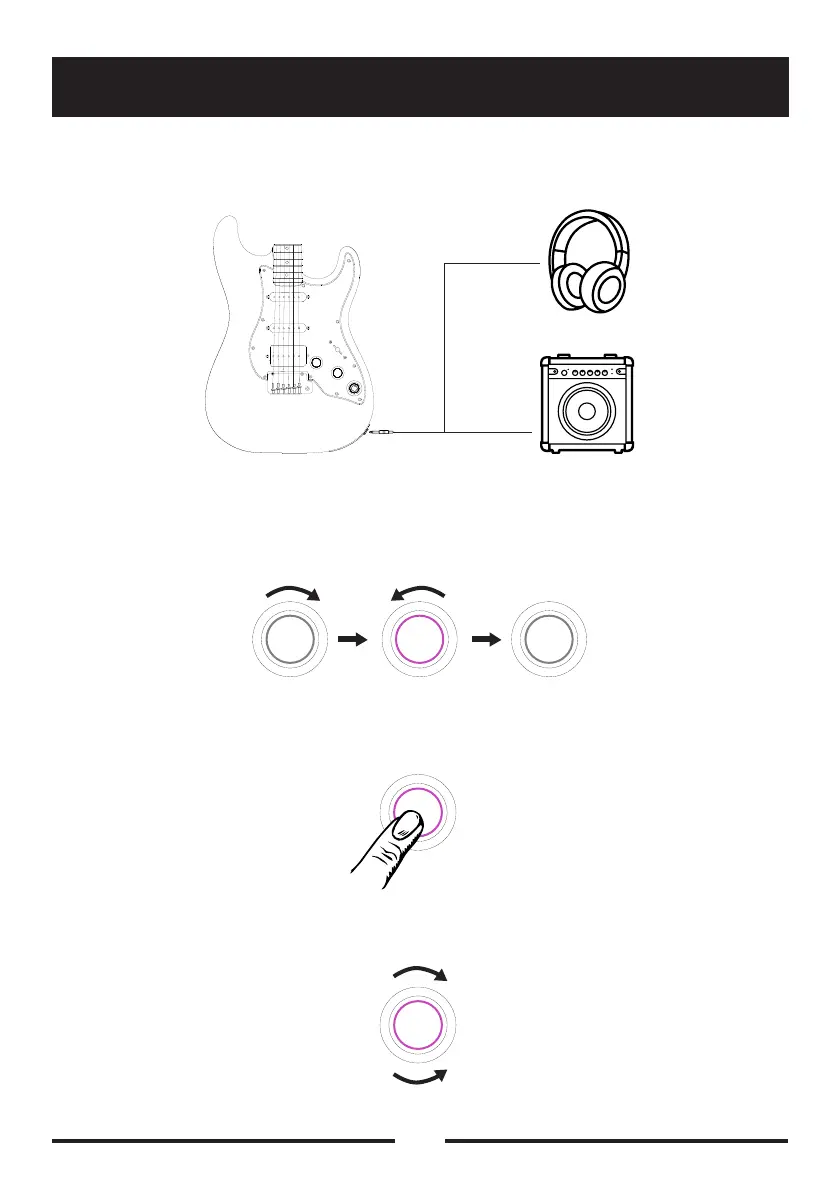
Step1:ConnectyourGTRSguitartoamplierorheadphones
Step2:RotatetheGTRScontrolknobclockwisetoturntheguitaron.The
knobLEDwillindicateon/offstatus
Step3:PresstheGTRScontrolknobtoswitchbetweendierentpreset
tones
Step4:RotatetheGTRSknobtoadjusttheoutputvolumeleveltoyour
preference

Related product manuals