14 15
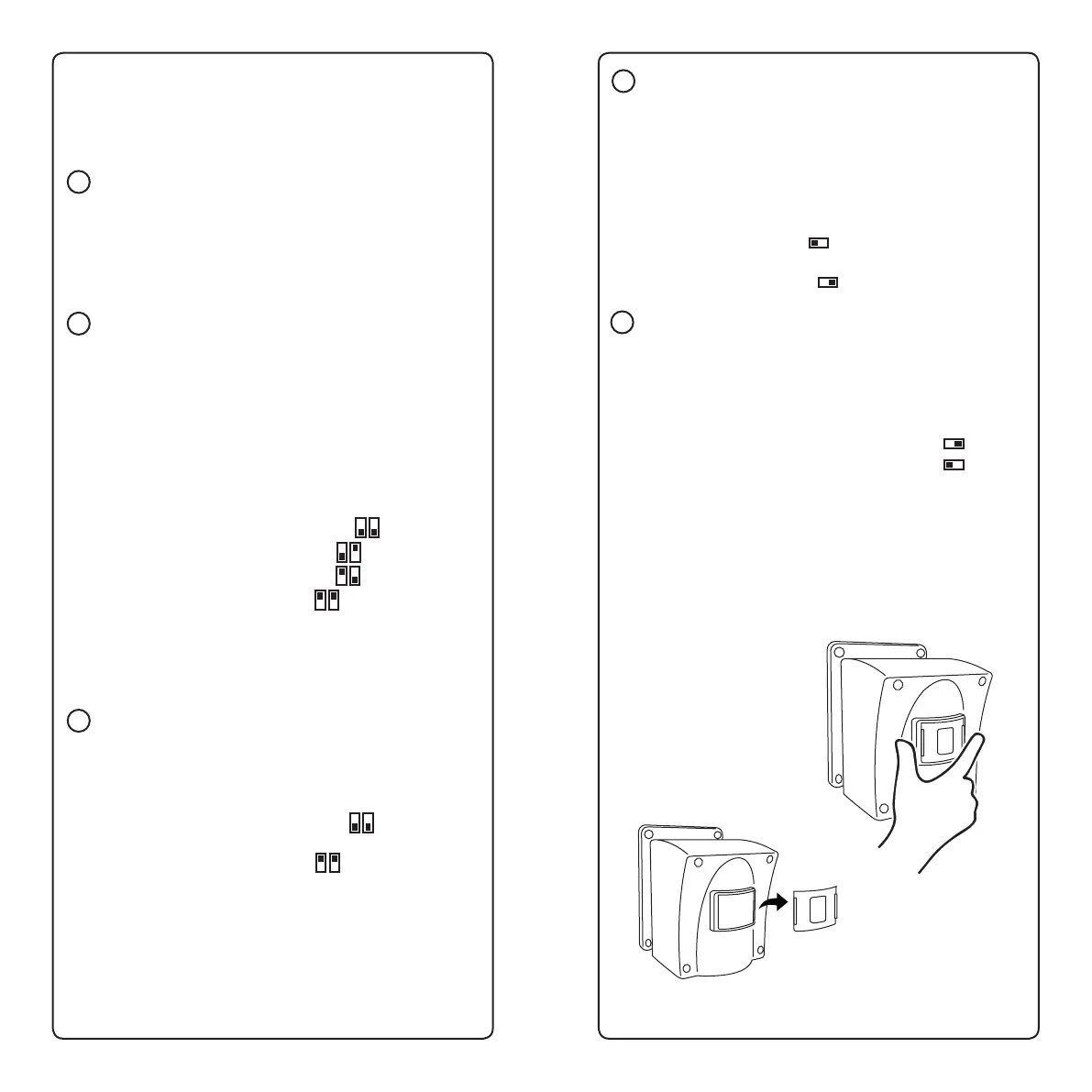
D Night Mode
Turn this ON only if you want your sensor to work during low
light or dark sengs and not during the day. In the default
OFF posion, your sensor will work in both day and night
sengs.
• 24/7 operaon (sensor is always on) -
Switch is set to the le
• Night-only mode (sensor only works at night) -
Switch is set to the right
E Sleep Interval
Aer detecng moon, the sensor can ‘sleep’ for either 7 or
30 seconds, allowing an object to pass through the eld of
vision without seng the alarm o again.
• 7 second interval - Switch is set to the right
• 30 second interval - Switch is set to the le
4.3 Adjusng Sensor Field of View
From the factory, your sensor has a 9-degree eld of view.
You can increase each sensor’s eld of view to 12 degrees by
removing the sensor’s window cover:
3. Use the following guide to set the sensor according to
your preferences, using a pen or other hard, narrow object
to move the various switches.
A Test
Press the Test buon during setup to test that the sensor is
correctly paired with its receiver. The Test buon is also used
to recode the sensor in cases where more than one receiver
is being used (see Pairing the Sensors with the Receiver).
B Distance Sensivity
These switches control how far away your sensor will detect
objects passing in front of it. By default, both switches are
in the ‘down’ posion, allowing the maximum distance
sensivity of 39 feet. Use a shorter distance for shorter
driveways or to avoid picking up objects past your driveway.
To change the distance sensivity, nd your desired distance
below and change the switches accordingly:
• 40 - Switch 1 down, Switch 2 down
• 26 - Switch 1 down, Switch 2 up
• 23 - Switch 1 up, Switch 2 down
• 13 - Switch 1 up, Switch 2 up
If you are experiencing false alarms from cars or animals
in the distance, reducing the distance sensivity can help
reduce or eliminate those false alarms.
C Speed Sensivity
This determines the speed at which objects can be detected
by your sensor.
• Standard speed (2 mph or greater) -
both switches down
• Slow speed (less than 2 mph) -
both switches up
Unless you are using your sensor to be alerted to slow-
moving animal acvity, we strongly urge you to keep this
seng at the standard speed.
1. Squeeze window
cover tabs with two
ngers:
2. Pull window cover o
3. To replace, click
window cover back into
place


 To Next Page