guessconnect.com
9
iOS USER MANUAL
Setting Up The GUESS Connect Watch
Pairing to An iOS Device
PAIRING PROCESS:
7
8
6
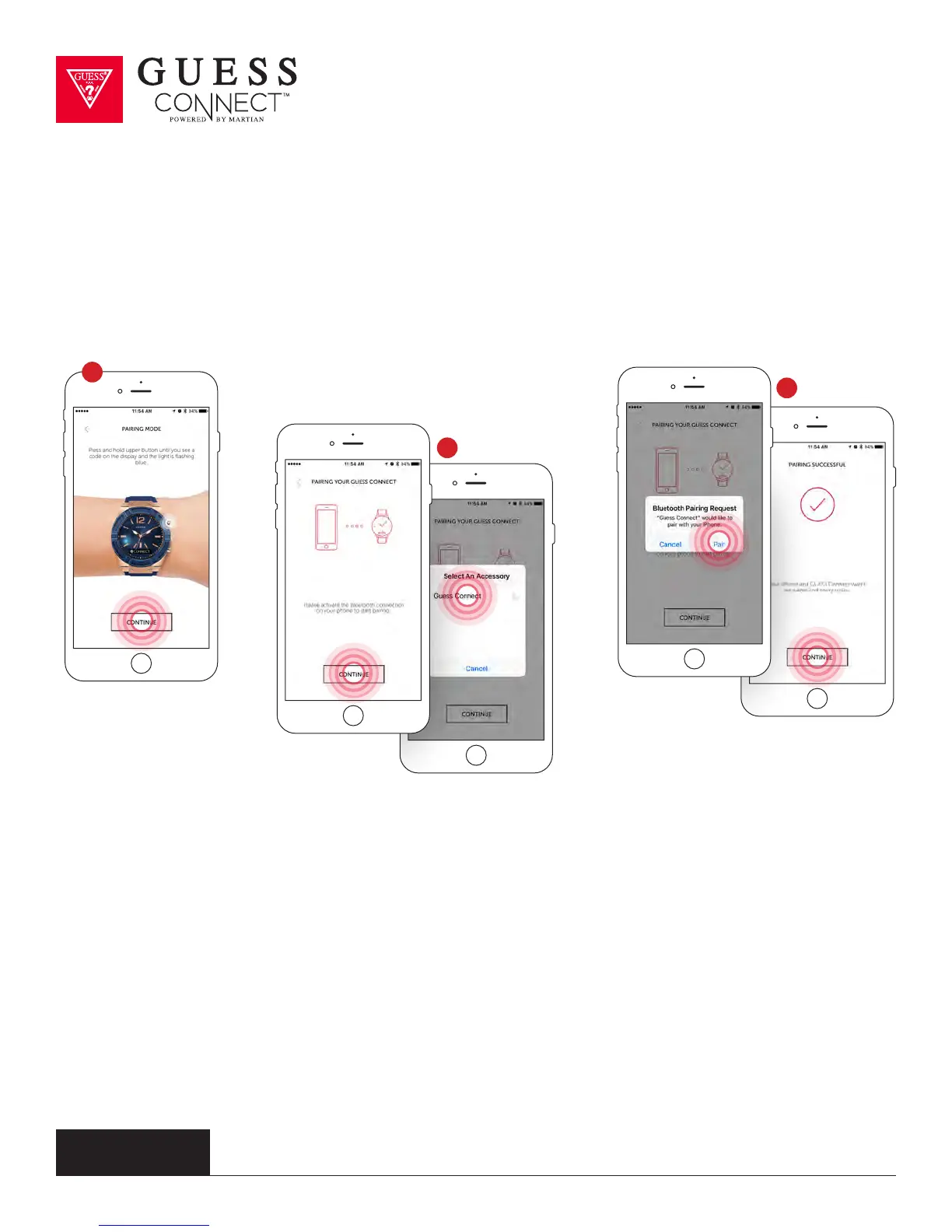
6 Press Continue on the App and you will be asked to pair your watch to your device.
On the watch, press and hold the top button until the BLUE light begins flashing
and the OLED display reads Pair Ready. This will take a few seconds.
7 The App will now prompt you to select an accessory to pair. GUESS Connect will appear.
Upon choosing this option, a key and number will briefly display on the watch.
8 Another pairing request will appear, choose Pair. Your watch display will also inform you that
you are “Paired”. On your iOS device, a screen will say Pairing Successful. Press Continue.



 To Next Page