guessconnect.com
8
iOS USER MANUAL
Setting Up The GUESS Connect Watch
Pairing to An iOS Device
PERMISSIONS & WATCH POWER ON:
1
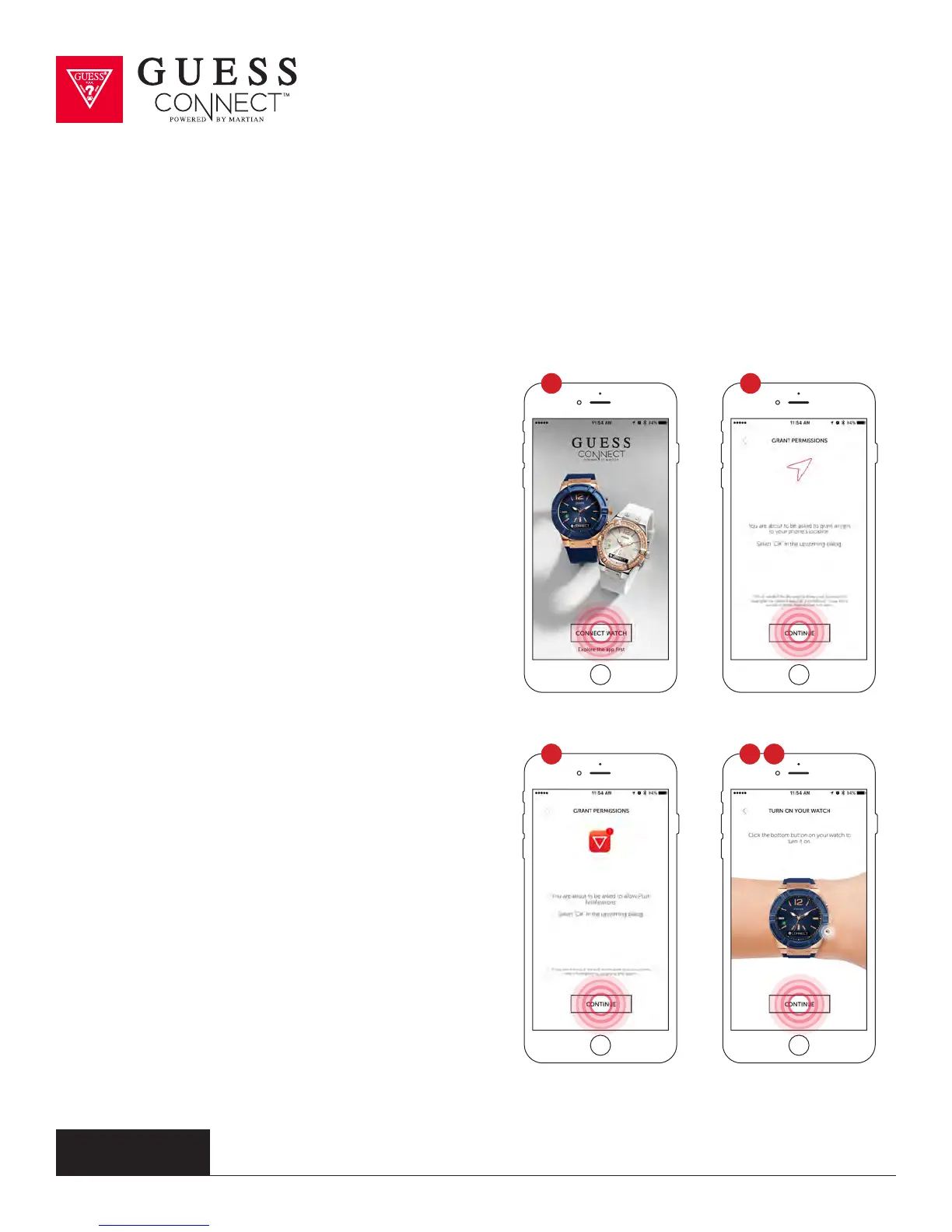
Open the GUESS Connect App on your Apple
iOS device and choose Connect watch.
2 For security purposes the App will ask you to
grant permission to access location services.
Choose Continue, and then, Allow.
3 You will also be asked to grant permissions to
allow the watch to access push notifications,
such as messages, email, and other App
specific data.
4 Press and hold the bottom right button for two
seconds to turn the watch on. The Martian
logo will appear on the OLED screen and the
LED indicator will blink GREEN.
5 Quickly press the bottom button to display the
battery level icon located on the left side of the
OLED screen. If the battery icon is less than
50%, charge the watch before pairing. Choose
Continue after this process.
1
3 4
2
5



 To Next Page