TMP 1000
4
For more informaon please visit our website: www.glidegear.net
5
6
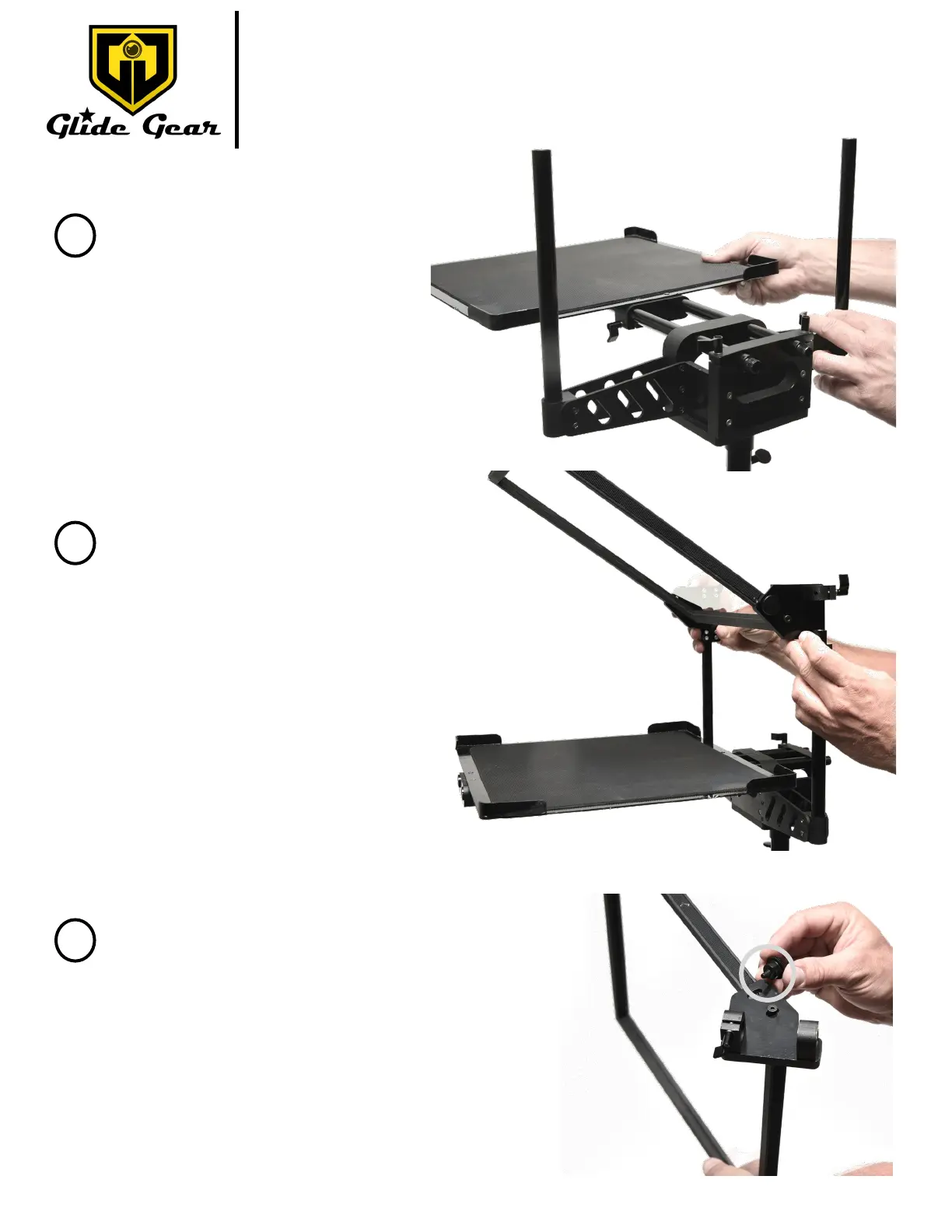
Fig. F
Fig. E
Install the tray onto the rails you
installed in Step 2 as shown in Fig. E.
Once the assembly is complete, you will
place your prompng device on the
Tray.
Slide the beam splier glass onto the 2 rails
on the side the TMP 1000 base.
Make sure that the glass is on the same side
as the Tray as shown in Fig. F.
Fig G.
Use the thumbscrew on each side of the glass
to adjust and/or lock the glass into posion.
See Fig. G.



 To Next Page