35
CN GB RU DE FR
During normal charging, the charging indicator lamp is
red.
When the charging is completed, the charging indicator
lamp turns green.
4. Battery status
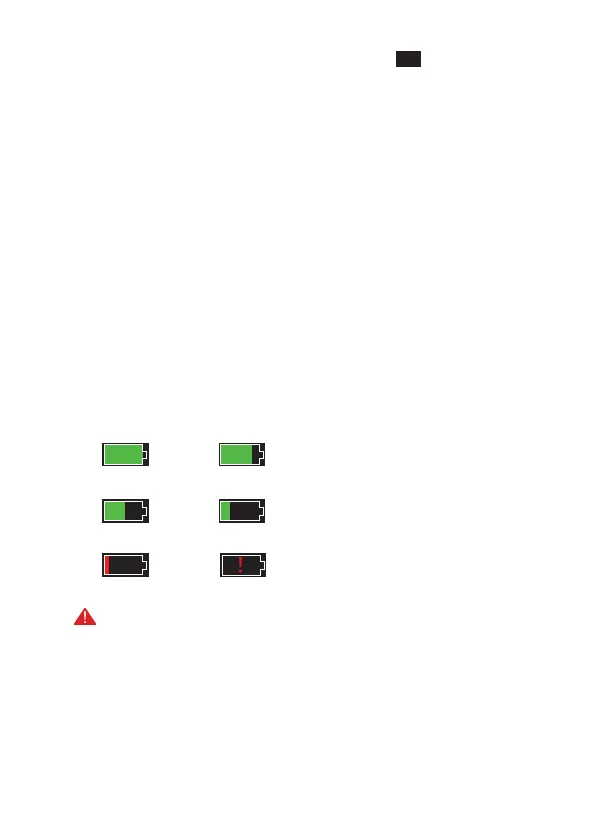
Power display: When the thermal imaging camera is
turned on and the cell power level changes, the power
indicator will be displayed in the upper right corner of
the screen, and the part with the power indicator on will
display the remaining power of the cell.
After the power-on screen enters the real-time picture,
the icon corresponding to the above power level will be
displayed on the screen. The power level is as follows:
High Medium to high
Medium Medium to low
Low Extremely low
NOTE: When the power is low, please charge it in time!



 To Next Page