14
Operating Instructions
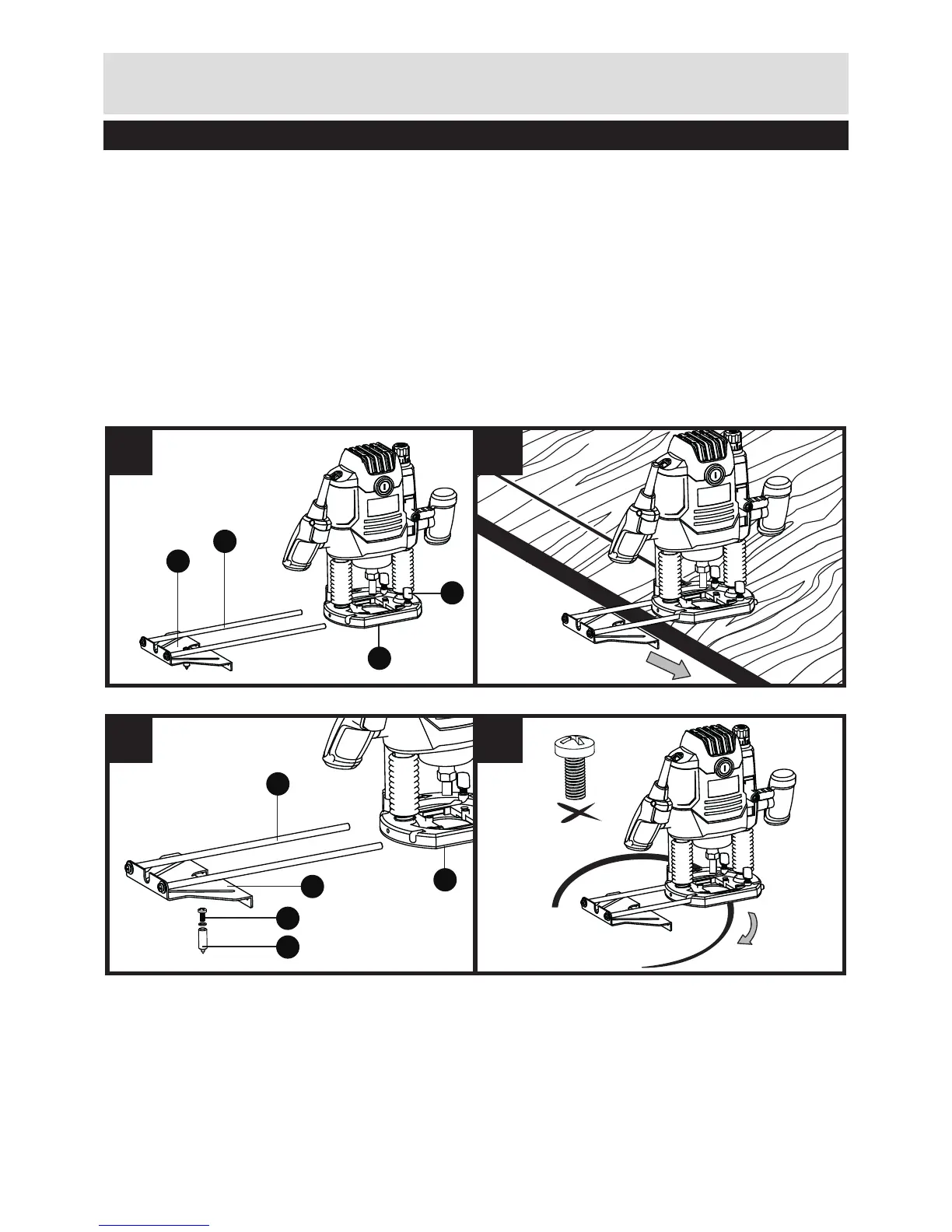
10. ROUTING WITH PARALLEL GUIDE (SEE FIG H, I)
Slide the parallel guide (25) with the guide rods (26) into the base plate (9) and tighten at
the required measure with the locking screw (11).
Guide the tool with uniform feed and sideward pressure on the parallel guide along the
edge of the workpiece.
11. ROUTING CIRCULAR ARC PROFILES (SEE FIG J, K)
• Reverse the parallel guide (facing surfaces point upwards) and insert the guide rods
into the base plate. Fasten center pin (27) to parallel guide (through hole) with wing
bolt (28).
• Puncture center pin into marked centre of the circular arc and guide router with
consistent feed across the workpiece surface.


 To Next Page