
 To Next Page
W
William CameronAug 2, 2025
What to do if my GVA Set-top box screen shows 'No Signal'?
- DDebra JohnsonAug 2, 2025
If your GVA Set-top box shows 'No Signal', ensure the DVB-T cable is securely plugged in. Also, verify that your settings are correct.

What to do if my GVA Set-top box screen shows 'No Signal'?
If your GVA Set-top box shows 'No Signal', ensure the DVB-T cable is securely plugged in. Also, verify that your settings are correct.
Why does the image on my GVA Set-top box stop suddenly or become mosaic?
If you're experiencing a sudden stop or mosaic-like image on your GVA Set-top box, the signal might be too weak. Try to strengthen the signal.
What to do if there is only sound, but no image on the screen of my GVA Set-top box?
If you have sound but no image on your GVA Set-top box, check the AV cable connection. If that's not the issue, you might be tuned into a radio program. Press the key to switch to TV mode.
How to troubleshoot no sound from the speaker of GVA Set-top boxes?
If you're not getting any sound from your GVA Set-top box speaker, first check the audio cable connection. Make sure the sound isn't muted, and if it is, adjust the volume. If the problem persists, try selecting a different audio track.
Why is the remote control unit not working with my GVA Set-top box?
If your GVA Set-top box remote control isn't working, replace the battery. Also, ensure you're pointing the remote directly at the front panel and are close enough to the unit.
Explains all the input/output ports on the rear of the device.
Comprehensive guide to the functions of all buttons on the remote control.
Critical safety guidelines to prevent hazards like electric shock and fire.
Explains safety symbols and provides important cautions for device usage.
Guide for first-time installation, including country and channel search.
A troubleshooting guide for common issues like no picture or signal.
 General
| HDMI Output | Yes |
|---|---|
| USB Port | Yes |
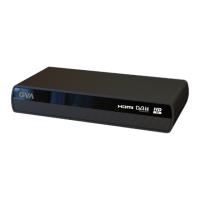
| Model | GVADH1685P |
| Category | Set-top box |
| Video Resolution | 1080p |
| Supported Video Formats | H.264, MPEG1/2/4 |
| Supported Audio Formats | MP3, AAC |