12
Scan the QR code on the back of the manual to download the APP
PENGGUNAAN APLIKASI
If there is a slave, the APP will synchronously control the slave of the same
channel as the connected APP mode machine.
Turn on the video light and set the mode to APP mode. Open the “GVM_LED”
application software on the phone ( The phone needs to turn on bluetooth and
GPS), then enter the bluetooth's search interface
→ Find the bluetooth
named “BT_LED” and connect
→ Wait for connection → After connect
success, it will automatically enter t
he app's control interface. At this time, the
video light have been connected and you can controll the APP.
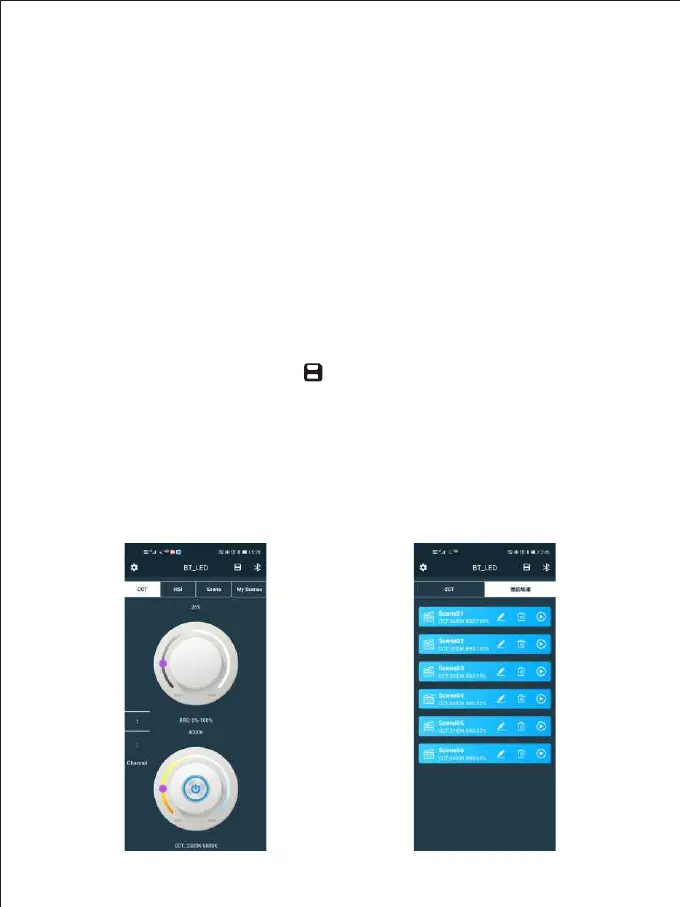
You can save 6 custom light effects in “My Scenes”. After setting the light
effect parameters
→ click the “ ” icon in the right corner → pop up the
“Save Current Scenes”
→ click “OK”. This light effect can be found in “My
Scenes” at this time.
Color temperature control interface Save light effect interface



 To Next Page