PR1713 Operating manual
Operating concept
Page 7
2.2 Keyboard
Indicator controls
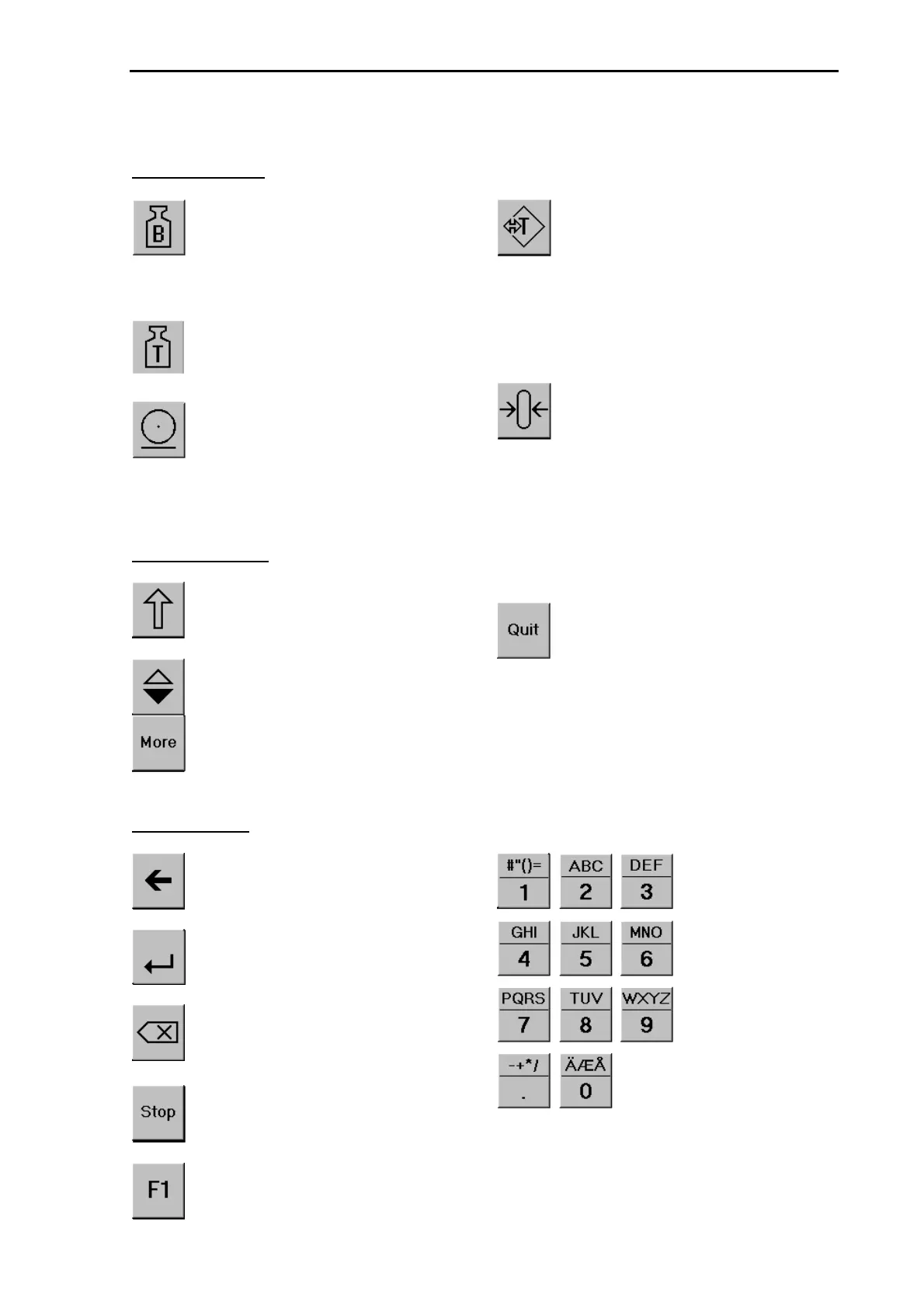
Display switch-over to gross mode,
as long as the key is pressed. Addi-
tionally, symbol
B
or
G
dependent
of selected language is displayed.
Display switch-over to tare weight,
as long as the key is pressed. Addi-
tionally, symbol
T
is displayed.
print-out-key for additional or self-
programmed programs. Try to start
program 'Print'.
Set and reset tare. The instantaneous
gross weight is stored in the tare
memory, provided that:
- weight standstill
- weight within the limits (0 ≤
weight ≤ f.s.d.)
- unit is not in error status.
Gross weight is set to zero. Conditi-
on is:
- weight standstill
- within zero set range
- not tared
- batching is not active
Menu control keys
Softkey for menu selection on the
alphanumeric display
Scroll key for selection from a list
More key for display of further me-
nu items
Quit-key for leaving an entry or me-
nu and continuation at the next hig-
her menu level.
Remaining keys
Cursor key for moving the cursor
during numeric text editing
Enter key for completing entries
Back-space key. When editing al-
phanumeric texts, the previous cha-
racter is deleted.
Stop- key for stopping a running
batch process
Function keys for additional or self-
programmed programs. Try to start
program 'F1'.
Alpha-numeric
keys


 To Next Page