
 Need help?
Do you have a question about the Gydom IDW13 and is the answer not in the manual?
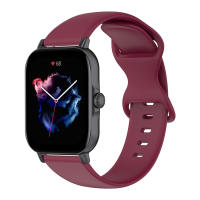
Details the physical components of the IDW13 smart watch, including screen, buttons, sensors, and speaker.
Step-by-step instructions for unboxing, charging, downloading the app, and pairing the watch with your phone.
Explains how the watch automatically records data and allows manual/auto measurement of heart rate, SpO2, and stress.
Details correct watch wearing, screen touch operations, and physical button functions.
Describes how to switch and customize watch faces via the watch and the companion app.
Covers available exercise types, intelligent recognition, and viewing exercise summaries and records.
Lists all available applications accessible from the watch's main menu.
Guides through linking the watch with Amazon Alexa via the VeryFit app for voice commands.
Explains how to use Alexa directly on the watch for commands like stopwatch and alarms.
Details how to add contacts, view call history, and make calls directly from the watch.
Describes the display of daily steps, distance, calories, recovery time, and VO2 max.
Instructions for measuring heart rate and ensuring correct watch placement for accurate readings.
Details the process for measuring blood oxygen levels (SpO2) and stress levels accurately.
Explains how to use the breathing exercise feature for relaxation and emotional regulation.
Information on how the watch monitors sleep quality and displays sleep stage data.
How to use the built-in stopwatch with lap function and set custom timers.
Instructions for setting, deleting, and managing alarms on the watch and via the app.
How to view current and future weather forecasts, requiring connection to the VeryFit app.
Enables controlling mobile music playback (play, pause, skip, volume) from the watch.
Allows locating your phone by making it ring when connected to the watch and app.
Functionality for tracking menstrual cycles and fertile periods, with reminders.
Enables using the watch as a remote shutter for your phone's camera.
Covers settings for screen, sound, vibration, DND, battery, and general device management.
Details various notification types supported, including messages, calls, and activity reminders.
Provides quick access to functions like Do Not Disturb, brightness, flashlight, and find phone.

 To Next Page
 General