EasyManua.ls Logo

Haas GR 510 - User Manual

Haas GR 510
10 pages
Print Icon
To Next Page IconTo Next Page
Loading...
© 2012 Haas Automation, Inc. 96-0056 rev P 3/12 1
Gantry Router
Operator’s Addendum
Safety
Read and Follow all safety warnings - Familiarize yourself with the safety section of the Operator’s






of this machine must read this section and understand the requirements necessary to operate this equipment
in a safe manner. These


responsibility to make non-



these procedures will not insure
safe operation. The machine
power must be turned OFF prior
to the removal of any panels for
the purpose of service or main-
tenance access.

devices deemed necessary, are
the sole responsibility of the
machine operator.

powered up.
COOLANT TANK
BASE
CASTING
FRONT
C
CONTROL CABINET
DOOR
B
STAY CLEAR
A
STAY CLEAR
OPERATOR ZONE
GR 510/512 GR710/712
36”
36”
30”
36”
48”
42”
A
B
C
Question and Answer IconNeed help?

Do you have a question about the Haas GR 510 and is the answer not in the manual?

Overview

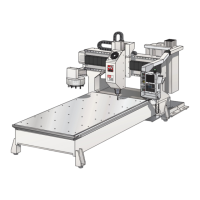
This document describes the Haas Gantry Router, an "Open Architecture" machine designed for machining operations. "Open Architecture" means it does not include every guard necessary to keep the operator out of the machining envelope. Operators must stay within the designated "Operator Zone" during machining and all personnel must remain outside the "Stay Clear Zone." Photoelectric beams are used to stop the machine if personnel or equipment enter the protected area, or if a large quantity of coolant and/or machining chips pass through the beam.

Safety Features and Guidelines:

  • Operator Training: The machine must only be operated by trained and qualified personnel.
  • Safety Glasses: Always wear safety glasses.
  • Chip Screens: Highly recommended for open frame mills.
  • Initial Cuts/Setups: Should be cut at a slower speed to reduce tool or machine damage.
  • Power Off: Machine power must be turned OFF before removing any panels for service or maintenance.
  • Additional Guards: Any additional guards or safety devices deemed necessary are the sole responsibility of the machine operator.
  • Tool Changer: The tool changer may start at any time; all personnel must be clear when the machine is powered up.
  • Impact Hazard: Stay clear of moving parts during operation as they can crush and cut. The machine may start automatically.
  • Machine Movement: This machine moves quickly. Shop owners are responsible for safeguarding workers.
  • Electrical Safety Guards: The electric safety guards (photoelectric beams) must be set up before jogging any axis. If the electronic beam is broken, the mill will go into feed hold and the spindle will stop. Clear the area and press Cycle Start to continue.

Technical Specifications:

Air Requirements:

  • 4 scfm (standard cubic feet/minute) of air at 100 psi.

Electrical Requirements:

  • AC Input Power: Three-phase Delta or Wye power, with the power source grounded (e.g., leg or center leg for delta, neutral for Wye).
  • Frequency Range: 47-66 Hz.
  • Line Voltage Fluctuation: Not more than ± 5%.
  • Harmonic Distortion: Not to exceed 10% of the total RMS voltage.
Voltage Requirements (195-260V) High-Voltage Requirements (354-488V)
Power Supply: 50 AMP Power Supply: 25 AMP
Haas Circuit Breaker: 40 AMP Haas Circuit Breaker: 20 AMP
If service run from elec. panel is less than 100': 8 GA. Wire If service run from elec. panel is less than 100': 12 GA. Wire
If service run from elec. panel is more than 100': 6 GA. Wire If service run from elec. panel is more than 100': 10 GA. Wire

Tool Changer Specifications:

  • Tooling: Use BT or CT.
  • Maximum Tool Weight: 12 lbs per pocket.
  • Total Tool Weight: 120 lbs total.
  • Maximum Tool Diameter: 3.5".
  • Clearance: Ensure adequate clearance between tools in the tool changer before automatic operation. This distance is 3.6" for a 10-pocket or a 20-pocket tool changer.

Table Specifications (GR-510):

  • Maximum Weight: 6000 lbs distributed evenly.
  • Caution: Extremely heavy tool weights should be distributed evenly.

Usage Features:

Installation:

  • Anchoring: The gantry mill will perform better when anchored. Refer to Haas document ES0095 for instructions.
  • Moving the GR-Series Mill: Use a forklift with at least an 18,000 lb rating.
  • Shipping Bracket Removal: Remove two long bolts securing the lower shipping bracket to the table, and two additional bolts threaded into the shipping bracket. These replace the long shipping bolts in the table and should be stored. Remove shipping brackets securing the head to the table and shipping bolts holding the Y-axis to the bridge. Install the sheetmetal cover over the sub-plate on the tool changer side.
  • Optional 20-Pocket Tool Changer: Shipped reversed to save space. A lifting device (overhead crane or forklift) is necessary to remove and reinstall the heavy tool changer in the operating position. Do not disconnect cables, but be careful not to tug on them. Remove four bolts securing the tool changer to the bracket, turn it around, and reinstall with loose bolts for final alignment.
  • Aligning the Tool Changer:
    1. Jog mill to machine 0 in Y and Z axes. Place a tool in the spindle and orient it.
    2. Verify an empty pocket faces the spindle, then command a tool change and E-Stop as it moves.
    3. Manually push the tool changer towards the spindle, verifying spindle orientation and height. Adjust parameter 257 if needed.
    4. Check X-axis alignment as the tool changer moves in. Adjust the assembly if necessary so the tool is centered between the fingers.
    5. Tighten bolts securing the tool changer to the bridge.
    6. Rotate spindle by hand until the tool is centered in the pocket.
    7. Enter DEBUG, go to POS-RAW-DAT, record spindle encoder counts, and enter this number in Parameter 257 (Spindle Orient Offset). Exit DEBUG.
    8. Press Zero Return, then Zero Single Axis to move the shuttle out. Repeat steps 1-3 to verify alignment.
    9. Remove tool from spindle. Command a tool change to an empty pocket.
    10. Place tool in spindle and command a tool change. Repeat previous steps if further adjustment is needed.
  • Verify Alignment: Place a tool in the spindle and command a tool change, checking engagement. Repeat with another tool 180° from the first. If the tool changer doesn't move to the proper position, adjust the shuttle stroke (see "Shuttle Stroke Adjustment" in the Service manual). Measure distance from table to tool holder at tool change position. Rotate carousel 90°, 180°, and 270° and recheck height to ensure the tool changer assembly is parallel to the table.
  • Setting Parameter 64 (Tool Change Offset): (Setting 7 must be OFF)
    1. Without a tool in the spindle taper, initiate a tool change and E-Stop just before the tool changer reaches the spindle. Insert a tool holder into the pocket.
    2. Using a .0005 indicator, zero off the bottom left edge "A" of the tool holder. Move to the bottom right edge "B". Any difference should be equally divided (e.g., .002 difference means indicator reads .001 on either edge). This sets the tool offset reference.
    3. Carefully move the indicator aside. Remove the tool from the tool changer.
    4. Press Zero Return, then Zero Single Axis to move the shuttle out.
    5. Place a tool in the spindle.
    6. Press Z and Home G28 to bring the Z-axis to the tool change position.
    7. Carefully place the indicator under the spindle and indicate on the bottom left edge of the tool holder. Jog the Z-axis until it reads zero (0) if needed.
    8. Enter DEBUG, go to Position Raw Data page, and write down the Z-axis "actual" number. If negative, add to Parameter 64; if positive, subtract from Parameter 64 (ignoring decimals).
    9. Insert the calculated number into Parameter 64 and push WRITE. ZERO RET Z-axis to initialize. Press Z and Home G28.
    10. Recheck the offset with the indicator (Steps 1-5).
    11. Insert tool holder in spindle taper and change tool, watching closely.
    12. Change setting 7 to "ON".
    13. Exit Debug.
  • Pendant Arm: The pendant arm is secured to the table for shipping. DO NOT operate the mill with the arm in this position. Swing it away from the table, remove the bolt and spacer from the top of the arm joint, and install them in the front of the joint. Loosen clamps on the flexible boot, position it over the joint, and tighten the clamps.
  • Photoelectric Beams Set-up:
    1. Loosen the single bolt and rotate the arm 90° at each corner. Snug the bolts.
    2. Adjust the bracket with the sensor until both red and green lights on the sensor come on. Do this for both sensors.
    3. Tighten all bolts on the four guards. Verify lights on both sensors are still on.
  • Leveling: Required for correct right-angle geometry of X, Y, and Z axes. Incorrect leveling causes out-of-round circle milling and incorrect linear interpolation.
    • Tools: Use a precision bubble level with each division equal to 0.0005 inch per 10 inches, or .05 mm per meter, or 10 seconds per division. Check level accuracy by rotating it 180° on the table.
    • Initial Setup: Screw the four leveling screws at the corners until the base is 2½" to 3" above the floor (minimum one inch of screw extending out of the base, or one inch between pads and casting). Turn each screw until tension is equal. Screw jam nuts onto the leveling screws but do not tighten.
    • Rough Leveling:
      1. Place level on the center of the table parallel with the X-axis. Adjust front/back leveling screws until the bubble is centered.
      2. Rotate level 90° parallel with the Y-axis. Adjust right/left leveling screws until level.
      3. Repeat until both directions are level.
    • Remove Pitch and Roll (Twist):
      1. Use Handle Jog (0.01) on the X-axis. Jog X-axis to machine zero and Y-axis to the middle of travel.
      2. Place level on the bridge parallel to the X-axis to check pitch. Zero the level by shimming. Jog the bridge to the other end. Adjust both screws on the low end until level.
      3. Place level parallel to the Y-axis on the bridge to check for roll. Zero the level by shimming.
      4. Jog bridge to the other end. Adjust as needed.
      5. Turn leveling screws in smaller increments (1/4, 1/8 turn, and smaller). Ensure tension remains equal on all four corners.
    • Final Steps: Repeat until level. Tighten jam nuts on leveling screws. Check again that all screws are tight against the pads. Recheck leveling screws a few days after installation as the foundation may settle.
  • Chip Shield Installation:
    1. Fasten the chip shield to its bracket with two plastic knobs.
    2. Ensure the chip shield is lower than the longest tool in the tool changer. Adjust by loosening knobs and sliding the shield up or down. If not lower, the chip shield and tool will collide during a tool change, causing damage.

Maintenance Features:

  • Lubrication:
    • Axes must be lubricated once a month using a synthetic grease with an NLGI grade of 1.5 or 2.
    • Pump 2 strokes of the included grease gun at each fitting.
    • Y-axis and Z-axis grease fitting is on the operator side of the sub plate.
    • Each column has a grease fitting.
    • X-axis ball screw grease fitting is under the machine, accessed by moving the gantry to the forward-most position.
  • Spindle Oiling System (Optional): Check monthly and add oil if required.
  • Coolant Level: Check each 8-hour shift if equipped.
  • Coolant Tank: Clean weekly. Hoses may need to be removed from the pump, filter, and auxiliary filter. Mark hoses to ensure correct reinstallation.

Haas GR 510 Specifications

General IconGeneral
BrandHaas
ModelGR 510
CategoryControl Systems
LanguageEnglish

Related product manuals