Need help?
Do you have a question about the hager EG 103 and is the answer not in the manual?
Details on supply voltage, frequency, power consumption, maximum load, and minimum current.
Information on programming capacity, accuracy, operating reserve, standby mode, and protection degree.
Specifies operating and storage temperature ranges for the device.
Details on flexible and rigid cable capacity and the connection diagram.
Step-by-step guide to creating new daily or group-of-day programs.
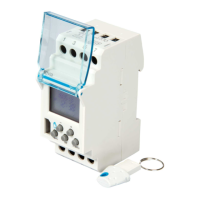
Explains the use of programming keys for saving, loading, and permanent overrides.
Describes how to temporarily or permanently override the programmed schedule.
Details on how to lock the keyboard to prevent unintended operations.
Instructions on how to view the programmed daily schedule without modification.
Procedure for editing existing program steps and clearing unwanted ones.
How to set the date and type for automatic seasonal time adjustments.
Clears the programmed settings while retaining time and date.
Clears all contents of the product, requiring time and day reset.
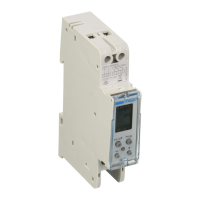
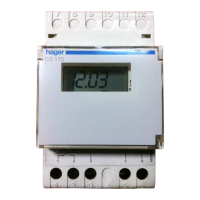
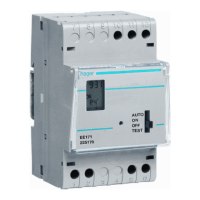
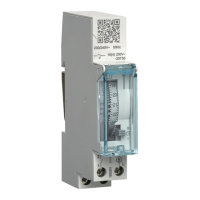
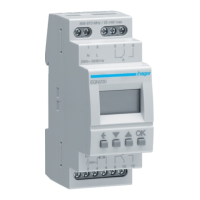
This document describes the Hager EG 103 and EG 103B, a 1-channel electronic time switch with a weekly cycle.
The Hager EG 103/103B is an electronic time switch designed for automated control of electrical circuits based on a weekly schedule. It features a single changeover, volt-free contact output. The device comes pre-set with the current time and date and automatically adjusts for winter/summer time changes. It supports up to 56 program steps (On/Off) with a minimum time interval of 1 minute between steps. Users can program for individual days or groups of days.
The time switch offers various override functions:
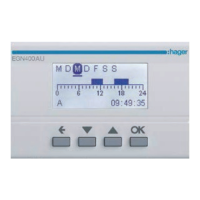
A key feature is the ability to display a bar graph of the daily profile, allowing users to visualize the programmed schedule. The keyboard can be locked to prevent unintended actions. The device also includes a programming key that enables permanent waivers, program copying, and saving.
Electrical Characteristics:
Functional Characteristics:
Environment:
Connection:
Programming (prog new):
menu then ok to select prog mode.+ or - to select the day(s) (1=Monday to 7=Sunday), then ok.+ or -.+ or -, validating each with ok.auto mode using the menu button.Modification or Clearing a Program Step (prog modif):
prog mode with menu, then ok. Choose modif with + or -, then ok.ok repeatedly to display all programmed steps.+ or -, then validated with ok.+ and - simultaneously. Clear appears; validate with ok.Setting Time and Day / Winter/Summer Time Change (*/*):
menu then ok.+ or - and ok.+ or -, then ok.
USER type, enter the day and month for summer time (+1 hour) and winter time (-1 hour) changes.Key Usage: The programming key can be inserted into the switch for two main operations:
menu to select save (to save the time switch's program to the key), load (to load the key's program to the time switch), or check (to verify the key's program).ok. Reconfirm for save and load.no prog (key is empty), Error (key is for a one-channel switch). In these cases, only save is possible.Override Function:
Pressing - repeatedly:
Display Function:
menu and press ok. The first step of Monday and its daily profile are displayed.+ or - repeatedly to shift days and view their first daily step and profile.ok to view all steps of each day consecutively.Keyboard Locking: The keyboard can be locked using an EG 004 key to prevent unwanted actions. Unlocking is done in the same way.
Reset Options:
menu, ok, and -. This clears the program while retaining the time and date.+, ok, and menu. This clears all contents of the product. After a total reset, the time and day of the device must be re-set.Warranty: Hager products come with a 24-month warranty from the date of manufacture, covering material or manufacturing defects. The warranty is void if the device is installed contrary to IEE wiring regulations and accepted industry practice, or if the goods return procedure is not followed. A detailed explanation of the defect must accompany returned goods.

 To Next Page
 General