Need help?
Do you have a question about the hager EK530 and is the answer not in the manual?
Details on the thermostat's display, buttons, and operational modes like Comfort and Eco.
Guidelines for mounting the thermostat and specific wiring diagrams for boiler, heat pump, and circulator connections.
Guide for setting year, date, time, and preferred time format (12/24h) upon first use.
Explanation of how to operate the thermostat in automatic, manual, and standby modes.
Configuration of temporary override duration, backlighting, temperature calibration, and 2nd comfort level.
Setting heating/air-con mode, pump degumming, and regulation types for heating and air conditioning.
Option to reset parameters to factory defaults and check the installed software version.
Details on pre-defined programs (P1-P3) and creating custom programs (P4) for heating and cooling.
Setting holiday mode for frost protection and temporary adjustments to set-point temperatures.
Step-by-step guide to creating a custom 24-hour heating/cooling program for specific days.
How to temporarily override the current program settings for a specific duration.
Information on telephonic remote control and remote temperature probe connections and symbols.
Specifications of the thermostat and guidelines for correct disposal of the product.
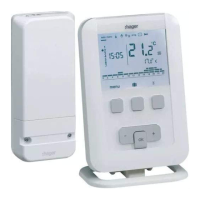
The Hager EK530 is a programmable ambient thermostat designed to enhance comfort and energy efficiency in homes and offices. This mains-powered, weekly programmable device allows users to precisely control their heating and air conditioning systems through various temperature levels and operational modes.
The thermostat offers four distinct temperature levels for heating:
For air conditioning, the thermostat provides two temperature levels:
The device supports both heating (H) and air conditioning (C) modes, as well as a reversible heating/air-conditioning (HC) mode, indicated by a dedicated icon. This flexibility allows it to adapt to different climate control needs throughout the year.
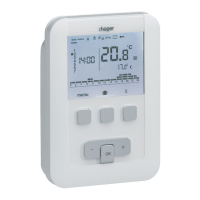
The EK530 features a user-friendly interface with a clear display and intuitive navigation keys.
Upon first use, the thermostat guides the user through an initial setup process to adjust the year, date, and time. It also allows selection between automatic summer/winter time switching (AUTO) or manual (OFF), and a choice between 12-hour or 24-hour time formats.
The thermostat includes a set of installer parameters (PR:1 to PR:12) for advanced configuration, accessible by a long press on the OK key from the menu. These parameters allow customization of various functions:
Users can access specific parameters (PR:1 to PR:4) to customize their experience:
This mode protects the accommodation against frost by maintaining a minimum temperature (adjustable between 5°C and 30°C) during absences. Users can program the duration of their absence (1 to 99 days) and the desired temperature level. In air conditioning mode, this creates a holiday program where air conditioning stops, and ambient temperature is not regulated.
If configured for reversible heating/air-conditioning (HC mode in PR:5), the thermostat can switch between heating and air conditioning modes.
Users can modify the Comfort, Comfort 2, and Eco temperature set-points for both heating and air conditioning modes.
The thermostat offers four programs:
Programs can be assigned to individual days, weekdays, or weekend days. A 24-hour profile is composed of 48 points, each representing 30 minutes, allowing detailed customization.
The device is designed for reliable operation with minimal maintenance. Regular cleaning of the exterior with a soft, dry cloth is recommended. No specific internal maintenance is required by the user. In case of operational issues, the manual provides troubleshooting guidance, such as checking if the heating starts despite ambient temperature being lower than the set point, or vice versa, which might indicate specific regulation settings by the installer. For complex issues, contacting a qualified installer is advised.
 General
| Quantity | 1 |
|---|

 To Next Page