EasyManua.ls Logo

Hahnel Captur - Captur Module - Timer Controls; Control Panel Identification

Hahnel Captur
41 pages
Print Icon
To Next Page IconTo Next Page
To Previous Page IconTo Previous Page
Loading...
2
Captur Module - Timer
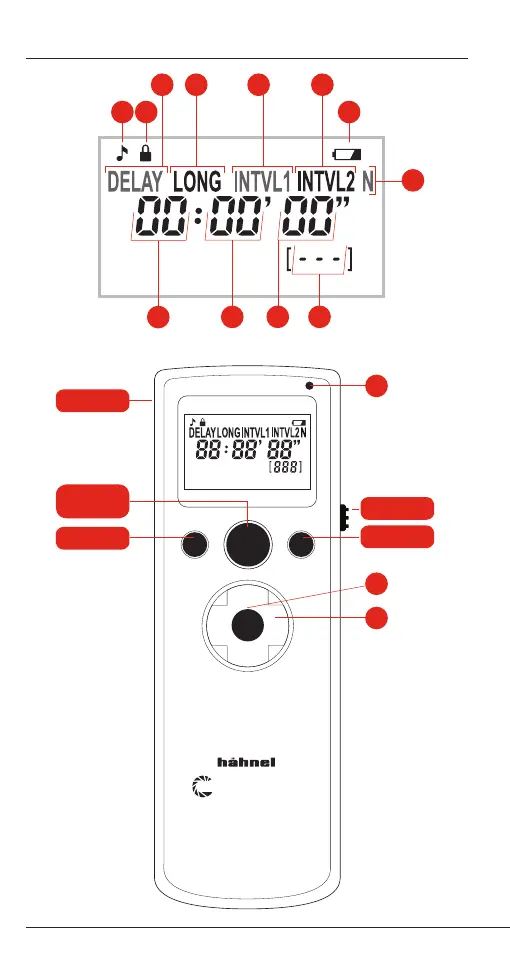
Captur Module - Timer Controls
Interval timed photography chart
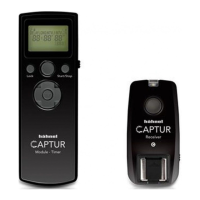
APTUR
Module - Pro
SET
Lock Start/Stop
APTUR
Module - Timer
SET
Lock Start/Stop
APTUR
Receiver
APTUR
Transmitter
Lock
Start/Stop
Off/On
Cable
Release
Button
7
6
1 82
54
9
10
11 12
3
14
13
15
APTUR
Module - Timer
SET
Lock Start/Stop
APTUR
Module - Timer
SET
Lock Start/Stop
1/2
Push
Autofocus
R
/Sto
p
AP
M
odu
l
S
L
1
/2
Push
Auto
f
ocu
s
Full
Push
Shutter Release
Manual Remote Control
Green Red
13 13
3
=
4
=
5
=
6
=
7
=
6
=
Repeat 3 x interval 1
3 shots interval 1
1 min interval 2
Delay 1 hour
No long
10 sec interval 1
INTVL2INTVL1 INTVL1 INTVL1DELAY INTVL2
10Sec1min10Sec10Sec 1min1Hr
SHOOT
SHOOT
SHOOT
SHOOT
SHOOT
SHOOT
SHOOT
SHOOT
SHOOT
N1
=3 shots
N1
=3 shots
N2
Example
:
=3 x INTVL1
N1
=3 shots