Captur Module - Timer 5
Captur Module - Timer
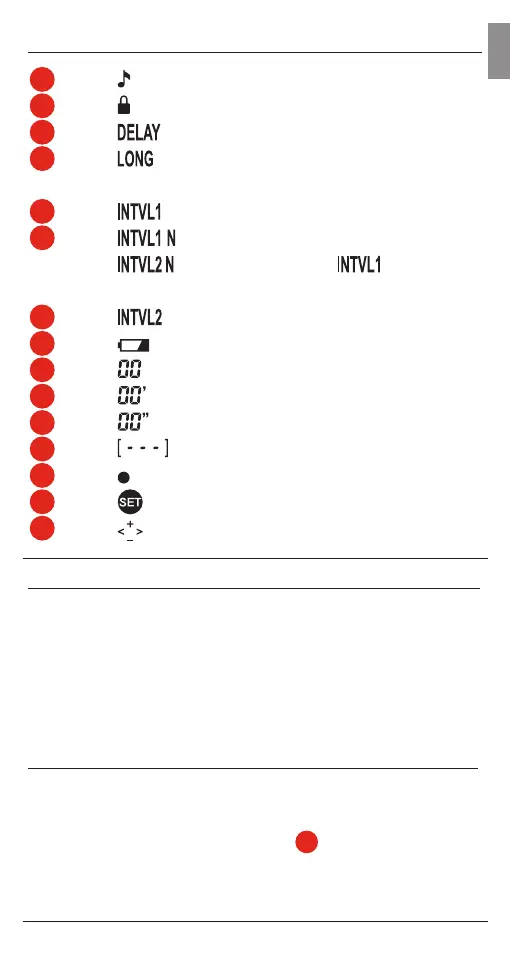
1
Sound ON/OFF
2
Button Lock
3
Delay before shooting starts
4
Duration of burst/exposure with
continuous/bulb
5
1st Interval time
6
Number of shots at 1st Interval
Number of times
program is repeated
7
2nd Interval time
8
Low battery indicator
9
Hours
10
Minutes
11
Seconds
12
Shot count 0 to 999, --- (unlimited)
13
Shutter release LED
14
SET button
15
Toggle Button
Setting up Captur Module - Timer
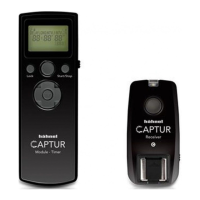
The Captur Module - Timer is used as an accessory with the
Captur (sold separately) to control the camera wirelessly.
The Captur and the Captur Module - Timer must be channel
matched using DCM. Alternatively you can also connect
the Captur Module - Timer directly to a DSLR camera with a
camera cable (sold separately).
Digital Channel Matching – DCM (Requires Captur Transmitter)
a. Transmitter - Press and hold button + Turn ‘ON’. LED will
ash green rapidly
b. Timer - Press and hold SET button
14
+ Turn ‘ON’. LED will
show steady red
c. Receiver - Press and hold button + Turn ‘ON’. LED will show
GB


 To Next Page