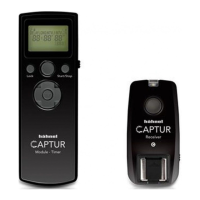
6 Captur Module - Timer
steady red
d. DCM is complete. Turn both Timer, Receiver and Transmitter
‘OFF’ and ‘ON’ to reboot
Note: For multiple Receivers repeat step ‘c’ for all receivers without
turning off transmitter
Manual Remote Control
The
Release Button
works similarly to the camera shutter
release. ½ push = Autofocus, LED
13
shows steady green.
Full push = Shutter release, LED
13
shows red. To ‘HOLD’
the shutter release for bulb photography, press down
Release Button
for more than 3 seconds and LED
13
will
ash red. Press
Release Button
again to release the hold.
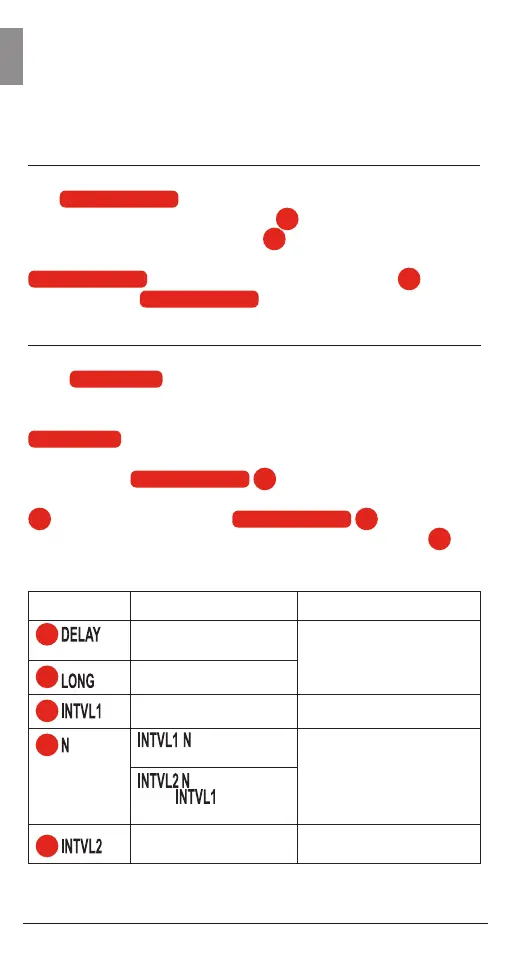
Interval Timer Programmable Functions
Press
Start/Stop
button to ‘Start’ the ‘Interval Timed
Photography’. The Captur Module - Timer will now take a
photo continuously at the factory set interval time. Press
Start/Stop
again to ‘Stop’ the interval timed photography.
The values of the following parameters can be adjusted as
required. Use
Toggle Button
15
< or > to move between
the parameters which need to be adjusted. Press SET button
14
to adjusted parameters.
Toggle Button
15
+ or - is used
to adjust the value of the parameters. Press SET button
14
again to conrm adjustment.
Parameters
3
4
5
6
7
Setting
0s to max 99hrs 59’min
59”s (in 1s increments)
1s to max 99hrs 59’min
59”s (in 1s increments)
1 to 999 and ---
(unlimited)
1s to max 99hrs 59’min
59”s (in 1s increments)
Description
Delay before 1st shutter
is released
Burst/Bulb time
1st Interval Time
= Number of
shots for 1st Interval
= Number of
times
program is
repeated
2nd Interval Time
GB


 To Next Page