GB
4 Viper TTL - English
A B CA B C
Speedlight
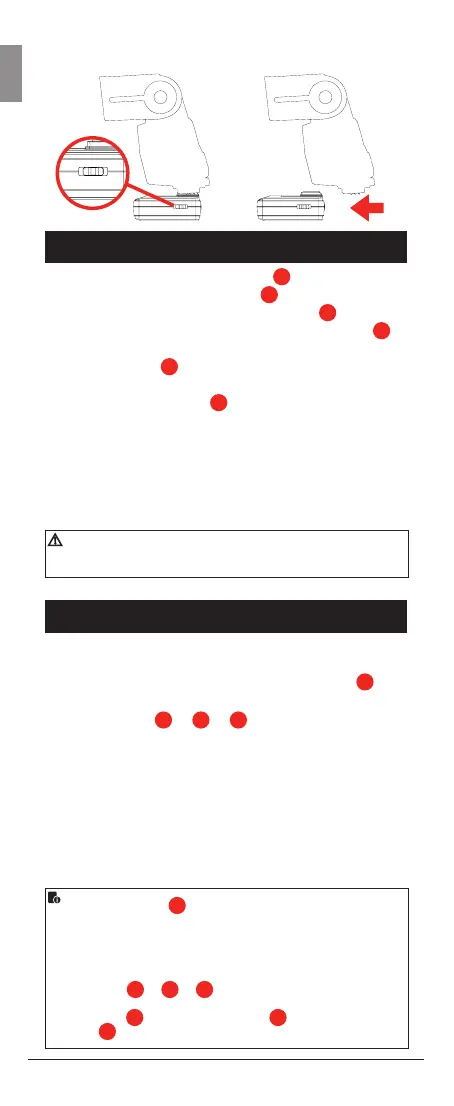
• Attach Speedlight to <hot shoe>
10
oftheViperTTL
receiver. Using the slide switch
16
selectoneofthe
groupA,BorCforthisreceiver.Turnon
12
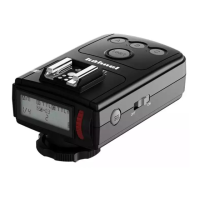
the Viper
TTLreceiverwhichwillgiveagreenashinglight
11
to indicate power is on. Turn on the Speedlight. Press
<Test> button
15
onreceivertoconrmSpeedlightis
working
• Using the cable socket
14
a studio light can be
connected to the Viper TTL receiver via a “Hähnel
Studio Light Cable” which is available as a separate
accessory
• UnlimitednumbersofSpeedlights/studiolightswith
ViperTTLreceiverscanbeallocatedtooneordifferent
groups
• For “Nikon” version, set the Nikon Speedlight to <i-TTL>
mode
Camera
• MounttheViperTTLtransmitterontothehot-shoe of
thecameraandlockitintoplace.TurnontheViper
TTLtransmitterandthecamera.Press <Test>
08
buttonontransmittertoconrmSpeedlightistriggered
• Press buttons
A
or
B
or
C
to change the MODE
settingofeachgroupto<M>manual,<TTL> TTL or
<blank> OFF
• Take a test photograph now and the Viper TTL
transmitterwillsendawirelesssignaltoeach
Speedlight connected to a Viper TTL receiver and to
each Modus 600RT. The Speedlights will be set to
themodeselectedforeachgroupontheViperTTL
transmitter
The Viper TTL LCD
5
willshowthesettingofeachgroup
• AgroupisturnedOFFiftheLCDisnotshowingthegroup
• AgroupisinManualmodewhen<M> is displayed next
to the group
• A group is in TTLmodewhen<TTL> is displayed next to
the group
Each group
A
or
B
or
C
is set independently and it is
possibletousesimultaneouslydifferentsettingforeachgroup
(e.g. Group
A
maybein<M>, Group
B
in <TTL> and
Group
C
turned OFF)


 To Next Page
 Loading...
