10
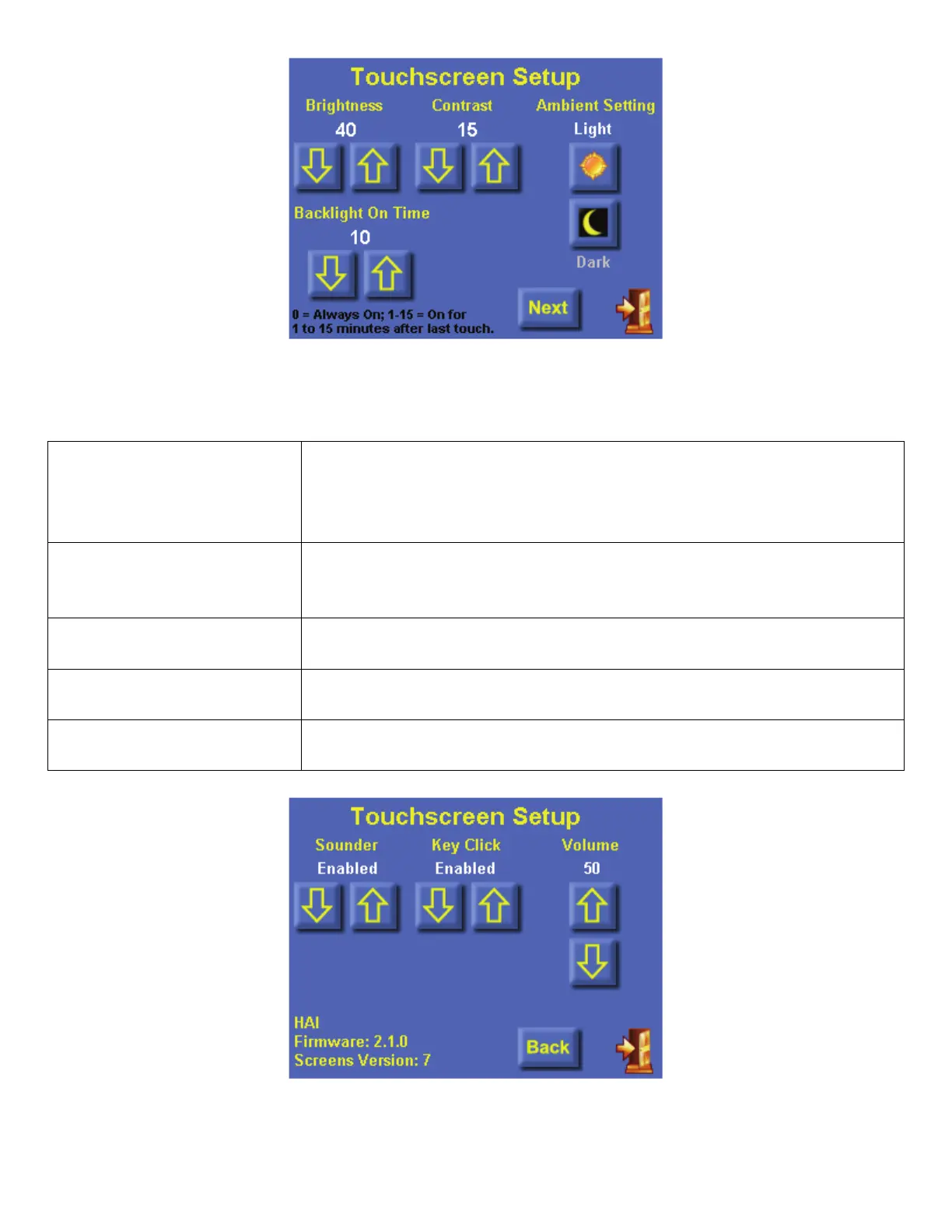
When complete, press [Next] for more options or the [exit] button in the lower-right corner to
save the settings and exit (back to the Home page).
Sounder: Enables or disables the touchscreen sounder. The sounder is used
to alert you of errors, troubles, and messages, and emits tones upon
entry and exit delays.
Key Click: Enables or disables key clicks (a short tone) when buttons are
pushed on the touchscreen.
Volume: Sets the volume for the sounder and key click.
Screens Version Displays the firmware and screens version in your touchscreen.
[Back]: Saves the current settings and returns to the previous setup page.
When complete, press [Back] to return to the previous setup page or the [exit] button in the
lower-right corner to save the settings and exit (back to the Home page).



 To Next Page