3
LIST BOXES
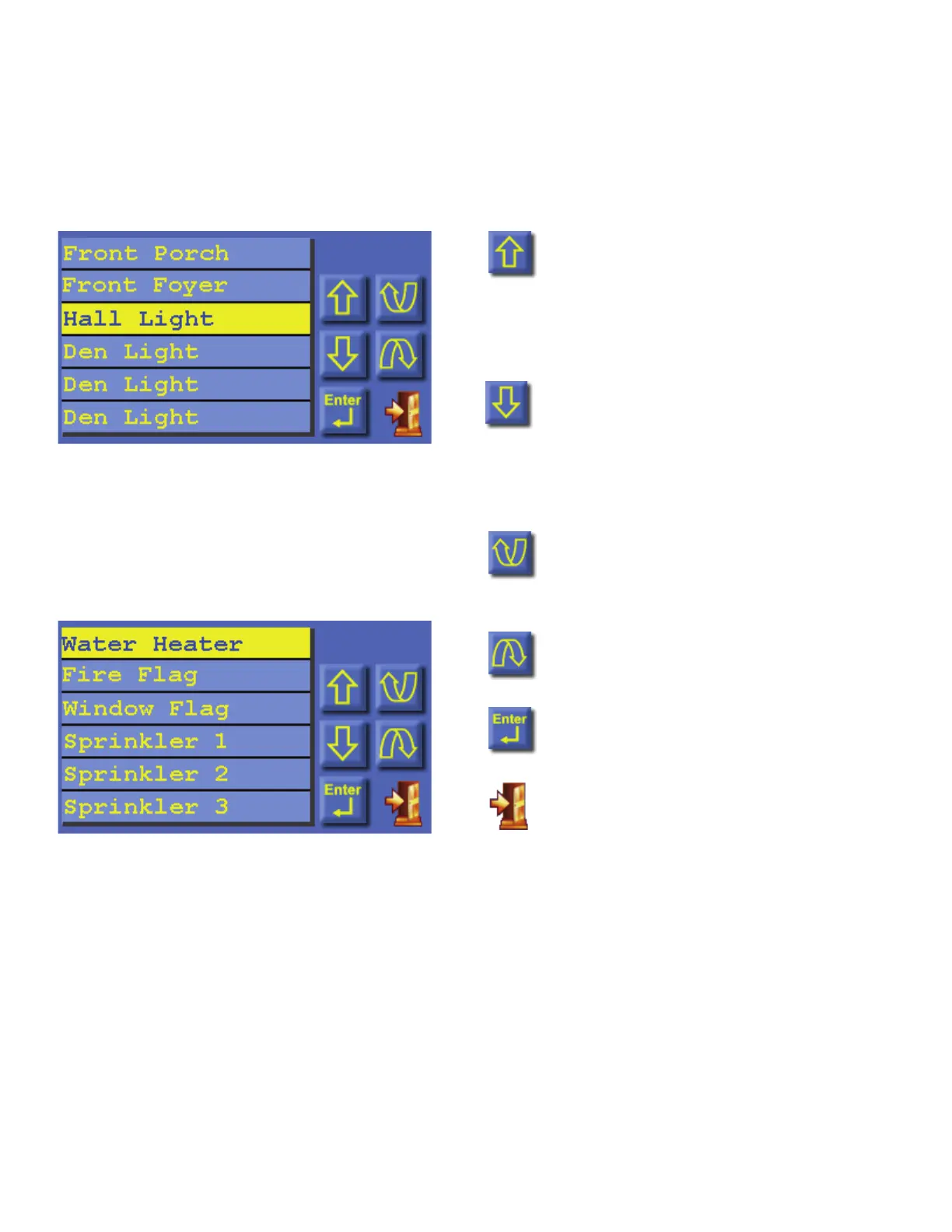
Selectable items (such as units, zones, buttons, temperatures, etc.) are displayed in a list box.
An item may be selected from a list box by simply touching the item in the list or by pressing
the [up arrow] or [down arrow] buttons to scroll through list items. With each press, the next
item is highlighted. Press [enter] to select the highlighted item.
Press the [page up] or [page down] buttons
to scroll through pages (groups) of items.
With each press, the next group of items is
displayed with the first item in the list
highlighted.
Press [up arrow] to move up one item
in the list. If you are at the top item
in the list, the [up arrow] will bring
you to the last item on the previous
page.
Press [down arrow] to move down
one item in the list. If you are at the
last item in the list, the [down arrow]
will bring you to the top item on the
next page.
Press [page up] to move up to the
previous page (group of items in the
list).
Press [page down] to move to the
next page (group of items in the list).
Press [enter] to select the highlighted
item.
Press [exit] to exit from the current
page and return to the Home page.
You may press and hold the [up arrow], [down arrow], [page up], and [page down] buttons to
quickly scroll through list items and pages.



 To Next Page