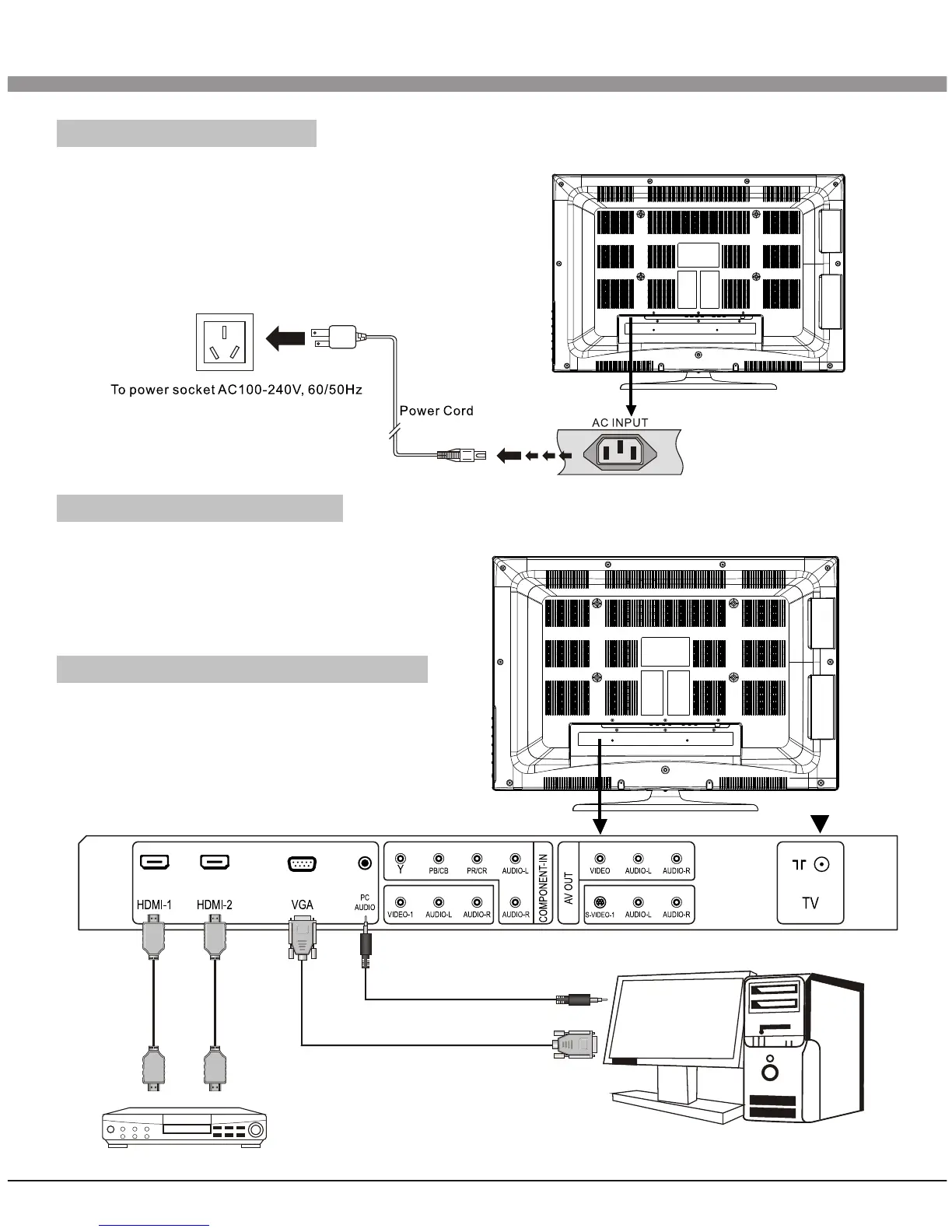
Power Connection
Notes:
1.This machine uses AC 100-240V, 60/50Hz.
2.If a long time at leisure, please disconnect
it from power supply.
Computer Connection
Please connect one end of VGA cord with the output port of the computer (available
for both desktop or laptop computer),
and another end of VGA cord with the
input port of the VGA on its rear cover.
HDMI digital port Connection
Connect external HDMI high signal
source to HDMI digital input port of this
machine through HDMI digital connector
cable; push"SOURCE" button to select
"HDMI" signal source.
8
Installation & Connection
Audio/Video machine with HDMI interfaces


 To Next Page