EasyManua.ls Logo

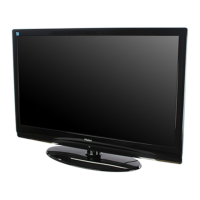
Haier 42EP24STV - User Manual

Haier 42EP24STV
33 pages
Print Icon
To Next Page IconTo Next Page
Loading...
Please read this manual carefully and completely
before operating the unit, and retain this manual for
future reference.
PLASMA TV
OWNER`S MANUAL
MODELS: 42EP24STV
Question and Answer IconNeed help?

Do you have a question about the Haier 42EP24STV and is the answer not in the manual?

Summary

Safety Warnings and Compliance

Electric Shock Hazard Warning

Warning to reduce risk of electric shock; no user-serviceable parts.

Operational Safety Rules

Rules for safe installation, use, and maintenance to prevent hazards.

Important Safety Instructions

Additional Safety Precautions

Product Controls Overview

Front Panel Controls

Details of front panel controls and their functions.

Connection Options

Rear Panel Ports Diagram

Diagram showing various input/output ports on the rear panel for device connections.

Remote Control and Batteries

Remote Control Key Functions

Explanation of each button on the remote control and its purpose.

Picture Quality Adjustments

Contrast, Brightness, Color, Hue, Sharpness

Fine-tuning saturation, color mix, and detail sharpness.

Digital Noise Reduction (DNR)

Filtering out image noise for improved picture quality.

Sound Adjustments

Volume, Balance, and Sound Modes

Adjusting sound output level, speaker balance, and audio profiles.

Treble, Bass, Surround, AVC, Woofer

Adjusting frequency responses, audio field, and low-frequency sound.

Advanced Picture Settings

Display Mode, H;V Position, RGB

Setting aspect ratio, picture position, and color values.

Reset, Auto Sync, and Color Temperature

Initializing parameters, auto-syncing PC input, and adjusting color temperature.

Screen Display Settings

Troubleshooting Common Issues

No Picture;Sound, Remote Control Issues

Diagnosing and resolving problems with no picture/sound or remote control.

Picture;Sound Anomalies and Noise

Addressing picture distortions, poor color, and unusual sounds.

Maintenance and Care Procedures

Summary

Safety Warnings and Compliance

Electric Shock Hazard Warning

Warning to reduce risk of electric shock; no user-serviceable parts.

Operational Safety Rules

Rules for safe installation, use, and maintenance to prevent hazards.

Important Safety Instructions

Additional Safety Precautions

Product Controls Overview

Front Panel Controls

Details of front panel controls and their functions.

Connection Options

Rear Panel Ports Diagram

Diagram showing various input/output ports on the rear panel for device connections.

Remote Control and Batteries

Remote Control Key Functions

Explanation of each button on the remote control and its purpose.

Picture Quality Adjustments

Contrast, Brightness, Color, Hue, Sharpness

Fine-tuning saturation, color mix, and detail sharpness.

Digital Noise Reduction (DNR)

Filtering out image noise for improved picture quality.

Sound Adjustments

Volume, Balance, and Sound Modes

Adjusting sound output level, speaker balance, and audio profiles.

Treble, Bass, Surround, AVC, Woofer

Adjusting frequency responses, audio field, and low-frequency sound.

Advanced Picture Settings

Display Mode, H;V Position, RGB

Setting aspect ratio, picture position, and color values.

Reset, Auto Sync, and Color Temperature

Initializing parameters, auto-syncing PC input, and adjusting color temperature.

Screen Display Settings

Troubleshooting Common Issues

No Picture;Sound, Remote Control Issues

Diagnosing and resolving problems with no picture/sound or remote control.

Picture;Sound Anomalies and Noise

Addressing picture distortions, poor color, and unusual sounds.

Maintenance and Care Procedures

Haier 42EP24STV Specifications

General IconGeneral
BrandHaier
Model42EP24STV
CategoryPlasma TV
LanguageEnglish

Related product manuals