EasyManua.ls Logo

Haier P32R1 - User Manual

Haier P32R1
37 pages
Print Icon
To Next Page IconTo Next Page
Loading...
MODEL: P32R1
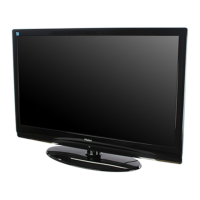
PLASMA TELEVISION
OWNER`S MANUAL
Please READ this manual carefully before
operating your TV, and retain it for future
reference.

Questions and Answers

Summary

BEFORE OPERATING

Warning

Safety warnings and symbols to prevent hazards and damage.

Important Safety Instructions

Crucial guidelines for safe product usage and placement.

Buttons and Interface Location

Identifies front and rear panel controls and connection ports.

Remote Controller

Instructions for battery loading and general precautions for remote use.

Remote Controller Key Function

Detailed explanation of remote control buttons and their functions.

External Equipment Connections

Guides on connecting various external devices like antennas and media players.

BASIC OPERATING

Switching On;Off the TV Set

Steps for powering the television on, standby, and off.

Choose the Menu Language

Guide to selecting the preferred language for OSD menus.

Choose the Input Source

How to select and switch between different input signals.

Searching Channel

Methods for automatic, manual, and fine-tuning TV channels.

Watching TV Program

Instructions for selecting programs, adjusting volume, and using quick view.

Picture Control Functions

Adjusting picture quality, modes, and aspect ratio settings.

Sound Control Functions

Options for sound modes, equalizer, balance, and surround sound.

Timer Functions

Setting current time, on/off timers, and program reminders.

Function Menu

Navigating and adjusting various system functions like OSD settings.

Adjust Menu

Fine-tuning picture position and clock settings, especially in VGA mode.

Lock Setup

Setting passwords, tuning locks, source locks, and child locks.

OTHERS

Stream Media Broadcast System

Information regarding the stream media broadcast system.

Other Functions

Using display, still, sleep, and channel edit functions.

Maintenance

Guidelines for cleaning the screen and cabinet, and handling extended absence.

Troubleshooting

Common problems and their suggested solutions for TV operation.

Specifications

Technical parameters, environmental conditions, and included accessories.

Format

Recommended input formats for HDTV, SDTV, PC, DVI, and HDMI.

Accessories

Summary

BEFORE OPERATING

Warning

Safety warnings and symbols to prevent hazards and damage.

Important Safety Instructions

Crucial guidelines for safe product usage and placement.

Buttons and Interface Location

Identifies front and rear panel controls and connection ports.

Remote Controller

Instructions for battery loading and general precautions for remote use.

Remote Controller Key Function

Detailed explanation of remote control buttons and their functions.

External Equipment Connections

Guides on connecting various external devices like antennas and media players.

BASIC OPERATING

Switching On;Off the TV Set

Steps for powering the television on, standby, and off.

Choose the Menu Language

Guide to selecting the preferred language for OSD menus.

Choose the Input Source

How to select and switch between different input signals.

Searching Channel

Methods for automatic, manual, and fine-tuning TV channels.

Watching TV Program

Instructions for selecting programs, adjusting volume, and using quick view.

Picture Control Functions

Adjusting picture quality, modes, and aspect ratio settings.

Sound Control Functions

Options for sound modes, equalizer, balance, and surround sound.

Timer Functions

Setting current time, on/off timers, and program reminders.

Function Menu

Navigating and adjusting various system functions like OSD settings.

Adjust Menu

Fine-tuning picture position and clock settings, especially in VGA mode.

Lock Setup

Setting passwords, tuning locks, source locks, and child locks.

OTHERS

Stream Media Broadcast System

Information regarding the stream media broadcast system.

Other Functions

Using display, still, sleep, and channel edit functions.

Maintenance

Guidelines for cleaning the screen and cabinet, and handling extended absence.

Troubleshooting

Common problems and their suggested solutions for TV operation.

Specifications

Technical parameters, environmental conditions, and included accessories.

Format

Recommended input formats for HDTV, SDTV, PC, DVI, and HDMI.

Accessories

Haier P32R1 Specifications

General IconGeneral
Screen Size32 inches
Display TechnologyPlasma
Aspect Ratio16:9
Contrast Ratio10000:1
Display TypePlasma
Input PortsHDMI, Component, Composite, VGA

Related product manuals