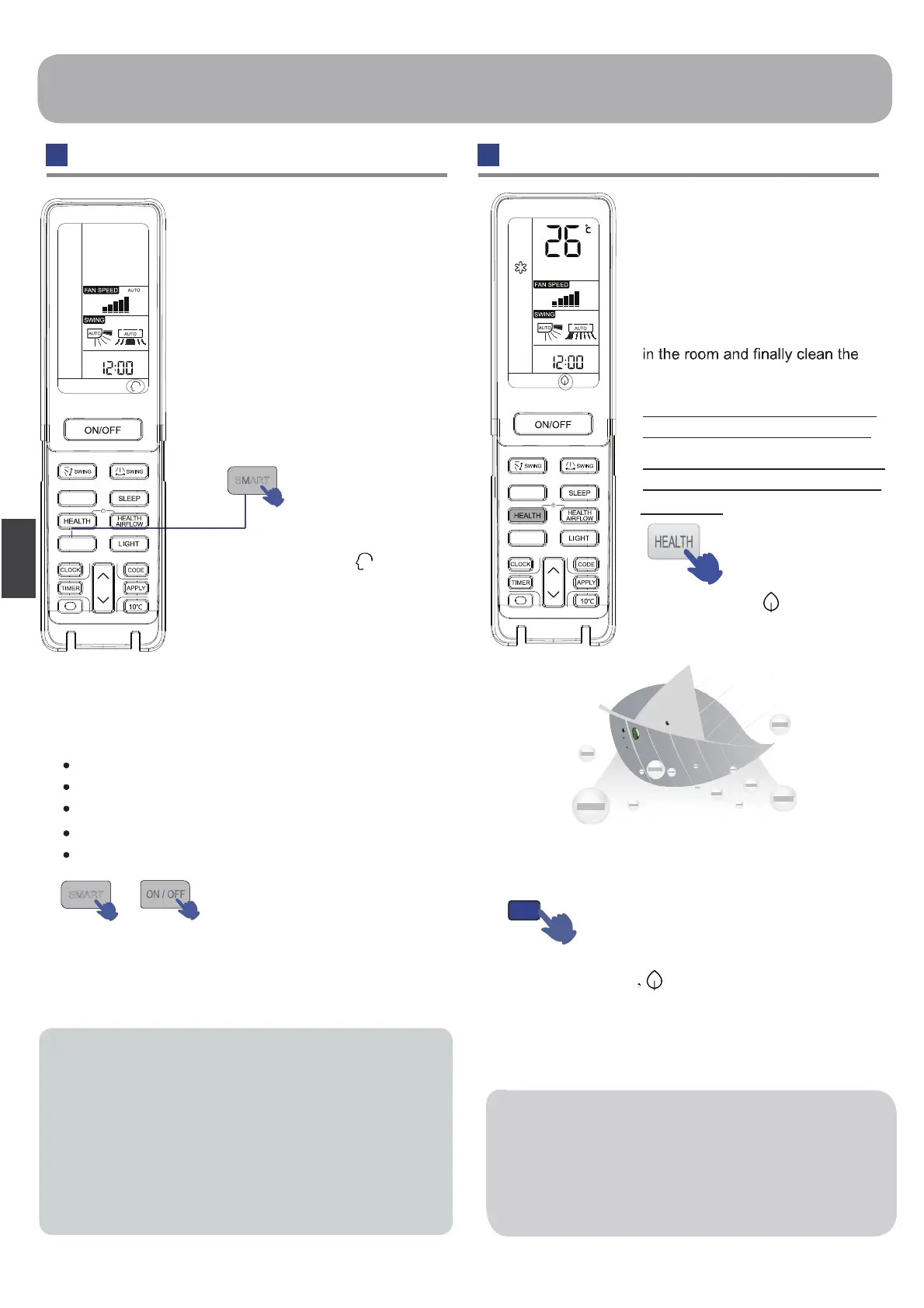
One key can give you a
comfortable room!
The air conditioning unit can
judge the indoor temperature and
humidity, and make the adjustment
accordingly.
SMART start
or SMART stops
Press ON/OFF button, unit starts.
Press SMART button “ ” is
displayed on the remote controller.
Under the COOL, HEAT and DRY mode,
press the smart key to enter the smart function. Under
the smart running mode, when the air conditioning is
running, it will automatically select COOL, HEAT,
DRYor FAN mode as When the smart
function is running, press the “COOL” “HEAT” or
“DRY” key to switch to the other mode, you
will exit from the smart function.
SMART Defrost
SMART FAN SPEED
SMART FAN HEALTH
SMART SOFT
SMART Control temperature
SMART Operation HEALTH Operation
SMART
Operation
Press HEALTH
button
For each press, is displayed
Air conditioner starts health anion
function operation.
The generator in the
air conditionercan generate a lot
of anion effectively balance the
quantity of position and anion in
the air and also to kill bacteria
and speed up the dust sediment
air in the room.
anion
Press HEALTH button
disappears, the operation stops.
Healthy Negative ions
HEALTH
When indoor fan motor is running, it has healthy
process function. (It’ s available under any mode)
When the fan in the indoor unit does not work, the
health lamp lights up, but the anion generator does
not release anion.
17
Hint:
Hint:
- Press the HEALTH button in the
shutdown state to enter Fan mode.
- Press the HEALTH button in the
poweron state to turn on Health
BNT
SMART
BNT
SMART
function.
h
s
i
l
g
n
E




 To Next Page