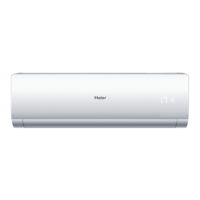
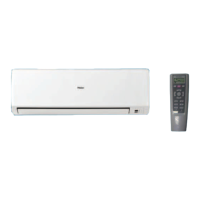
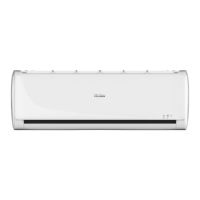
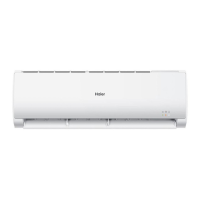
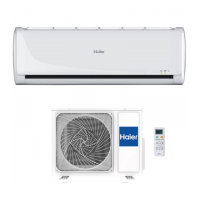
This document is a service manual for a Haier Wall Mounted Type DC Inverter FREE MATCH N-Series air conditioner, model AS24NS2HRA.
Function Description
The Haier AS24NS2HRA is a wall-mounted DC inverter air conditioner designed for both cooling and heating. It features a "Super quiet" mode for low noise operation, a "Long distance air supplying" mode (up to 12 meters), and various temperature control settings. The unit offers precise temperature maintenance, with a "Heating Holding 10°C temperature" function to prevent freezing. For comfort, it includes a "Comfortable sleep" mode that adjusts temperature and indoor noise levels during the night, and a "Super match" mode allowing one outdoor unit to match two or more indoor units. It also has a "DIY auto mode" for automatic operation adjustment, a "Turbo mode" for quick cooling or heating, and an "Auto restart" function to resume previous operation conditions after a power blackout. The unit incorporates a 24-hour timer for setting on/off times, an intergrative valve cover, and a 2-way piping design. Easy clean design allows for easy washing of the airflow vents. The display is a Double 8 display.
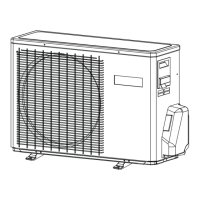
The air conditioner operates in both cooling and heating modes. In cooling mode, the system runs with a compressor, reversing valve, check valve, indoor heat exchanger, capillary tube, and outdoor heat exchanger. In heating mode, the reversing valve changes the refrigerant flow, causing the indoor heat exchanger to act as a condenser and the outdoor heat exchanger as an evaporator.
Important Technical Specifications
Nominal Distribution System Voltage:
- Phase: 1
- Frequency: 50 Hz
- Voltage: 230 V
Nominal Capacity and Nominal Input:
- Cooling:
- Capacity rated: 7.0(2.0-7.3) kW / 23890(6380-24910) Btu/h
- Power Consumption (Rated): 2.18 kW
- SEER/SCOP: 6.1
- Annual energy consumption: 401 KWh
- Moisture Removal: 2.8*10^-3 m³/h
- Heating:
- Capacity rated: 7.5(2.5-7.8) kW / 25600(8530-26620) Btu/h
- Power Consumption (Rated): 2.20 kW
- SEER/SCOP: 4.0
- Annual energy consumption: 1979 KWh
Technical Specifications - Dimensions and Weight:
- Dimensions (HWD): 1115×248×336 mm
- Packaged Dimensions (HWD): 1205×341×416 mm
- Weight: 16 KG
- Gross weight: 19.6 KG
- Color: White
Technical Specifications - Parts:
- Fan:
- Type: Cross flow fan
- Motor output: 65 W
- Air flow rate (high): 1200 m³/h (cooling) / 1200 m³/h (heating)
- Speed (high/middle/low): 1000/900/800 rpm (cooling) / 900/800/700 rpm (heating)
- Heat exchanger:
- Type: ML fin-φ7HI-HX tube
- Segment stagepitch: 3181.4
- Air direction control: Right, Left, Horizontal, Downward
- Air filter: Removable/Washable/Mildew Proof
- Temperature control: Microcomputer Control
- Remote controller model: YR-HD
Piping Length:
- Indoor: 27℃ DB/19℃ WB (cooling) / 20℃ DB (heating)
- Outdoor: 35℃ DB/24℃ WB (cooling) / 7℃ DB/6℃ WB (heating)
- Piping length: 5m
Sensors:
- Room sensor: Used for detecting room temperature.
- Pipe sensor: Used for detecting temperature of evaporator.
Model Name Explanation (AS24NS2HRA):
- A: Indoor unit
- S: Type of indoor unit: S (wall-mounted)
- 2: Nominal cooling capacity (24000BTU/h)
- 4: 70N Platform
- N: Platform of indoor units: N (N platform)
- E: DC inverter
- 1: Version number
- H: Heat pump & R410A refrigerant
- R: Apply to T1; 220~240V50HZ/1ph
- A: Version number
Usage Features
The air conditioner offers a wide range of functions and controls for optimal comfort and efficiency.
Automatic Operation:
The unit automatically determines the running mode (cooling, heating, or dehumidifying) based on the current room temperature and desired temperature.
Cooling Operation:
- Temperature control range: 16℃–30℃
- Temperature difference: ±1℃
- The indoor fan operates at set speed, and the mode signal is sent to the outdoor system.
- Airflow speed control: High, medium, low.
- The airflow speed has no delay from high to low switching, but a 3-minute delay for low to high switching.
- Manually, the system can set high, medium, or low speed.
- "Airgate defrosting" function prevents frosting on the indoor heat exchanger.
- "Timing system on/off function" and "Dormant control function" are available.
De-moisture Mode:
- Temperature control range: 16℃–30℃
- Temperature difference: ±1℃
- The outdoor fan stops for more than 3 minutes, and the outdoor system still operates.
- The airflow speed has no delay from high to low switching, but a 3-minute delay for low to high switching.
- "Airgate defrosting" function prevents frosting on the indoor heat exchanger.
- "Timing system on/off function" and "Dormant control function" are available.
Heating Operation:
- Temperature control range: 16℃–30℃
- Temperature difference: ±1℃
- The indoor fan will be at the cold air proof mode.
- If Tr=Ts, the outdoor system is turned off, the indoor fan will be at the heat residue sending mode.
- If Tr=Ts, the outdoor system will be turned on again, the indoor fan will be at the cold air proof mode.
Strength Operation:
This mode enhances the strength operation, allowing for normal operation or signal control to finish the strength operation.
Mute Operation:
The system enters the mode after receiving the 'mute signal'. In this mode, the outdoor system operates at a lower speed, and the indoor system operates at a lower airflow speed to reduce noise.
Air Refreshing:
The Nano-Aqua function is turned on/off to refresh the air.
Timing:
The unit can be set to turn on/off after a specified time. The timing indicator will be lighted when the timing is finished.
Dormant Operation:
The dormant timing is an eight hours unadaptable one. The timing signals are shown on the V series board. The cooling/dehumidifying operation temperature will be raised by 1 centigrade after 1 hour's operation and will be raised by 1 centigrade 1 hour later. The system will keep this status for 6 hours and then close. For heating operation, the temperature will be reduced by 1 centigrade 1 hour later. 3 hours after the preceding operations, the set temperature will be raised by 1 centigrade and the system will keep this status for 3 hours and then close down.
Urgent On/Off Input:
Pressing the urgency button will ring the buzzer. The system will enter the automatic mode if you don't press the button for more than 5 seconds. The system will start the test operation.
Low Load Protection Control:
To prevent frosting of the indoor heat interaction device, the outdoor system will be stopped if the indoor heat interaction temperature is below zero centigrade for 5 minutes.
High Load Protection Control:
The outdoor system will be stopped if the coil temperature is above 65℃ for 2 minutes.
Remote Control:
The remote controller allows for setting temperature, fan speed, mode, and other additional functions. It has buttons for ON/OFF, QUIET, COOL, HEAT, FAN, DRY, TEMP, TIMER, SLEEP, HEALTH, and other functions.
Operation Modes:
- Cooling Mode: Set temperature, fan speed, and other settings.
- Heating Mode: Set temperature, fan speed, and other settings.
- Dry Mode: Set temperature, fan speed, and other settings.
- Fan Mode: Set fan speed.
Timer On/Off Operation:
Allows setting the unit to turn on or off at specific times.
Healthy Airflow Operation:
Allows setting the airflow direction for healthy airflow.
Maintenance Features
Safety Cautions:
The manual emphasizes safety precautions during repair and maintenance, including:
- Disconnecting power before repair.
- Ensuring proper grounding.
- Avoiding contact with electrical components with wet hands.
- Not spilling water on the unit.
- Checking for refrigerant leaks.
- Using specified cables and parts.
- Proper installation and connections.
- Avoiding damage to power cables.
- Not mixing air or gas other than the specified refrigerant.
- Not disposing of old batteries in the remote control.
- Ensuring proper drainage.
- Not using a joined power cable or extension cable.
- Checking for secure parts and wires.
- Checking insulation resistance.
- Ensuring proper drainage of the indoor unit.
- Not blocking the air inlet or outlet.
Inspection After Repair:
- Check that the power cable plug is not dirty or loose.
- Check for dust or loose connections.
- Check for damaged cable and wires.
Icons:
The manual uses icons to attract attention to specific information:
- Note: Provides information that is not indispensable but may nevertheless be valuable.
- Caution: Used when there is danger that the reader, through incorrect manipulation, may damage equipment, lose data, get an unexpected result, or has to restart (part of) a procedure.
- Warning: Used when there is danger of personal injury.
- Reference: Guides the reader to other places in this binder or in this manual, where he/she will find additional information on a specific topic.
Maintenance for Smart Use of The Air Conditioner:
- Setting of proper room temperature: Keep the room temperature between 20℃ and 28℃.
- Close doors and windows during operation: Use the louvers effectively.
- If the unit is not to be used for a long time, turn off the power supply main switch.
- Remote Controller: Do not use volatile liquids to clean the controller.
- Indoor Body: Wipe the air conditioner with a soft and dry cloth. For serious stains, use a neutral detergent.
Air Filter Cleaning:
- Open the inlet grille by pulling it upward.
- Pull out the filters.
- Clean the filters with a vacuum cleaner or water.
- Attach the filter.
- Close the inlet grille.
- Clean the air filter every two weeks.
Replacement of Air Purifying Filter:
- Open the Inlet Grille.
- Detach the standard air filter.
- Attach the air purifying filter.
- Attach the standard air filter.
- Close the Inlet Grille.
- The photocatalyst air purifying filter should be solarized in fixed time.
- The bacteria-killing medium air purifying filter needs to be replaced periodically.
Troubleshooting:
The manual provides a table for troubleshooting common problems, including:
- The system does not restart immediately: This is normal after a power failure.
- Noise is heard: Check for refrigerant flow, loose parts, or foreign objects.
- Normal Performance inspection: Check for abnormal noise, smells, or mist/steam from the indoor unit.
- In dry mode, fan speed can't be changed: This is normal.
- Poor cooling: Check for dirty filters, blocked outlets, or other issues.
Service Diagnosis:
The manual includes detailed service diagnosis procedures for various errors and malfunctions, such as:
- Problem Symptoms and Measures: Provides a table of symptoms, check items, and details of measures.
- Error Codes and Description: Lists indoor and outdoor displaying codes with their descriptions and reference pages.
- Thermistor or Related Abnormality: Flowchart for checking thermistor connections and resistance.
- EEPROM Abnormal: Procedure for checking EEPROM data.
- Indoor Fan Malfunction: Flowchart for checking fan motor connections, power supply, and control signals.
- Outdoor DC Fan Motor Fault: Flowchart for checking outdoor fan motor and mainboard.
- IPM Protection: Flowchart for checking IPM module and compressor.
- Over-current of the Compressor: Flowchart for checking compressor and power supply.
- Communication Fault between IPM and Outdoor PCB: Flowchart for checking communication.
- Power Supply Over or Under Voltage Fault: Flowchart for checking power supply voltage.
- Overheat Protection for Discharge Temperature: Flowchart for checking discharge temperature sensor.
- Communication Fault between Indoor and Outdoor: Flowchart for checking communication linking cable and mainboard.
- Loss of Synchronism Detection (Inverter Side Current Detection is Abnormal): Flowchart for checking compressor wiring and mainboard.
- High Work-intense Protection: Flowchart for checking heat exchanger thermistor and fan condition.
Circuit Diagrams:
Detailed circuit diagrams are provided for the main PCB to aid in diagnosis and repair.

 Need help?
 General

 To Next Page