39
③
Unavailable
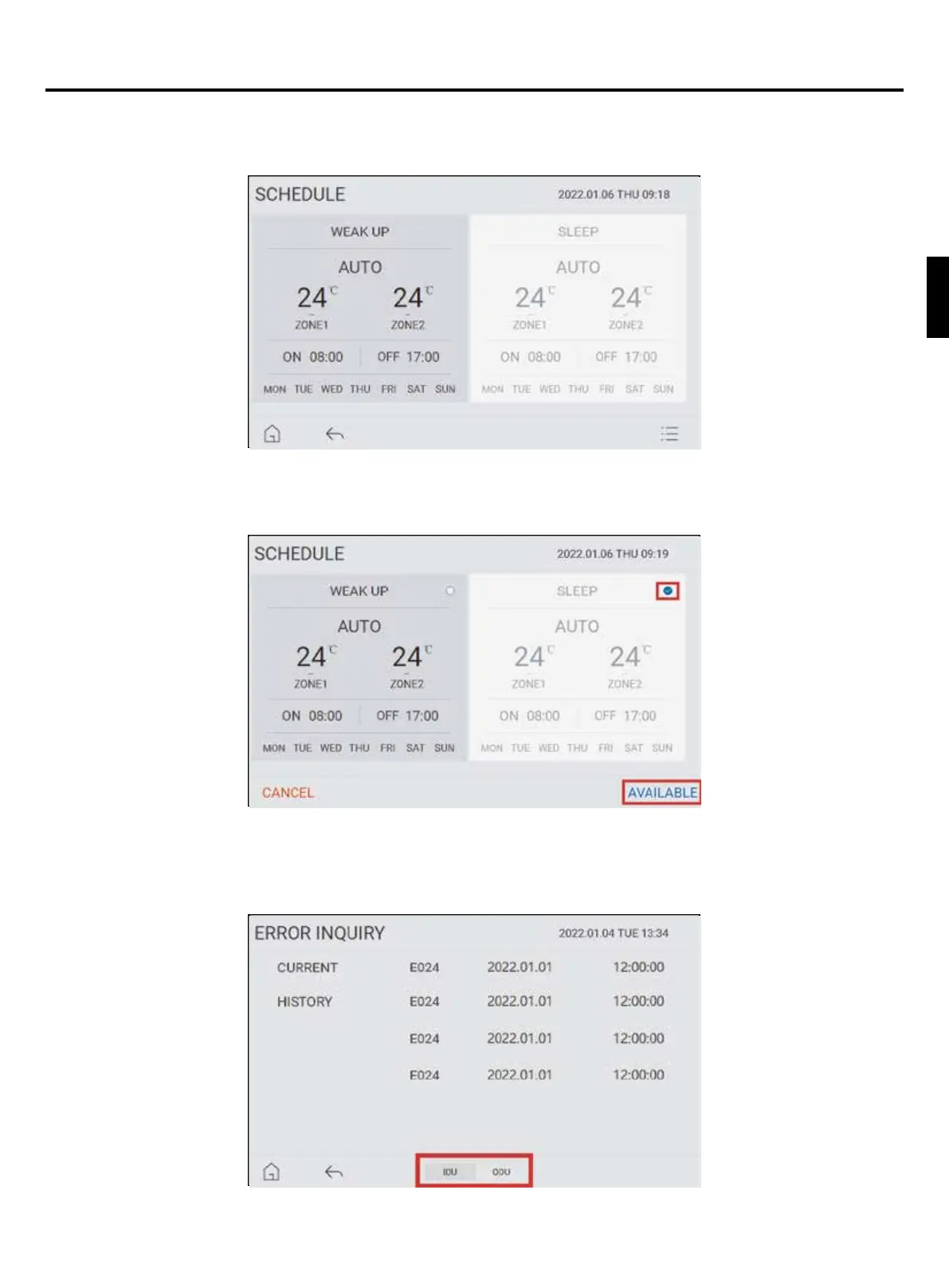
To make a schedule unavailable, tap on the “UNAVAILABLE” icon, see Picture 12. Tap the icon of the desired schedule(s)
to unavailable. After tapping “UNAVAILABLE”, unavailable schedules are grayed out as seen in Picture 14.
④
Available
To reactivate a schedule that is unavailable, then tap “AVAILABLE” as seen at the lower right of Picture 12. Tap the icon
of the desired schedule(s) to reactivate. Then tap “AVAILABLE” at the lower right of the screen to reactivate the schedule
information.
Picture 14
Picture 15
Picture 16
2. Error inquiry
Tap “ERROR INQUIRY” in menu to check errors. Click the middle position of the lower sidebar of the screen to view the
outdoor unit’s error parameters.
Operation instructions for controller
English



 To Next Page