EasyManua.ls Logo

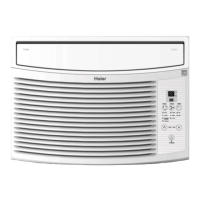
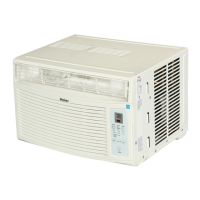
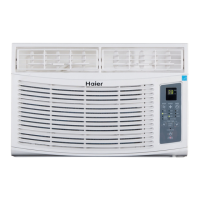
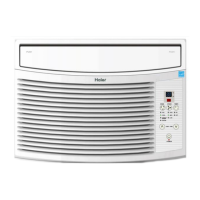
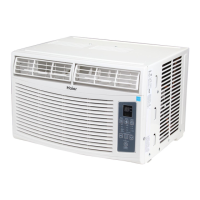
Haier ESA408M - User Manual

Haier ESA408M
54 pages
Print Icon
To Next Page IconTo Next Page
Loading...
Design may vary by model number. La conguration peut varier selon le
numéro de modèle.
El diseño puede variar conforme al
número de modelo
This user manual is to be only use for
electronic control 5000 BTU, 5200 BTU
6000 BTU, 8000 BTU 10,000 BTU and
12,000 BTU Models. - Some models
may have an additional letter after the
model number.
Ce guide d'utilisation doit être utilisé
strictement avec les modèles à
commande électronique de 5 000BTU,
5 200 BTU 6 000 BTU, 8 000 BTU,
10000 BTU et 12 000 BTU. - Sur certains
modèles, le numéro de modèle peut
être suivi d'une lettre.
Este manual del usuario es únicamente
para utilizar los controles electrónicos
modelos 5000 BTU, 5200 BTU,
6000BTU, 8000 BTU, 10,000 BTU
y12,000 BTU. Algunos de los modelos
pueden tener una letra adicional
después del número de modelo.
HWR05XCM
ESA405M
ESA406M
ESA408M
ESA410M
ESA412M
User & Care Guide
Guide d'utilisation et d'entretien
Guía de uso y cuidado
Room Air Conditioner
Climatiseur individuel
Aire acondicionado
de uso doméstico

Questions and Answers

  • K
    Krystal FrankAug 14, 2025
    Why my Haier Air Conditioner won't turn on?
    • V
      Vickie ChenAug 14, 2025
      Your Haier Air Conditioner might not be starting due to several reasons: it may not be plugged into a grounded outlet, so ensure it is properly plugged in. The power supply cord may have tripped, in which case you should press the RESET button on the cord. The unit might be turned off, so use the remote control or the control panel to turn it on. Lastly, a household fuse or circuit breaker may have blown, requiring you to replace the fuse or reset the circuit breaker.
  • R
    Reginald PowersAug 17, 2025
    Why is my Haier ESA408M not cooling the room enough?
    • T
      Trevor BenderAug 17, 2025
      If your Haier Air Conditioner isn't cooling effectively, it might be because the room is too hot; allow time for it to cool down after turning on the unit. Also, the temperature control may not be set correctly, so adjust it on the control panel or remote. Finally, check for any restrictions to airflow by ensuring the air discharge area is not blocked.
  • J
    Juan GomezAug 21, 2025
    What to do if my Haier ESA408M keeps turning on and off?
    • A
      Abigail JacksonAug 21, 2025
      If your Haier Air Conditioner cycles on and off frequently, consider these potential causes: * The air filter might be dirty or restricted, so try cleaning it. * The airflow could be blocked, ensure that the air discharge area is not obstructed. * The outside air temperature may be too low (below 61°F), avoid operating the unit under such conditions. * If the outside temperature is very hot, increase the FAN speed to the highest setting.
  • C
    Crystal JenkinsAug 25, 2025
    How to fix a Haier ESA408M remote that is not working?
    • A
      Adam GibsonAug 25, 2025
      If your Haier Air Conditioner remote isn't working, the batteries might be dead, so replace them. Also, ensure the batteries are inserted in the correct position.
  • J
    Julie GloverAug 27, 2025
    Why is my Haier ESA408M making the room too cold?
    • T
      Teresa BarnesAug 27, 2025
      If your Haier Air Conditioner is making the room too cold, it is likely that the temperature is set too low. Try raising the set temperature to a more comfortable level.
  • J
    johnvargasAug 31, 2025
    Why is my Haier ESA408M Air Conditioner dripping water outside?
    • M
      michelle05Aug 31, 2025
      If your Haier Air Conditioner is dripping water outside, it's likely due to hot, humid weather. This is normal during days with high humidity.
  • A
    Antonio WilliamsonSep 3, 2025
    What to do if my Haier ESA408M drips water into the house?
    • H
      Hannah MendozaSep 3, 2025
      If your Haier Air Conditioner drips water into your house, the unit might not be properly leveled. You should tilt the unit slightly from the front to the back. Refer to Installation section. DO NOT drill a hole in the cabinet base.
  • E
    Edward MillerSep 6, 2025
    What to do if my Haier Air Conditioner is freezing up?
    • B
      Brittney HowellSep 7, 2025
      If your Haier Air Conditioner is freezing up with ice forming on the coil, it's likely due to the outside temperature being too low (below 61°F). To defrost the coil, set the unit to FAN ONLY mode and increase the temperature setting.
  • T
    Tyler PowellSep 9, 2025
    Why is water collecting in the base of my Haier Air Conditioner?
    • M
      Mrs. Amanda AdamsSep 9, 2025
      If water collects in the cabinet base of your Haier Air Conditioner, it's likely due to humidity draining into the base. This is normal during days with high humidity. DO NOT drill a hole in the cabinet base.

Summary

IMPORTANT SAFETY PRECAUTIONS

INSTALLATION REQUIREMENTS

Tools and Parts

Lists necessary tools and supplied parts for air conditioner installation.

Location Requirements

Specifies optimal placement and window opening criteria for the air conditioner.

Electrical Requirements

Details electrical safety, plug type, and outlet specifications for the air conditioner.

UNPACKING THE AIR CONDITIONER

Remove Packaging Materials

Instructions for safely removing packaging and preparing the unit for setup.

PREPARING THE AIR CONDITIONER

Install Top Channel

Guide for attaching the top channel accessory to the air conditioner.

Install Side Curtains

Steps for attaching the side curtains to the air conditioner unit.

PREPARING THE WINDOW

Notes and Warnings

Important safety notes and warnings related to window preparation and AC installation.

COMPLETING THE INSTALLATION

Attach Side Curtains to Window

Securing the side curtains to the window frame for a proper fit.

Final Installation Steps

Final steps including foam seal, window lock, and plugging in the unit.

STARTING THE AIR CONDITIONER

Mode Selection

How to select operating modes like Fan, Cool, Energy Save, and Dehum.

Speed Settings

Adjusting fan speed to High, Med, Low, or Auto Cool for optimal comfort.

Timer Functions

Setting the timer to turn the air conditioner on or off automatically.

Energy Save Mode

Explanation of the Energy Save mode's fan and compressor operation cycles.

Dehumidify Mode

How the Dehum mode removes humidity without cooling the room.

Sleep Mode Operation

How Sleep mode adjusts temperature over time for comfort and energy saving.

Temperature Adjustment

How to set and adjust the desired temperature using the control panel.

Timer Programming Details

Detailed steps for setting on/off timers and clearing timer programs.

Using the Remote Control

Instructions for operating the air conditioner using the included remote control.

Remote Power and Mode Control

Using the remote to turn the unit on/off and select operating modes.

Remote Speed and Timer Control

Adjusting fan speed and setting timers via the remote control.

Remote Sleep and Temp;Time Control

Using the remote for Sleep mode and temperature adjustments.

Changing Air Direction

Adjusting the air directional louvers for optimal airflow distribution.

NORMAL SOUNDS OF AN AIR CONDITIONER

Normal Operating Sounds

Explains common sounds like air movement, pinging, humming, clicking, and gurgling.

CARING FOR YOUR AIR CONDITIONER

Cleaning the Air Filter

Guide on how to remove, clean, and replace the air filter for optimal performance.

Cleaning the Front Panel

Instructions for cleaning the exterior front panel of the air conditioner.

Annual Maintenance

Recommendation for scheduling professional annual maintenance for the unit.

Customer Service Contact

Information on how to contact customer service for support and warranty issues.

TROUBLESHOOTING

LIMITED WARRANTY

One Year Limited Warranty

Details the warranty coverage for mechanical and electrical parts for 12 months.

Five Year Limited Warranty on Sealed System

Covers the sealed system (compressor, etc.) for five years from the purchase date.

What Will Be Done

Explains what Haier America will do to repair or replace defective parts.

How Can You Get Service

Instructions on how to contact authorized service depots for warranty claims.

Haier ESA408M Specifications

General IconGeneral
Voltage115V
RefrigerantR410A
TypeWindow
Power Supply115V, 60Hz
Operating Temperature (Cooling)16°C to 32°C

Related product manuals