This document serves as a comprehensive user manual for the Haier Dehumidifier, providing essential information for its safe operation, maintenance, and optimal performance. The manual is available in English, French, and Spanish, indicating its international reach.
Function Description
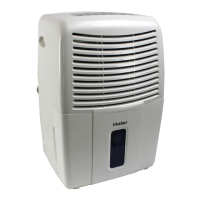
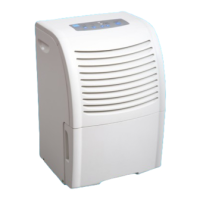
The Haier Dehumidifier is designed to reduce the humidity in an enclosed area, making the environment more comfortable and helping to prevent issues associated with high moisture levels, such as mold and mildew growth. It operates by drawing in humid air, cooling it to condense the moisture, and then releasing drier air back into the room. The unit is equipped with various controls and indicators to allow users to manage its operation effectively.
Usage Features
The dehumidifier offers several features to enhance its usability and efficiency:
- Automatic Humidistat Control: This feature allows users to set their desired humidity level. The unit will then automatically adjust its operation to maintain this level. The control offers a range of settings from "dry" to "high humidity," with intermediate options like "low humidity," "comfortable," and "middle humidity." Indicator lights on the control panel illuminate progressively to show the selected humidity level.
- Two Fan Speeds: Users can choose between two fan speeds, LOW and HIGH, to control the rate of air circulation. The LOW speed provides a quieter operation and less aggressive dehumidification, while the HIGH speed offers maximum air circulation and faster moisture removal. The fan speed can be toggled by pressing the "FAN" key.
- Digital Humidity Display: The control panel includes an LED display that shows the current ambient air humidity, ranging from 30% to 90%. It will display "LO" when humidity is below 30% and "HI" when it exceeds 90%. This allows for real-time monitoring of the room's humidity level.
- Auto-Defrost Sensor (Built-in): To prevent ice buildup on the evaporator coils, which can hinder moisture removal, the unit features an auto-defrost sensor. When the temperature drops to 60°F or lower and ice begins to form, the FROST CONTROL function stops the compressor while allowing the fan to continue running. This melts the ice, and once it's gone, the compressor restarts automatically.
- Power Failure Resume Function: In the event of a power outage, the dehumidifier is designed to automatically resume operation with its previous settings once power is restored. After a power failure, all display lights will illuminate for 3 seconds, and then the unit will revert to its last operational state.
- Auto Air-dry: If the unit is turned off but remains plugged in, the fan will periodically run for 2 minutes every 30 minutes. This feature helps to keep the internal components dry, potentially extending the unit's lifespan and preventing issues related to residual moisture.
- Water Removal Options: The dehumidifier offers two methods for collected water removal:
- Using the Bucket: When the internal bucket is full, a "BUCKET FULL" indicator light will illuminate, and the unit will automatically stop operating. Users must turn off the humidity control, wait a few minutes for any remaining drips, and then carefully remove the bucket using the side handles. The collected water can then be poured out, and the bucket replaced. The unit includes a built-in water overflow control that shuts down the unit when the water level reaches its maximum to prevent spills. The maximum water level can be adjusted by turning a red plunger on top of the bucket clockwise to raise the level or anti-clockwise to lower it.
- Using a Hose for Water Removal: For continuous drainage, a thin-wall hose can be attached to the drain hose connector. Users need to drill out the center of the connector with a minimum 1/4" drill bit. This allows water to be automatically emptied into a drain, eliminating the need for manual bucket emptying. It is crucial not to damage the outside or connection to prevent leaks.
- Placement Guidelines: For optimal effectiveness, the dehumidifier should be placed in a location that does not restrict airflow into the rear coil or out of the front grille. It is most effective when operated in an enclosed area, meaning all doors, windows, and other outside openings to the room should be closed. Operating the unit in a basement will have limited effect on adjacent enclosed storage areas like closets unless there is adequate air circulation.
Maintenance Features
Proper maintenance is crucial for the longevity and efficient operation of the Haier Dehumidifier:
- Check Filter Indicator: The unit is equipped with a "Check Filter" indicator that flashes when the air filter needs cleaning.
- Filter Cleaning: To clean the filter, the dehumidifier must be turned off. The filter is located on the back of the unit and can be lifted out. It can be cleaned by vacuuming or washing with water. It is essential to ensure the filter is completely dry before replacing it. After cleaning and replacing the filter, pressing the "RESET" key will turn off the "Check Filter" indicator.
- General Cleaning: Before cleaning the unit, always turn it off and unplug it from the wall outlet. The inlet and outlet grilles can be cleaned using water and a mild detergent. Bleach or abrasive cleaners should not be used.
- Proof of Purchase: Users are advised to staple their receipt to the manual, as it will be needed to obtain warranty service. In case of any product issues, customers are directed to contact the Haier Customer Satisfaction Center directly, rather than returning the product to the store.
The manual emphasizes reading all safety information before using the dehumidifier, particularly regarding proper installation and grounding to prevent electrical shock. It also provides instructions for using an extension cord, specifying a UL-listed, 3-wire, grounding type, 16 AWG, 15A, 125V appliance extension cord if needed. The importance of proper grounding and avoiding the use of adapter plugs unless absolutely necessary and properly grounded is highlighted.

 Need help?
 General


 To Next Page