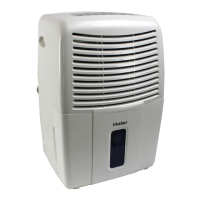
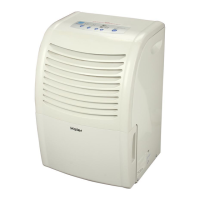
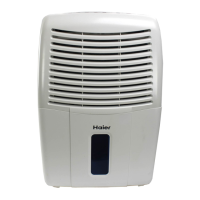
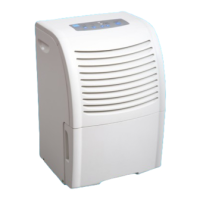
This document is a user manual for Haier dehumidifiers, specifically the HD Series models (HD456E and HD656E).
Function Description
The Haier dehumidifier is designed to reduce the relative humidity of the surrounding air. It extracts moisture from the air, making the environment drier and more comfortable. The unit operates by drawing in humid air, passing it over cooling coils where moisture condenses, and then releasing drier air back into the room.
Important Technical Specifications
Models: HD456E, HD656E
Refrigerant: R22 (for both models)
Voltage / Frequency: 115V / 60Hz (for both models)
Capacity (pints per 24 hours):
- HD456E: 45 pints
- HD656E: 65 pints
Net Dimension (WxHxD): 14 3/8 × 22 1/4 × 13 3/8 inches (for both models)
Packed Dimension (WxHxD): 16 5/32 × 25 3/16 × 15 1/32 inches (for both models)
Net Weight:
- HD456E: 40.8 lbs.
- HD656E: 43.2 lbs.
Gross Weight:
- HD456E: 45.2 lbs.
- HD656E: 47.6 lbs.
Electrical Specifications:
- HD456E: 5.6 amps / 540 watts
- HD656E: 6.2 amps / 630 watts
Usage Features
Control Panel:
The control panel includes the following features:
- Power Button: Turns the unit on or off.
- Humidistat (Adjust Humidity): Allows adjustment of the desired humidity level using "△" and "∇" keys. The setting humidity range is 40%RH to 70%RH. The display humidity range is (LO)30%RH to (HI)90%RH.
- Timer: Enables setting the unit to turn on or off automatically up to 24 hours in advance.
- Fan Speed: Offers two fan speed levels (LOW and HIGH) to control air circulation velocity.
- Current Temp/Timer Set Display: Shows the current temperature when the machine is running. When the timer button is pressed, it displays the set time for automatic shut-off or turn-on, functioning as a calculagraph.
- Bucket Full Indicator: A red indicator light that illuminates when the water bucket is full, automatically stopping the unit. The unit must be turned off before emptying the bucket.
- Auto Restart: Automatically turns the unit on when power returns after an outage.
- Auto-Defrost Sensor (Built-in): If the temperature drops to 60°F or lower, ice may form on the evaporator coils. The IC stops the compressor, allowing the fan to continue running to melt the ice. The compressor restarts once the ice is gone.
Water Removal Methods:
There are two ways to remove collected water:
- Using the Bucket:
- When the "BUCKET FULL" light comes on, turn off the humidity control.
- Wait a few minutes for water to stop dripping.
- Lift and remove the bucket using the side handles.
- Pour out the water through the opening and replace the bucket.
- The unit has a built-in water overflow control that shuts down the unit when the water level reaches maximum to prevent overflowing.
- The maximum water level can be adjusted by lifting the red plunger on top of the bucket: turning clockwise raises the water level, and anti-clockwise lowers it.
- Warning: Ensure the drain cap is tightened before running the unit.
- Continuous Drainage:
- Water can be continuously drained through a long hose connected to the bottom of the bucket.
- To set up continuous drainage:
- Remove the bucket and the plastic cap from its bottom.
- Remove the rubber insert from the cap (keep it for later use).
- Thread the supplied hose through the cap opening and add a washer to the cap.
- Screw the cap to the threaded mating connector on the bucket. Ensure the washer is used to prevent leaks.
- Thread the hose through the round hole and extend it to the back of the unit.
- Place the bucket back in its original position.
Proper Use and Care:
- Placement: Position the dehumidifier in a location that does not restrict airflow into the rear coil or out the front grille.
- Enclosed Area: For maximum effectiveness, operate the dehumidifier in an enclosed area. Close all doors, windows, and other outside openings.
- Basement Operation: A dehumidifier in a basement will have limited effect on adjacent enclosed storage areas (like closets) unless there is adequate air circulation.
- Initial Use: If the "BUCKET FULL" light illuminates during the first use, remove and reinsert the bucket to reset the light.
Maintenance Features
Cleaning:
- General Cleaning: Turn off and unplug the dehumidifier before cleaning. Use water and a mild detergent to clean the inlet and outlet grilles. Do not use bleach or abrasives.
- Air Filter: The air filter is located on the front of the dehumidifier. It should be checked and cleaned every 2 to 3 weeks or as needed.
- To remove the filter: Unplug the unit, remove the bucket, and lift out the filter.
- To clean the filter: Use a vacuum cleaner or wash it with clean water and dry it with a dry cloth.
- Condenser Coils: After prolonged usage, the condenser coils behind the filter may accumulate residue. Regular cleaning with a soft brush is recommended to prevent hardening. If residue hardens, special cleaning methods by a refrigeration/air-conditioning serviceman may be required.
Troubleshooting
Unit Not Operating:
- Check if the plug is fully inserted into the outlet.
- Verify the house fuse/circuit breaker; replace or reset if blown/tripped.
- Check if the bucket is full; empty it if necessary, as the dehumidifier automatically turns off when the bucket is full.
- Note: If the ambient temperature is above 122°F or below 32°F, the unit will restart after a 3-minute delay to protect the compressor.
Dehumidifier Icing Up During Initial Operation:
- This is normal. Frost usually disappears within 60 minutes unless the temperature is below 60°F.
Airflow Restricted:
- Ensure no curtains, blinds, or furniture are blocking the front or back of the dehumidifier.
- Clean the air filter.
Unsatisfactory Dehumidification:
- Initial Setup: Allow at least 3 or 4 days for the unit to remove moisture and achieve the desired dryness when first installed.
- Room Size: Confirm the model is suitable for the room size and moisture level.
- Control Settings: Adjust controls according to instructions.
- Openings: Ensure all doors, windows, and other openings in the room are tightly closed.
- External Moisture Sources: If a clothes dryer is operating in the same room, install the dehumidifier away from the moisture-laden air and ensure the dryer is vented outside.
- Room Temperature: The unit will not operate satisfactorily if the room temperature is below 60°F.
Full One Year Warranty:
- Covers defects in material or workmanship for one year from the original purchase date for home use.
- Includes parts and labor for repair or replacement of defective parts.
Limited Five Year Warranty:
- An additional four-year period beyond the first year of general coverage.
- Covers repair or replacement (at warrantor's option) of any part of the refrigeration system (compressor, evaporator, condenser, or connecting tube) that fails due to defective material or workmanship.
- Labor for these repairs/replacements is not covered under this extended warranty.
Exclusions:
- Warrantor is not responsible for consequential damages or damages caused by improper power supply voltage, accident, fire, floods, or acts of God.
- Some states do not allow exclusion or limitation of incidental or consequential damages, so these limitations may not apply to all consumers.
- This warranty provides specific legal rights, and other rights may vary by state.
Warrantor Contact:
Haier America Trading L.L.C.
45 West 36th Street, New York, NY 10018
Toll-free service: 1-877-337-3639
Important Note: Do not return the product to the store. Contact Haier Customer Satisfaction Center for any issues. DATED PROOF OF PURCHASE IS REQUIRED FOR WARRANTY SERVICE.

 Need help?
 General


 To Next Page