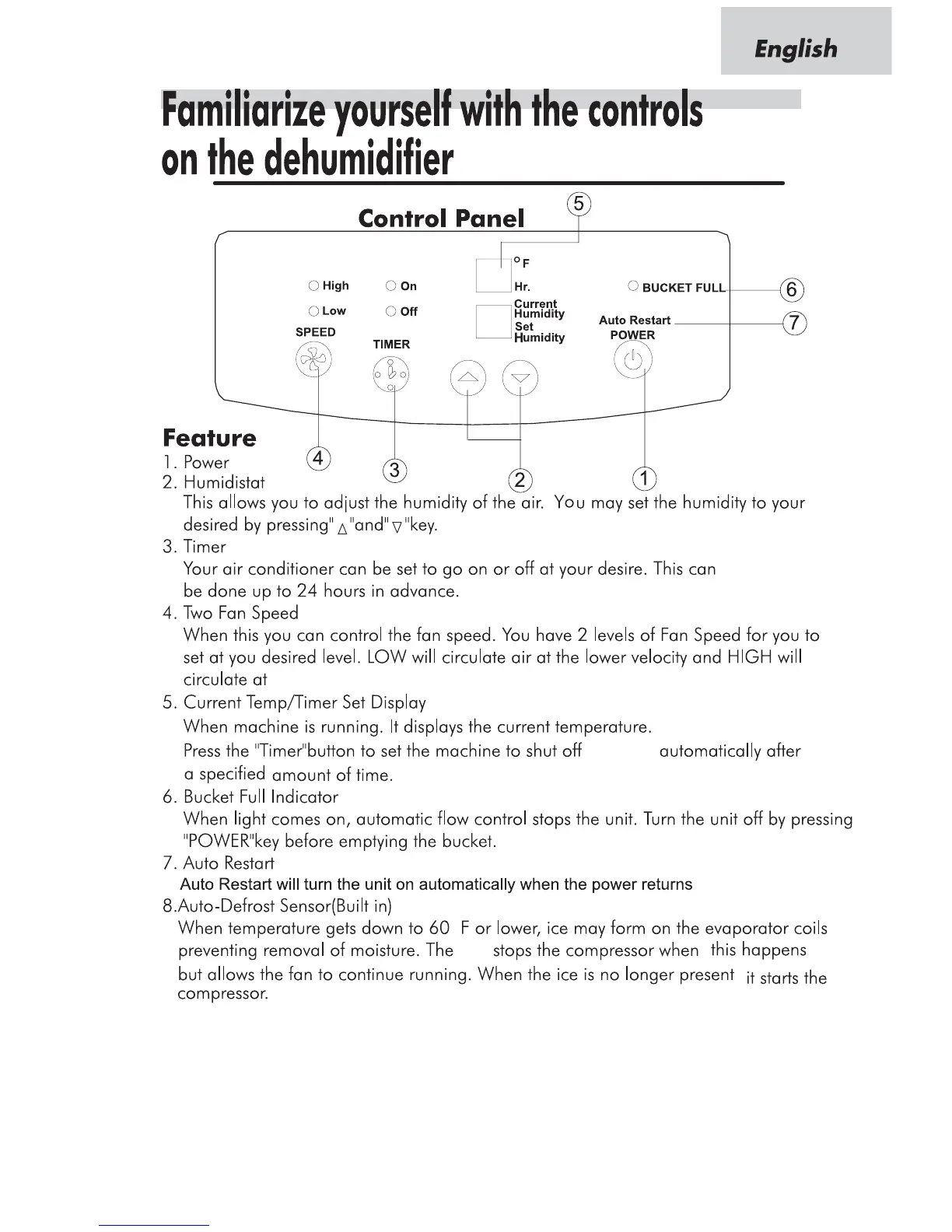
10. Current Humidity/Setting himidity Display
It can display the current himidity. If you press the "Adjust himidity" button, the screen will show the
himidity you set and be back to show the ambient himidity 5 seconds later.
Setting himidity range:40%RH~70%RH
Display himidity range:(LO)30%RH~(HI)90%RH
9.Current Temp/Timer set Display
When machine is running,it displays the current temperature. Press the"Timer" button to set the
machine to shut off or turn on automatically after a specified amount of time, it will be the
calculagraph.
the higher velocity.
or turn on
and it will be the calculagraph.
IC
3



 To Next Page