USING YOUR DRYER
Switch on the power supply
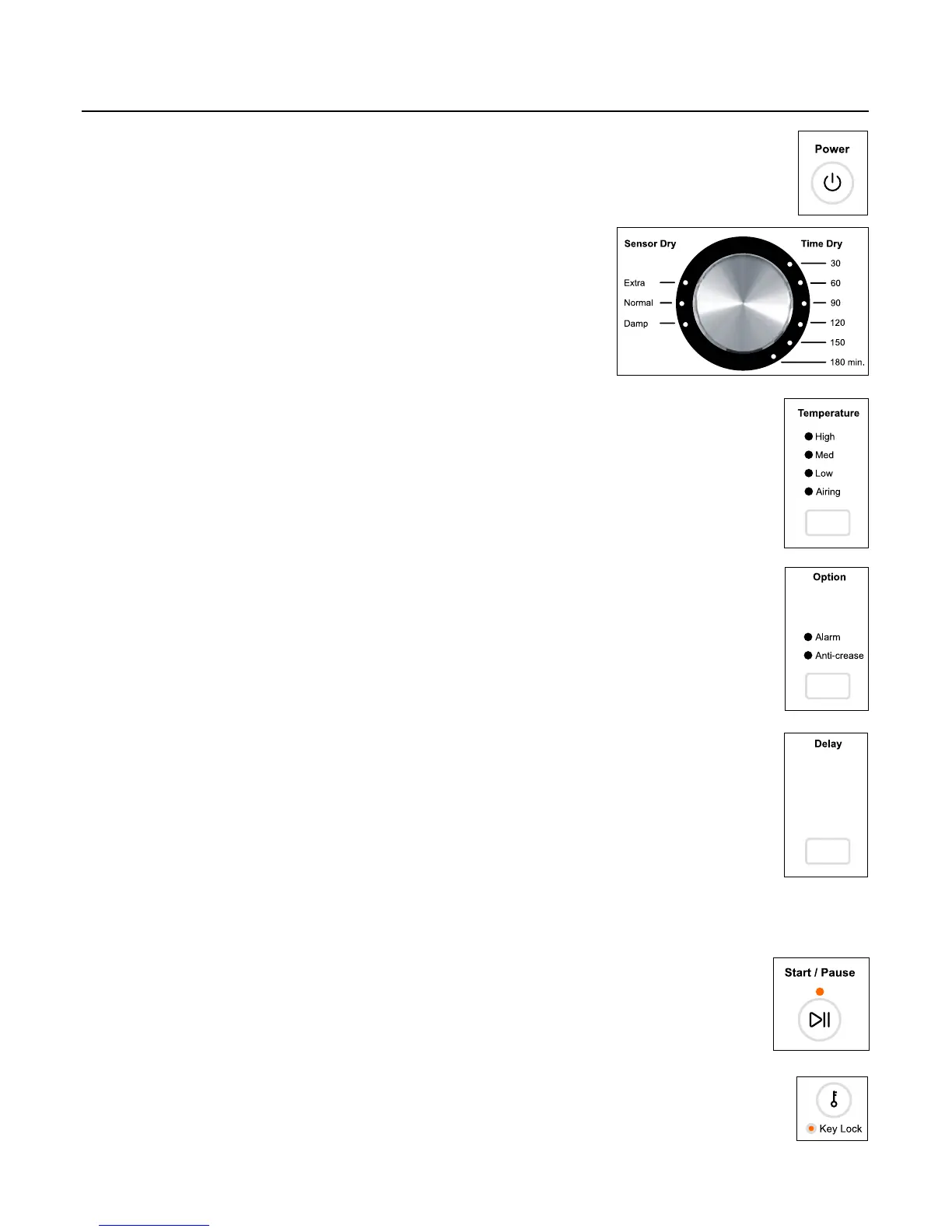
Press the ‘Power’ button to power on your dryer.
Selecting program
Select your desired drying cycle by turning the control dial.
As you rotate the dial, the drying cycle selected will
illuminate, along with the default settings for that cycle on
the right side of the control panel.
Selecting temperature option
There are four drying temperatures you can choose from:
High: Clothes temperatures reach up to 80°C.
Med: Clothes temperatures reach up to 70°C.
Low: Clothes temperatures reach up to 45°C.
Airing: Cool air is blown through the dryer for the period selected.
Selecting additional option
‘Alarm’ means a series of beeps will sound at the end of a cycle,
to alert you that the dryer has finished.
‘Anti-crease’ operates up to 1 hour after your drying cycle has ended
with cool air to minimise wrinkling and creasing.
Selecting delay start time
The ‘Delay’ option enables you to delay the start of the drying cycle
from between 5 minutes and 12 hours. Times you can select are
5 min, 15 min, 30 min, 1 hour, then hourly up to 12 hours. This can
be useful to time your drying to finish when you arrive home from
work, or to start when power rates are lower.
IMPORTANT!
We suggest that you avoid using ‘Delay’ for non-colourfast
items as this may cause dye run to occur.
Start the dryer
Press ‘Start / Pause’ button to start your dryer.
Key Lock
To turn keylock mode on or off, at any time when the dryer is powered on:
Press and hold the ‘Key Lock’ button for 2 seconds.
Note: when activated, the light under the ‘Key Lock’ button is illuminated.
15


 To Next Page