EasyManua.ls Logo

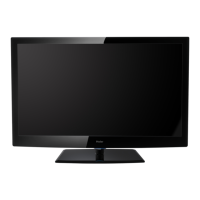
Haier L42B1180 - User Manual

Haier L42B1180
57 pages
Print Icon
To Next Page IconTo Next Page
Loading...
SERVICE MANUAL
LCD TV
Model No. L42B1180
Chassis
MSD318QT
This service information is designed for experienced repair technicians only and is not designed for use by the general public.
It does not contain warnings or cautions to advise non-technical individuals of potential dangers in attempting to service a product.
Products powered by electricity should be serviced or repaired only by experienced professional technicians. Any attempt to service or repair
the product or products dealt with in this service information by anyone else could result in serious injury or death.
Haier Group
©2009 Qingdao Haier Electronics Co., Ltd.
All rights reserved. Unauthorized copying and distribution is a violation of law.
WARNING

Other manuals for Haier L42B1180

Question and Answer IconNeed help?

Do you have a question about the Haier L42B1180 and is the answer not in the manual?

Summary

General Safety Warning

General Safety Warning

Important safety precautions for servicing the product.

Troubleshooting Guide

Simple Troubleshooting Checks

Basic checks to identify and resolve common issues.

Main Board Failure Diagnosis

Procedure for checking the main board for malfunctions.

LCD Panel Failure Diagnosis

Steps to identify and troubleshoot LCD panel issues.

General Servicing Guidelines

Important Service Notices

Key information and warnings for service personnel.

Adherence to Regulations and Warnings

Emphasizes following safety regulations and warnings during service.

Electrical Shock Prevention

Precautions to avoid electrical shock hazards.

Electrostatic Discharge (ESD) Precautions

Guidelines for preventing damage from static electricity.

Use of Specified Replacement Parts

Importance of using manufacturer-specified parts for replacements.

Safety Checks After Repairment

General Servicing Precautions

General advice and safety measures during the servicing process.

Product Specifications

Component Location Overview

Main and AV Board Identification

Details the main board and AV board.

Main Board Connector Definitions

Speaker Connector (J11)

Power Board Information

Overview and details of the power board.

LCD Panel Details

Disassembly and Assembly Procedures

Speaker Removal

Installation Instructions

Guidance on setting up and connecting the TV.

AV Equipment Connectivity

PC Connection Guide

HDMI Connection Guide

AC Power Source Usage

TV Operation Overview

Picture Menu Settings

Adjusting picture quality settings like contrast, brightness, and color.

Audio Menu Settings

Adjusting sound settings like volume, bass, treble, and audio language.

Remote Control Setup and Functions

Circuit Diagrams (IPOD IF)

MSD318 Main IC Circuit Details

Wiring Connection Diagram

Setup Menu Options

Parental Controls Setup

Configuring and managing parental control features.

Timer Settings

Multimedia Playback Menu

Entering Factory Mode

Software Update Procedure (USB)

Troubleshooting Common Issues

Main Board Failure Diagnosis Flowchart

Black Screen Diagnosis

Troubleshooting steps for a black screen issue.

White Screen Diagnosis

Troubleshooting steps for a white screen issue.

Abnormal Panel Display Diagnosis

No Sound Troubleshooting

TV Failure Diagnosis (No Channel)

HDMI Picture Issues Troubleshooting

PC Input Picture Issues Troubleshooting

YPbPr;AV Input Picture Issues Troubleshooting

Failure Modes - Circuit Issues

Failure Modes - Panel;Polarizer Issues

Failure Modes - Backlight Issues

Failure Modes - Mechanical;Backlight Uniformity

Summary

General Safety Warning

General Safety Warning

Important safety precautions for servicing the product.

Troubleshooting Guide

Simple Troubleshooting Checks

Basic checks to identify and resolve common issues.

Main Board Failure Diagnosis

Procedure for checking the main board for malfunctions.

LCD Panel Failure Diagnosis

Steps to identify and troubleshoot LCD panel issues.

General Servicing Guidelines

Important Service Notices

Key information and warnings for service personnel.

Adherence to Regulations and Warnings

Emphasizes following safety regulations and warnings during service.

Electrical Shock Prevention

Precautions to avoid electrical shock hazards.

Electrostatic Discharge (ESD) Precautions

Guidelines for preventing damage from static electricity.

Use of Specified Replacement Parts

Importance of using manufacturer-specified parts for replacements.

Safety Checks After Repairment

General Servicing Precautions

General advice and safety measures during the servicing process.

Product Specifications

Component Location Overview

Main and AV Board Identification

Details the main board and AV board.

Main Board Connector Definitions

Speaker Connector (J11)

Power Board Information

Overview and details of the power board.

LCD Panel Details

Disassembly and Assembly Procedures

Speaker Removal

Installation Instructions

Guidance on setting up and connecting the TV.

AV Equipment Connectivity

PC Connection Guide

HDMI Connection Guide

AC Power Source Usage

TV Operation Overview

Picture Menu Settings

Adjusting picture quality settings like contrast, brightness, and color.

Audio Menu Settings

Adjusting sound settings like volume, bass, treble, and audio language.

Remote Control Setup and Functions

Circuit Diagrams (IPOD IF)

MSD318 Main IC Circuit Details

Wiring Connection Diagram

Setup Menu Options

Parental Controls Setup

Configuring and managing parental control features.

Timer Settings

Multimedia Playback Menu

Entering Factory Mode

Software Update Procedure (USB)

Troubleshooting Common Issues

Main Board Failure Diagnosis Flowchart

Black Screen Diagnosis

Troubleshooting steps for a black screen issue.

White Screen Diagnosis

Troubleshooting steps for a white screen issue.

Abnormal Panel Display Diagnosis

No Sound Troubleshooting

TV Failure Diagnosis (No Channel)

HDMI Picture Issues Troubleshooting

PC Input Picture Issues Troubleshooting

YPbPr;AV Input Picture Issues Troubleshooting

Failure Modes - Circuit Issues

Failure Modes - Panel;Polarizer Issues

Failure Modes - Backlight Issues

Failure Modes - Mechanical;Backlight Uniformity

Haier L42B1180 Specifications

General IconGeneral
Display TechnologyLCD
Screen Size42 inches
Aspect Ratio16:9
USB Ports1
Power Consumption120W

Related product manuals