Need help?
Do you have a question about the Haier LE32B9000 and is the answer not in the manual?
Detailed instructions for safe operation, handling, and installation.
Cautions regarding electrical shock risks and internal components.
Guidance on battery disposal and responsible product recycling.
Guidelines for safe handling, placement, and avoiding hazards like liquids or heat.
Precautions for ventilation, cleaning, and avoiding environmental damage.
Key functionalities and capabilities of the television.
List of items included with the television.
Detailed technical specifications and parameters of the television.
Step-by-step guide for attaching the TV stand securely.
Instructions and guidelines for mounting the TV on a wall bracket.
Overview of buttons, indicators, and sensors on the front panel.
Details of input/output terminals on the rear and side of the TV.
Instructions for connecting an antenna for TV reception.
Steps for connecting a computer to the television.
Supported resolution and frequency settings for PC input.
Supported resolution and frequency settings for HDMI input.
Guide for connecting various AV devices like VCR, DVD, and game consoles.
Explanation of remote control buttons and their operational functions.
Initial setup process including language and mode selection.
Managing TV channels, auto tuning, and program editing.
Adjusting picture quality parameters like contrast and brightness.
Configuring audio settings such as treble, bass, and balance.
Managing time settings, display options, and system preferences.
How to play media files from a USB device.
Setting up specific features and preferences for hotel use.
Detailed explanation of various settings configurable in Hotel Mode.
Describes common problems with picture and sound and their potential causes.
Provides inspection steps and solutions for identified issues.
This document is a user manual for a Haier LED Television, specifically models like LE32B9000. It provides comprehensive instructions for installation, operation, and troubleshooting, ensuring users can effectively set up and utilize their new television.
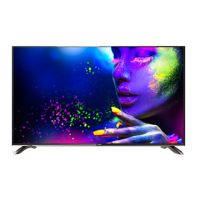
The Haier LED Television serves as a versatile display unit, capable of functioning as a standard television, a display terminal, and a PC monitor. It is designed to receive and display broadcast television signals, as well as content from various external sources such as DVD players, camcorders, video game consoles, and personal computers. The television also incorporates a multi-media player function via USB, allowing users to play back various media files directly from a USB storage device. Its core function is to provide a visual and audio experience for entertainment and information consumption.
The television offers a range of features designed to enhance user experience and versatility.
The display boasts high luminance and a wide viewing angle, ensuring clear and vibrant images from various positions in a room. The manual emphasizes the importance of proper lighting conditions for comfortable viewing, recommending soft and indirect lighting to prevent eyestrain.
Users can store up to 199 TV programs, providing ample capacity for favorite channels. The television includes a comprehensive channel menu that allows for automatic and manual tuning of TV channels. The "Program Edit" feature enables users to delete, rename, move, or skip programs, offering personalized channel organization. A "FAV" (Favorite) button on the remote allows for quick access to a list of preferred channels, which can be easily created and managed.
The "Picture Menu" allows users to adjust various picture effects such as contrast and brightness, tailoring the visual output to their preferences. Similarly, the "Sound Menu" provides options to adjust sound effects like treble, bass, and balance, ensuring an optimal audio experience. The television supports different audio modes depending on the broadcast signal.
The television is equipped with multiple input interfaces to connect a wide array of external devices. These include two HDMI interfaces for high-definition multimedia connections, a VGA port for PC connectivity, a composite video input, and YPbPr inputs for connecting VCRs, DVD players, and other video equipment. It also features two USB ports for multimedia playback and a headphone output for private listening. The manual provides detailed instructions and diagrams for connecting various AV equipment, including specific notes on audio signal handling for HDMI and DVI connections.
The television comes with an infrared remote controller, providing full control over all functions. The remote includes dedicated buttons for power, source selection, menu navigation, channel and volume adjustment, picture and sound modes, and multimedia playback controls. The on-screen display (OSD) language can be selected from the "Option Menu," and the menu system is designed for intuitive navigation using the remote control.
The USB function allows users to play various media files, including photos, music, movies, and text files, directly from a USB storage device. The manual details how to access the USB menu, select media types, and navigate through files and folders. It also mentions that during movie playback, fast forward and rewind functions might temporarily pause audio to synchronize with the video.
A "Hotel Mode" feature is available, accessible via a specific sequence on the remote control. This mode offers advanced settings for managing the television's behavior, such as source lock, default source and program settings, maximum and default volume levels, and key lock. It also allows for exporting and importing hotel settings via USB, which is useful for managing multiple units in a commercial environment.
The manual provides clear instructions for both stand assembly and wall mounting. For stand assembly, users are guided to place the TV face down on a protected surface and attach the stand base with supplied screws. For wall mounting, it specifies using VESA standard holes on the back of the television. The "First Time Setup" screen guides users through initial settings like OSD language and choosing between "Shop Mode" and "Home Mode," followed by auto-tuning.
The manual includes important safety instructions and warnings that double as maintenance guidelines, emphasizing practices to ensure the longevity and safe operation of the device.
Users are advised to read and follow all safety instructions, including keeping the apparatus away from water and heat sources, ensuring proper ventilation, and using only manufacturer-specified attachments. It warns against blocking ventilation openings, placing naked flame sources on the apparatus, or exposing it to rain or moisture. The manual also highlights the importance of protecting the power cord and unplugging the apparatus during lightning storms or extended periods of disuse.
For cleaning, the manual recommends unplugging the TV and using a soft fabric without water or chemicals, preventing damage to the screen and cabinet.
The manual includes a symbol indicating that the product incorporates double insulation, emphasizing the use of identical replacement parts for servicing. It also features a marking for proper disposal of the product within the EU, encouraging responsible recycling to promote sustainable reuse of material resources and prevent harm to the environment. This includes instructions to use return and collection systems or contact the retailer for safe recycling.
A dedicated "Trouble Shooting" section helps users diagnose and resolve common issues related to picture and audio. It provides a table linking specific phenomena (e.g., snow, ghosting, interference, no picture, no color, scramble) with potential causes (e.g., antenna position, electronic equipment interference, mute function, power cord, contrast/brightness settings) and suggested inspections or solutions. This empowers users to address minor problems independently before seeking professional service.
The manual advises against placing the television on unstable surfaces or trapping the power supply cord, which can lead to damage or injury. It also warns against dropping or pushing objects into cabinet slots or spilling liquids on the receiver, as these actions can cause internal damage. For optimal performance and longevity, it recommends avoiding excessively warm locations and ensuring adequate space for ventilation.
By adhering to these guidelines, users can maintain their Haier LED Television in good working condition, ensuring a reliable and enjoyable viewing experience for years to come.
 General
| Screen Size | 32 inches |
|---|---|
| Display Type | LED |
| HDMI Ports | 2 |
| USB Ports | 1 |
| Smart TV | No |
| Resolution | 1366 x 768 pixels |

 To Next Page