Need help?
Do you have a question about the Haier LE55B1381 and is the answer not in the manual?
Lists crucial safety guidelines for operating the TV to prevent hazards and ensure proper use.
Provides instructions for wall mounting, including hole pattern, screw size, tilt limits, and safety precautions.
Detailed explanation of each button on the remote control and its corresponding function for TV operation.
Covers turning the TV on/off, selecting input sources, and navigating the On-Screen Display (OSD) menu.
Details how to adjust picture settings like mode, contrast, brightness, color, tint, sharpness, color temperature, and MEMC.
Explains how to configure audio settings including sound mode, bass, treble, balance, surround, SPDIF, and language.
Provides solutions for common TV problems like no power, no picture/sound, poor quality, and remote control issues.
This document is an owner's manual for a Haier TFT-LCD TV, specifically models LE55B1381. It provides comprehensive instructions for operating, connecting, and maintaining the television, along with important safety information and warranty details.
The manual begins with crucial safety instructions, emphasizing the importance of reading and retaining the instructions. It highlights warnings regarding electric shock, fire hazards, and proper plug usage. Users are advised against opening the TV's cover or performing unauthorized servicing. The document also includes general safety guidelines such as avoiding water, ensuring proper ventilation, keeping the TV away from heat sources, and protecting the power cord. It details the safe use of carts, stands, tripods, brackets, or tables, and recommends unplugging the apparatus during lightning storms or extended periods of disuse. The manual specifies that servicing should only be performed by qualified personnel if the apparatus is damaged in any way. It also cautions against exposing the TV to dripping or splashing liquids and states that no objects filled with liquids should be placed on it. The mains plug or appliance inlet is designed as the disconnect device and should remain readily operable. For Class I apparatus, a protective earthing connection is required.
The manual also includes an FCC Statement, outlining compliance with Class B digital device limits and providing guidance on resolving potential radio or television interference. It advises users to reorient or relocate the receiving antenna, increase separation between equipment and receiver, connect the equipment to a different circuit, or consult a technician. It also specifies that ferrite cores must be used when connecting the display to video equipment and that a minimum spacing of 15.7 inches should be maintained from other peripheral devices. A Canadian Notice confirms compliance with Canadian ICES-003.
Following the safety information, the manual presents a "SAVE THESE INSTRUCTIONS" section, encouraging users to record the model number, serial number, and date of purchase for warranty service.
The table of contents provides a clear overview of the manual's structure, covering warnings, safety instructions, unit and accessories, product features, introduction (front view, rear view, wall mount instructions, base stand assembly instructions, remote control), connection, basic operation, OSD menu (picture, audio, time, setup, lock, channel, USB mode), simple troubleshooting, and warranty.
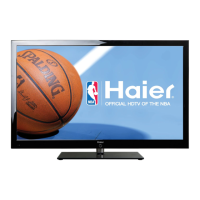
The "Unit and Accessories" section illustrates the TV set, user's manual, AC power cord, and remote control with its required AAA batteries. The "Product Features" section highlights key attributes of the TV, such as its 55-inch wide screen, 1920 x 1080 native resolution for Full-HD (1080p) performance, integrated ATSC TV tuner for HDTV broadcast reception, three HDMI inputs for digital connections, and a VGA port for PC connection.
The "Introduction" section details the TV's physical components. The "Front View" describes the LED indicator and IR receiver, explaining their functions and effective receiving range. The side panel buttons are also explained, including INPUT, MENU, VOL+/-, CH^/V, and POWER/STANDBY. The "Rear View" provides a diagram and descriptions of all input and output ports, including USB, HDMI1/2/3, VGA, PC audio, YPbPr (Component), AV IN (Composite), AUDIO OUT R/L, Coax, RF, Headphone, and AC POWER IN.
Instructions for wall mounting are provided, emphasizing the use of a separately purchased wall mount kit and recommending professional assistance. It specifies a 400mm x 400mm mounting hole pattern and the use of M6 screws no longer than 12mm. Warnings are given against overtightening screws, mounting the TV at an excessive tilt, and installing the kit while the TV is on. It also suggests maintaining a minimum distance from the wall for cable interference prevention and advises removing the base stand before wall mounting. The "Base Stand Assembly Instructions" include diagrams and steps for attaching the stand components.
The "Remote Control" section provides a detailed diagram of the remote and explains the function of each button. This includes POWER, PICTURE (for video modes), CCD (closed captions), ARC (aspect ratio control), AUDIO (for sound modes), MTS/SAP (for sound modes and audio language), SLEEP (sleep timer), Numerical Keys (for channel selection), INPUT (for source selection), MENU (OSD menu), MUTE, CH^/V (channel scan), VOL+/- (volume adjustment), Arrow Keys (navigation), ENTER (confirm), EXIT, RECALL (previous channel), USB (USB mode), PLAY/PAUSE, REPEAT, STOP, Reverse, Fast forward, Preview, Next (for USB media control), DISPLAY (information), GUIDE (Electronic Program Guide), CH.LIST (channel list), and FAVORITE (favorite channel list).
The "Connection" section describes how to connect the TV to various external devices. The "Power Cord Connection" explains how to plug in the TV and the LED indicator behavior. It also recommends unplugging the TV during long periods of disuse. "Antenna (RF) Connection" details connecting to a wall jack or external antenna using a coaxial cable. "AV Input Connection" and "YPbPr (Component) Connection" provide instructions for connecting DVD players or VCRs using RCA cables, specifying color matching for video and audio jacks. "HDMI Connection" explains connecting digital video sources like Blu-ray players or game consoles via HDMI cables. "PC Connection" outlines connecting a PC using a VGA (D-sub 15) cable and a 3.5mm audio cable, including recommended PC resolutions.
The "Basic Operation" section covers powering the TV on/off and selecting input sources using the remote control. It also provides a general guide to navigating the On-Screen Display (OSD) Menu, explaining how to select main menus, enter submenus, adjust settings, and exit.
The "OSD Menu" section provides detailed descriptions of each menu option:
The "Simple Troubleshooting" section offers solutions for common issues such as no power, no picture or sound, poor picture quality, no color, and TV not responding to the remote control. It advises checking connections, power, aerial, channel tuning, picture settings, proximity to electrical appliances, and remote control batteries/range.
Finally, the "Warranty" section outlines the terms of the limited warranty, covering defective workmanship and materials for one year (parts and labor). It specifies what the warranty does not cover (appearance, external damage, altered design) and clarifies that it commences from the purchase date, requiring the original receipt. It also addresses implied warranties, limitations, and the scope of Haier's responsibility, noting that the warranty gives specific legal rights that may vary by state. Information on obtaining service, including a customer assistance phone number, is provided.
 General
| Screen Size | 55 inches |
|---|---|
| Display Type | LED |
| Smart TV | Yes |
| HDMI Ports | 3 |
| USB Ports | 2 |
| Resolution | 1920 x 1080 pixels |

 To Next Page