EasyManua.ls Logo

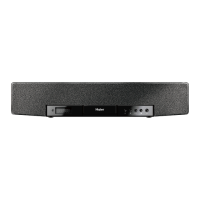
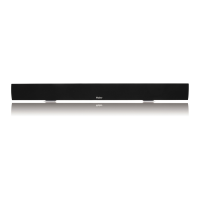
Haier SBEV40-SLIM - User Manual

Haier SBEV40-SLIM
28 pages
Print Icon
To Next Page IconTo Next Page
Loading...
User Manual
Guide de l’Utilisateur
Manual del Usuario Modelo
SBEV40-SLIM
Evoke Slim Soundbar

Questions and Answers

  • B
    Brittany RussoJul 31, 2025
    What to do if there is no sound from my Haier Speakers?
    • P
      Patrick RobertsJul 31, 2025
      If there's no sound coming from your Haier Speakers, here are a few things to check: * First, verify the volume level isn't set too low. * Ensure the mute function isn't activated by pressing the MUTE button. * Check that the main unit and your connected device are both turned on and securely connected. * Also, confirm you've selected the correct mode for your connection. If you're using S/PDIF, and the connected device is set to AC3 (Dolby Digital) output, change the source device output to PCM.
  • A
    amymorrisonAug 6, 2025
    Why is my Haier Speakers remote control not working?
    • J
      Jennifer HoltAug 6, 2025
      If your Haier Speakers remote control isn't working properly, try these steps: * Ensure you're pointing the remote directly at the remote sensor on the main unit and that there are no obstructions in the way. * If the battery is weak, replace it with a new one. * Also, verify that you have selected the correct input on the remote control.
  • J
    Joseph RamirezAug 12, 2025
    What to do if there is no picture on the TV screen using Haier Speakers?
    • R
      Roberta JacksonAug 12, 2025
      If there is no picture on the TV screen when using your Haier Speakers, make sure that the TV is selected correctly and set to the appropriate input mode. If you are using HDMI, verify that the HDMI IN and HDMI OUT jacks are connected correctly and that the connected device is compatible with the HDMI function on the TV.
  • A
    Anthony RobertsonAug 17, 2025
    Why is there no sound from my Haier Speakers subwoofer?
    • K
      Kenneth RobinsonAug 18, 2025
      If there is no sound coming from the subwoofer of your Haier Speakers, check if the subwoofer is turned on. You might also want to try moving the subwoofer closer to the main unit or pairing the wireless subwoofer with the main unit.
  • K
    kirkvanessaAug 25, 2025
    How to stop buzzing or humming sound from Haier Speakers soundbar?
    • D
      Deanna PatelAug 25, 2025
      If you hear buzzing or humming from your Haier Speakers soundbar system, check that both ends of the cable are connected securely. You can also test the cable on an alternate device; if the same problem occurs, replace the cable.

Summary

Safety Information

Important Safety Instructions

Essential safety guidelines for operating the device.

FCC Notice

Regulatory compliance information regarding radio frequency interference.

Precautions: Power Cord

Guidelines for safe use and handling of the power cord.

Getting Started

Features

Overview of the soundbar's key capabilities and design.

Whats Included

Lists all components and accessories provided with the soundbar.

Parts Descriptions

Front Panel

Identifies controls and indicators on the front of the soundbar.

Rear Panel

Details the connection ports and buttons on the back of the soundbar.

Remote Control

Explains the functions of buttons on the remote control.

Installation

Mounting the Main Unit

Instructions for placing the soundbar on a shelf or wall.

Installing the Remote Control Battery

Step-by-step guide for inserting the battery into the remote.

Installing the Wireless Subwoofer

Procedures for connecting and powering the wireless subwoofer.

Pairing the Wireless Subwoofer With the Main Unit

Steps to wirelessly connect the subwoofer to the soundbar.

Positioning the Soundbar System

Recommendations for optimal placement of the soundbar and subwoofer.

Connections

Connection Overview

Introduces various ways to connect external devices to the soundbar.

Connecting Audio and Video With HDMI

Details how to connect devices using HDMI for audio and video.

Connecting to an Audio System

Explains how to connect the soundbar to other audio sources.

LINE IN Connection

Instructions for connecting audio players via the LINE IN port.

Operation

Setting the Sound Mode

How to choose different audio profiles like Music, Movie, etc.

Turning Off the Sound Temporarily

Method for muting the sound output of the soundbar.

Selecting a Soundbar Input Mode

How to switch between different connected audio sources.

Adjusting the Volume

Guide to increasing or decreasing the sound level.

Troubleshooting

Specifications

Limited Warranty

Haier SBEV40-SLIM Specifications

General IconGeneral
Audio decoders-
RMS rated power160 W
Audio output channels2.1 channels
ManualYes
Frequency range20 - 20000 Hz
Apple docking compatibilityNot supported
Number of tweeter drivers1
Woofer diameter (imperial)5 \
Number of mid-range drivers4
Tweeter diameter (imperial)1 \
Mid-range driver diameter (imperial)3 \
Subwoofer typeActive subwoofer
Subwoofer connectivityWireless
Subwoofer frequency range38 - 200 Hz
Cables includedAC, HDMI
FM radioNo
Product colorBlack
HDMI ports quantity3
Connectivity technologyWired & Wireless
AC input voltage100-240 V
AC input frequency50 - 60 Hz

Related product manuals