Need help?
Do you have a question about the Haivision Air Series and is the answer not in the manual?
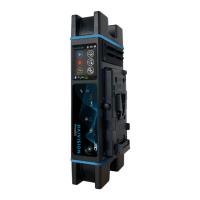
Explains indicators, screen, buttons, and connectivity ports on the front of the device.
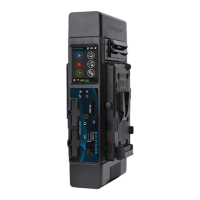
Details components like SD card slot, removable battery, and micro SIM card slots on the rear.
Guides through removing the rear cover, inserting the battery, connecting power, and understanding charging indicators.
Covers inserting SD and SIM cards, replacing the cover, and connecting video input cables.
Instructions on how to turn on the unit and what to expect on the home screen.
Step-by-step guide to selecting the video input source, including Auto, SDI, and HDMI.
Detailed steps for creating and configuring a destination profile, including type, host, and auto-connect.
Procedure for starting a live stream and understanding the on-screen information and indicators.
Steps to confirm and stop an active live streaming session.
Instructions for starting a recording and interpreting the displayed record status information.
Procedure for confirming and stopping an active recording session.
Guides on forwarding the last record, all files, or specific files from the device.
Steps to confirm and stop an ongoing file forwarding operation.
Instructions on how to properly turn off the device by long-pressing the power button.
Provides a link to the Haivision Info Center for user guides and technical documentation.
 General
| Video Inputs | HDMI, SDI |
|---|---|
| Video Encoding | H.264, H.265 |
| Audio Encoding | AAC |
| Protocols | RTMP, SRT, UDP |
| Connectivity | Ethernet, Wi-Fi |
| Power | 12V DC |
| Network Interfaces | 1x Ethernet (RJ45) |
| Operating Temperature | 0°C to 40°C |
| Weight | Varies by model |


 To Next Page