Need help?
Do you have a question about the Haivision Pro460 and is the answer not in the manual?
Covers handling, electronic interference, general safety, and coin battery precautions.
Lists health precautions for specific user groups and servicing guidelines.
Covers altitude, climate, temperature, and humidity requirements for operation.
Includes protection from elements, power/grounding, and regional notices.
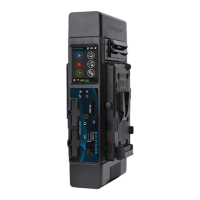
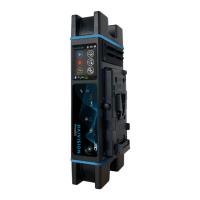
Introduces the Pro460 as a mobile video encoder/transmitter.
Lists items to verify in the product package upon receipt.
Steps to access the web interface via an Ethernet connection.
Explains DHCP, STATIC, and GATEWAY modes for Ethernet connectivity.
Steps to configure Ethernet using the unit's front panel interface.
Steps to connect to visible Wi-Fi networks via unit panel or web interface.
Steps to connect to hidden Wi-Fi networks via unit panel or web interface.
Instructions for inserting a SIM card into the unit's rear panel.
How to connect an external cellular modem for enhanced connectivity.
How to enable or disable specific cellular modems via panel or web interface.
How to enable or disable all internal or Quad CellLink modems simultaneously.
Steps to add and configure APN settings via unit panel or web interface.
How to delete APNs and manage automatic configuration settings.
Setting the unit to automatically select the cellular operator.
Selecting operators manually (MCC/MNC) or from a scanned list.
Configuring modem bands using standard mode via web interface.
Configuring modem bands using expert mode via web interface.
How to configure the unit's name, time, and date settings.
How to set the user interface language and specify the battery model.
Managing unit location services, auto-live, and screensaver features.
Steps to create and configure new live profiles via unit panel or web interface.
How to delete existing live profiles from the unit.
How to choose and activate a pre-defined live profile.
Steps to create and configure new record profiles via unit panel or web interface.
How to delete existing record profiles from the unit.
How to choose and activate a pre-defined record profile.
Steps to create destination profiles for StreamHub, Manager, or SRT Receiver.
How to delete existing destination profiles from the unit.
How to choose and activate a pre-defined destination profile.
How to enable/disable AES video encryption via unit panel or web interface.
Steps to configure file forwarding options like resume, auto-erase, and hot folder.
How to select missions using the unit panel interface.
How to select missions using the web interface.
How to select video sources and preview them using the unit panel.
How to select video sources and configure sync via web interface.
Steps to configure and start live streams via the unit panel.
Steps to configure and start live streams via the web interface.
Steps to configure and start recording sessions via the unit panel.
Steps to configure and start recording sessions via the web interface.
Steps to initiate file forwarding using the unit panel.
Steps to initiate file forwarding using the web interface.
How to enable/disable hot folder transmission via the unit panel.
How to enable/disable and manage hot folder file transmission via web interface.
Steps to enable multi-encoding mode via the unit panel.
Steps to enable multi-encoding mode via the web interface.
Steps to start live streams for all encoders via the unit panel.
Steps to start live streams for all encoders via the web interface.
Steps to enable Data Bridge mode via unit panel or web interface.
How to access and view unit details via unit panel or web interface.
How to obtain IMEI/IMSI/ICCID numbers for legal purposes.
Steps to change the administrator password for the web interface.
Steps to update the unit's firmware using the web interface.
How to restart the unit via the web interface.
How to reset the unit to its original factory configuration.
How to export the current unit configuration settings.
How to import previously exported unit configuration settings.
Steps to delete files from the SD card via unit panel or web interface.
How to format the SD card to FAT32 or exFAT.
Steps to generate, download, and submit report files for support.
Details on video standards, codec, compression, bitrate, audio channels, and codec.
Details on 3G/4G/5G, Wi-Fi, Ethernet, and end-to-end latency.
Details on physical connectors, intercom, LAN/WAN, storage, and power inputs.
Details on power supply, consumption, weight, and physical dimensions.
Specifies operating/storage temperatures and GNSS receiver details.
Lists radiated output power for various wireless frequency bands.
 General
| Resolution | Up to 1080p60 |
|---|---|
| Video Inputs | HDMI |
| Video Output | HDMI |
| Video Encoding | H.265/HEVC, H.264/AVC |
| Audio Inputs | Embedded SDI, Embedded HDMI |
| Audio Encoding | AAC-LC |
| Network Interface | 2x Ethernet |
| Streaming Protocols | SRT, RTMP, HLS, TS over UDP |
| Power Supply | AC 100-240V, DC Input |
| Management | Web UI, SNMP |
| Operating Temperature | 0°C to 40°C (32°F to 104°F) |
| IP Output | 2x Ethernet Ports |
| Supported Protocols | SRT, RTMP, HLS, TS over UDP |

 To Next Page