EasyManua.ls Logo

Halo BOLT ACDC 58830 - User Manual

Halo BOLT ACDC 58830
18 pages
Print Icon
To Next Page IconTo Next Page
Loading...
PLEASE READ BEFORE OPERATING THIS EQUIPMENT.
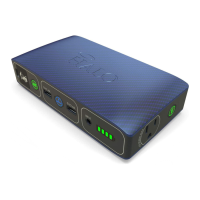
HALO BOLT ACDC 58830
Thank you for choosing HALO!
Powerful, compact and easy to use, the HALO BOLT ACDC 58830 can
safely jump start your car or charge your laptop. In addition, you can
use it to charge your phone, tablet or other electronic devices! The
HALO BOLT ACDC 58830 also features a convenient LED oodlight.
TABLE OF CONTENTS
Included Items
Operating Instructions
Troubleshooting Guide
Maintenance and Care
Safety Precautions
Specications
Warranty and Contact Information
INCLUDED ITEMS
- HALO BOLT ACDC 58830
- Jumper Cables
- USB to Micro USB Cable
- Carrying Pouch
LOCATION OF CONTROLS
OPERATING INSTRUCTIONS
Please make sure to fully charge the HALO BOLT ACDC 58830.
CHARGING THE HALO BOLT ACDC 58830
To recharge the HALO BOLT ACDC 58830, use the provided AC wall
charging adapter cable, and plug the AC adapter tip into the charge
input.
Next, connect the AC adapter into a wall outlet. The HALO BOLT ACDC
58830 will automatically begin charging. When the HALO BOLT ACDC
58830 is fully charged, all four indicator lights will be solid green (This
could take up to 9 hours).
When your HALO BOLT ACDC 58830 is on, the LED indicator lights will
display the power level.
JUMP STARTING YOUR VEHICLE WITH
THE HALO BOLT ACDC 58830
1. Plug the jumper cables into the jump start output on the
HALO BOLT ACDC 58830.
2. Attach the jumper cable clamps to the vehicle battery.
- Red clamp on positive terminal (+)
- Black clamp on negative terminal (-)
3. Press the Jump Start button and wait for solid green light.
4. Start your vehicle.
5. Disconnect the jumper cable clamps from the car battery.
JUMP START TROUBLESHOOTING TIPS
CHARGING AN ELECTRONIC DEVICE USING
5V/2.4A USB OUTPUT PORT
1. Connect the Micro USB tip of the supplied Micro USB cable into the
Micro USB input of your electronic device and connect the Standard
USB end of the supplied Micro USB cable into either one of the
HALO BOLT ACDC 58830 USB 5V/2.4A Output ports.
2. Turn on the USB charging feature by pressing and releasing the
USB Power ON/OFF Button on the HALO BOLT ACDC 58830.
HALO SMART CHARGE TECHNOLOGY
Your HALO BOLT ACDC 58830 contains the HALO SMART CHARGE
TECHNOLOGY to achieve higher compatibility for charging standard 5V
USB electronic devices. The HALO SMART CHARGE TECHNOLOGY will
allow the HALO BOLT ACDC 58830 to communicate with your
electronic device and provide the fastest and safest charge for that
device.
COMPATIBILITY
Standard 5V USB electronic devices including: Mobile phones, Tablets,
PSP, NDS, MP3, MP4, MP5, Bluetooth, GPS, Cameras, and more.
USING YOUR HALO BOLT ACDC 58830 FLOODLIGHT
The oodlight can be turned on and o by simply pressing and
releasing the oodlight ON/OFF button. The oodlight will
automatically turn o after 2 hours of inactivity.
MAINTENANCE AND CARE
- Do not get your HALO BOLT ACDC 58830 wet or store in extreme
temperature conditions.
- Do not disassemble or attempt to repair your HALO BOLT ACDC 58830
yourself.
- Use a soft cloth with soap to clean the exterior of your HALO BOLT
ACDC 58830. Do not use liquid detergent or chemicals of any kind on
your HALO BOLT ACDC 58830.
SAFETY PRECAUTIONS
- Your HALO BOLT ACDC 58830 has been designed and manufactured
to ensure personal safety. Please read the following carefully before
using. Incorrect operation or incompatibility with your personal
electronic device may result in reduced battery performance or
damage.
- Carefully read the operating instructions, and use your HALO BOLT
ACDC 58830 correctly.
- Your HALO BOLT ACDC 58830 should not be used to jump start
unregistered vehicles.
- Make sure the jumper cables are fully plugged into the jump start
output before trying to jump your vehicle.
- Caution: The lithium-ion rechargeable battery used in this charging
device may present a risk of re or chemical burn if mistreated. Do not
disassemble, expose to heat above 212°F (100°C) or incinerate.
- Misusing or incorrectly connecting your HALO BOLT ACDC 58830 may
cause electric shock to users and damage equipment.
- Your HALO BOLT ACDC 58830 may become warm under extended
high power operation. During operation, keep your HALO BOLT ACDC
58830 away from materials that may be aected by these
temperatures.
- When used correctly, lithium- ion rechargeable batteries provide a
safe and dependable source of portable power. However, if there are
misused or abused, this may result in leakage, burns, re or explosion,
causing personal injury or damage to other devices.
- Do not disassemble your HALO BOLT ACDC 58830. There are no
user-serviceable parts inside. Incorrect reassembly may result in shock
or re hazard.
- Do not drop or subject to strong impacts. Do not operate your HALO
BOLT ACDC 58830 if it has received a sharp blow, or has otherwise been
damaged in any way.
- Do not expose your HALO BOLT ACDC 58830 to moisture, water, rain,
or snow.
- Do not insert any object into the ports or openings of your HALO
BOLT ACDC 58830.
- Only charge your HALO BOLT ACDC 58830 by the specied method
with the specied cable.
- In the unlikely event of leakage or explosion use sand or a chemical
re extinguisher.
- Batteries should be recycled or disposed of as per state and local
guidelines.
SPECIFICATIONS
Battery Cell: 3x Li-Polymer 5300mAh
Battery Pack Power: 58830 mWh
Input: DC 14V/0.85A
USB Output: 2x USB 5V/2.4A
AC Output: 1x AC output port 115V (65 Watts)
Dimensions: 182 x 97 x 40mm
Weight: 754 g
FCC COMPLIANCE STATEMENT
This device complies with Part 15 of the FCC Rules. Operation is subject
to the following two conditions:
- This device may not cause harmful interference, and
- This device must accept any interference received, including
interference that may cause undesired operation.
15.21
You are cautioned that changes or modications not expressly
approved by the party responsible for compliance could void the users
authority to operate the equipment.
15.105(b)
This equipment has been tested and found to comply with the limits
for a Class B digital device, pursuant to Part 15 of the FCC rules. These
limits are designed to provide reasonable protection against harmful
interference in a residential installation. This equipment generates, uses
and can radiate radio frequency energy and, if not installed and used in
accordance with the instructions, may cause harmful interference to
radio communications.
However, there is no guarantee that interference will not occur in a
particular installation. If this equipment does cause harmful
interference to radio or television reception, which can be determined
by turning the equipment o and on, the user is encouraged to try to
correct the interference by one or more of the following measures:
- Reorient or relocate the receiving antenna.
- Increase the separation between the equipment and receiver.
- Connect the equipment into an outlet on a circuit dierent from
that to which the receiver is connected.
- Consult the dealer or an experienced radio/TV technician for help.
LIMITED WARRANTY
What does this limited warranty cover and how long is the coverage?
HALO INTERNATIONAL SEZC LTD warrants its products to be free from
defects in material and workmanship under normal use and service for
a period of ninety (90) days beginning on the date your purchase the
product.
What is not covered by this limited warranty?
This Limited Warranty does not cover defects or damage due to: (1)
accidents, acts of God, misuse, abuse, abnormal use, abnormal
conditions, improper storage, or exposure to liquid or moisture, (2)
unusual or abnormal physical force or impact, including dropping of
the product, (3) connection of the product to improper voltage supply,
or (4) attempted repair or modication by anyone other than HALO or a
facility authorized by HALO.
What are HALOs obligations under this limited warranty?
Provided that you comply with the conditions of this Limited Warranty,
during the duration of this Limited Warranty HALO will repair or replace
the product, at its sole option, without charge. When repairing or
replacing a product, HALO may, at its sole option, repair or replace the
product with new, used, rebuilt or reconditioned parts or products.
HALO will warrant any product that is repaired or replaced under this
Limited Warranty for a period equal to the remaining time period under
the original Limited Warranty or ninety (90) days, whichever is longer.
What are the limits of HALOs Liability?
This Limited Warranty sets forth the full scope of HALOs obligations
and liabilities with respect to the product. All implied warranties,
including, without limitation, implied warranties of merchantability and
tness for a particular purpose, are limited to the duration of this
Limited Warranty. In no event shall HALO be liable for any incidental,
special, consequential or punitive damages or any damages or losses of
or to electronic equipment or products that are used with any of
HALOs products.
How does state law relate to this limited warranty?
Some states do not allow limitation on how long an implied warranty
lasts or the disclaimer or limitation of incidental or consequential
damages. Therefore, some or all of the disclaimers and limitations
above may not apply to you.
CHARGING A LAPTOP (VIA THE AC OUTPUT PORT)
1. Connect the AC power plug from your laptop (or other electronic
device which is rated at 65 watts or less) into the AC output port of the
HALO BOLT ACDC 58830.
2. Press the AC Power ON/OFF Button and wait for a solid green light
LAPTOP CHARGING TROUBLESHOOTING TIPS
1
1
5
V
A
C
/
6
5
W
M
A
X
Question and Answer IconNeed help?

Do you have a question about the Halo BOLT ACDC 58830 and is the answer not in the manual?

Summary

OPERATING INSTRUCTIONS

Charging the HALO BOLT ACDC 58830

Recharge the device using the provided AC wall adapter cable and connect it to a wall outlet. Charging takes up to 9 hours.

Jump Starting Your Vehicle

Connect Jumper Cables

Plug jumper cables into the jump start output and attach clamps to the vehicle battery (Red to positive, Black to negative).

Initiate Jump Start Procedure

Initiate Jump Start Procedure

Press the Jump Start button, wait for solid green light, and start your vehicle. Follow safety notes.

Disconnect Jumper Cables

Safely disconnect the jumper cable clamps from the car battery after the vehicle starts.

Jump Start Troubleshooting Tips

Charging a Laptop via AC Output Port

Connect Laptop to AC Port

Connect your laptop's AC power plug (65W max) to the HALO BOLT's AC output port.

Laptop Charging Troubleshooting Tips

Charging via 5 V;2.4 A USB Output Port

Safety Precautions

Specifications

Limited Warranty

Summary

OPERATING INSTRUCTIONS

Charging the HALO BOLT ACDC 58830

Recharge the device using the provided AC wall adapter cable and connect it to a wall outlet. Charging takes up to 9 hours.

Jump Starting Your Vehicle

Connect Jumper Cables

Plug jumper cables into the jump start output and attach clamps to the vehicle battery (Red to positive, Black to negative).

Initiate Jump Start Procedure

Initiate Jump Start Procedure

Press the Jump Start button, wait for solid green light, and start your vehicle. Follow safety notes.

Disconnect Jumper Cables

Safely disconnect the jumper cable clamps from the car battery after the vehicle starts.

Jump Start Troubleshooting Tips

Charging a Laptop via AC Output Port

Connect Laptop to AC Port

Connect your laptop's AC power plug (65W max) to the HALO BOLT's AC output port.

Laptop Charging Troubleshooting Tips

Charging via 5 V;2.4 A USB Output Port

Safety Precautions

Specifications

Limited Warranty

Overview

The HALO BOLT ACDC 58830 is a versatile portable power device designed to jump-start vehicles, charge electronic devices, and provide illumination with its built-in floodlight. This comprehensive guide will walk you through its functions, usage features, and essential maintenance tips.

Function Description

The HALO BOLT ACDC 58830 serves as a multi-functional power solution, primarily designed for automotive emergency situations and portable electronic device charging. Its core capabilities include:

  • Vehicle Jump Starting: The device is equipped with jumper cables and a dedicated jump start output, allowing users to quickly and safely jump-start a dead car battery. It incorporates safety checks to ensure correct connection and prevent damage.
  • AC Power Output: Featuring a 115V AC output port, the HALO BOLT ACDC 58830 can power or charge laptops and other small electronic devices that require an AC power source, provided they are rated at 65 watts or less.
  • USB Charging: With two 5V/2.4A USB output ports, the device can charge a wide range of standard 5V USB electronic devices such as mobile phones, tablets, PSPs, NDS, MP3/MP4/MP5 players, Bluetooth devices, GPS units, and cameras. It utilizes HALO SMART CHARGE TECHNOLOGY for optimized charging.
  • LED Floodlight: A built-in LED floodlight provides illumination, which can be useful in emergency situations or for general lighting needs.

Usage Features

The HALO BOLT ACDC 58830 is designed for user-friendly operation with several intuitive features:

Charging the HALO BOLT ACDC 58830:

*   To recharge the unit, connect the provided AC wall charging adapter cable to the device's charge input.
*   Plug the AC adapter into a wall outlet. The device will automatically begin charging.
*   Charging is complete when all four LED battery indicator lights turn solid green, which can take up to 9 hours.
*   The LED indicator lights display the power level: one solid light (0%-25%), two solid lights (26%-50%), three solid lights (51%-75%), and four solid lights (76%-100%).
*   While charging, the LED indicators show progress: first light blinking (0%-25%), first light solid and second blinking (26%-50%), first two lights solid and third blinking (51%-75%), first three lights solid and fourth blinking (76%-100%), and all four lights solid (100% fully charged).

Jump Starting Your Vehicle:

*   **Step 1: Connect Jumper Cables:** Plug the jumper cables firmly into the jump start output on the HALO BOLT ACDC 58830. Ensure a secure connection before proceeding.
*   **Step 2: Attach Clamps to Battery:** Attach the red (positive) clamp to the positive terminal (+) of the vehicle battery and the black (negative) clamp to the negative terminal (-).
*   **Important Safety Note:** Never touch the red and black clamps together at any point. If the jump start button flashes red, it indicates incorrect cable connection; disconnect and restart from Step 1.
*   **Step 3: Initiate Jump Start:** Press the "Jump Start" button. Wait for a solid green light, which indicates that safety checks are complete and the device is ready. A flashing green light means safety checks are in progress.
*   **Step 4: Start Vehicle:** Once the jump start button is solid green, start your vehicle.
*   **Multiple Attempts:** The HALO BOLT ACDC 58830 allows for three consecutive jump start attempts after each button press. Allow up to 15 seconds between attempts for the device to perform safety checks (the button will flash green during this time). If the vehicle doesn't start after three attempts, it's recommended to consult a certified mechanic.
*   **Step 5: Disconnect Cables:** After the vehicle starts, disconnect the jumper cable clamps from the car battery.
*   **Note:** While jump starting, the USB and AC output ports are disabled, and the device cannot be charged via the AC wall adapter.

Charging a Laptop (via AC Output Port):

*   **Step 1: Connect Laptop Power Plug:** Plug the AC power plug from your laptop (or other compatible electronic device rated at 65 watts or less) into the AC output port of the HALO BOLT ACDC 58830.
*   **Important Note:** Always verify that your device is rated at 65 watts or less to avoid damage and ensure compatibility.
*   **Step 2: Turn On AC Power:** Press the AC Power ON/OFF Button. Wait for a solid green light, indicating the AC output is active.
*   **Important Note:** Ensure the AC power plug is fully inserted into the port before activating the AC Power ON/OFF Button.
*   A flashing green light indicates safety checks. A flashing red light means the connected device exceeds the 65-watt limit and cannot be powered.
*   **Automatic Shut-off:** The AC output will automatically power off after 30 minutes of inactivity.
*   **Note:** Similar to jump starting, USB and AC output ports are disabled, and the device cannot be charged via the AC wall adapter while jump starting a vehicle.

Charging Electronic Devices (via USB Output Port):

*   **Step 1: Connect USB Cable:** Connect the Micro USB tip of the supplied Micro USB cable into your electronic device's Micro USB input. Connect the standard USB end of the cable into either of the two 5V/2.4A USB output ports on the HALO BOLT ACDC 58830.
*   **Compatibility Note:** If your device uses a different USB input, you can use its own charging cable. Simply plug the standard USB end of that cable into one of the HALO BOLT ACDC 58830's USB output ports.
*   **Step 2: Turn On USB Charging:** Press and release the USB Power ON/OFF Button on the HALO BOLT ACDC 58830.
*   **Automatic Shut-off:** The USB charging feature will automatically power off after 30 minutes of inactivity.
*   **Note:** While jump starting your vehicle, the USB and AC output ports are disabled, and the device cannot be charged via the AC wall adapter.

Using the LED Floodlight:

*   To turn the floodlight on or off, simply press and release the floodlight ON/OFF button.
*   The floodlight will automatically turn off after 2 hours of inactivity.
*   **Safety Precaution:** Do not look directly into the LED floodlight.

Maintenance Features

Proper maintenance ensures the longevity and safe operation of your HALO BOLT ACDC 58830:

  • Environmental Conditions: Avoid getting the device wet and do not store it in extreme temperature conditions.
  • Disassembly and Repair: Do not attempt to disassemble or repair the HALO BOLT ACDC 58830 yourself. There are no user-serviceable parts inside, and incorrect reassembly can lead to shock or fire hazards.
  • Cleaning: Use a soft cloth with soap to clean the exterior of the device. Do not use liquid detergents or harsh chemicals.
  • Impact and Damage: Do not drop the device or subject it to strong impacts. If the HALO BOLT ACDC 58830 has received a sharp blow or is otherwise damaged, do not operate it.
  • Moisture Exposure: Do not expose the device to moisture, water, rain, or snow.
  • Foreign Objects: Do not insert any objects into the ports or openings of the HALO BOLT ACDC 58830.
  • Charging Method: Always charge the HALO BOLT ACDC 58830 using the specified method and the provided cable.
  • Battery Safety: The device contains a lithium-ion rechargeable battery. Misuse or abuse can lead to leakage, burns, fire, or explosion. Do not disassemble, expose to heat above 212°F (100°C), or incinerate.
  • Temperature During Operation: The HALO BOLT ACDC 58830 may become warm during extended high-power operation. Keep it away from materials that could be affected by these temperatures.
  • Disposal: Batteries should be recycled or disposed of according to state and local guidelines. In the unlikely event of leakage or explosion, use sand or a chemical fire extinguisher.

By following these guidelines, you can ensure the safe and effective use of your HALO BOLT ACDC 58830 for all your power needs.

Halo BOLT ACDC 58830 Specifications

General IconGeneral
Battery Capacity58830 mWh
AC Output115V/65W
USB Output5V/2.4A
Dimensions7.2 in x 3.8 in x 1.6 in
Battery TypeLithium Polymer
Additional FeaturesLED Floodlight
Jump Start Current500A
Charging Ports2 x USB, 1 x AC

Related product manuals