Calibration Steps
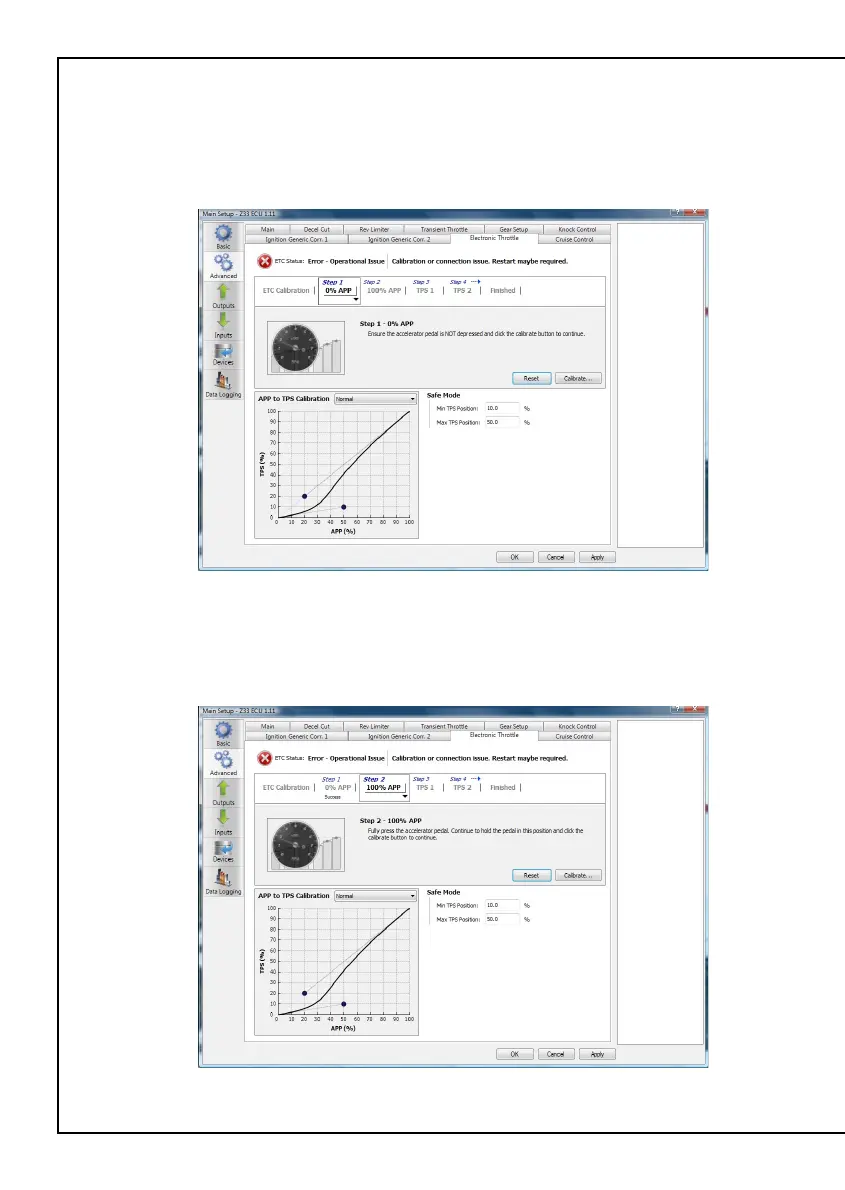
Step 1: 0% Accelerator Pedal Position ( APP )
Ensure that the accelerator pedal is NOT depressed and click
the calibrate button
Figure 8 – 0% APP Successful calibration display
Step 2: 100% Accelerator Pedal Position ( APP )
Fully press the accelerator pedal. Continue to hold the pedal in this position
and click the calibrate button
Figure 9 – 100% APP Successful Calibration display
Rear Auxiliary Connector
The Platinum Pro Plugin Series allows further expansion of your ECU by the
Rear Auxiliary Connector.
The Rear Auxiliary connector allows you access to:
• 1 Additional Digital Pulsed Input ( DPI )
• 2 Additional Digital Pulsed Outputs ( DPO )
• 2 Additional Digital Switched Outputs ( DSO )
• 4 Additional Analogue Voltage Inputs ( AVI )
These extra Inputs / Outputs can be used to:
• Fit additional sensors. (eg MAP,Temperature and Flex Fuel )
• Control additional devices via relays
• Control additional solenoids directly (eg Aftermarket Boost Control solenoid)
The Rear Auxiliary harness is available as an optional extra. ( HT040003 )
* <SHD> Denotes shielded cable
Figure 14 - Rear Auxiliary Harness Connector and Pinout
Pin # Wire Colour Connection
1 O +5V
2 Y AVI1 (MAP)
3 O/B AVI2
4 B/W SIGNAL GROUND
5 V/B DPO1
6 V/BR DPO2
7 GY<SHD> DPI1
8 R +13.8V
9 O +5V
10 GY AVI 3
11 GY/B AVI 4
12 B/W SIGNAL GROUND
13 V/R DSO1
14 V/O DSO2
15 - -
16 R +13.8V
1234
9101112
5678
13141516
Looking into Back Of Connector


 To Next Page
 Loading...