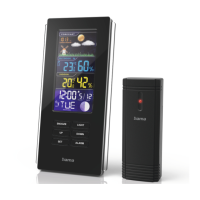
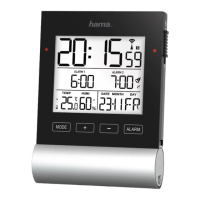
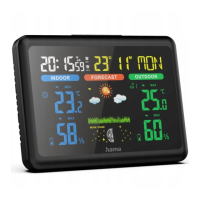
2
G Operating instruction
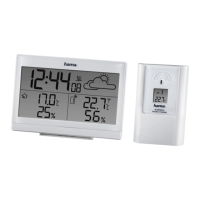
Controls and Displays
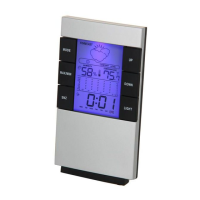
ABase station
1. Display
2. Outdoor temperature
3. Outdoor humidity
4. Time
5. Day
6. Month
7. Room humidity
8. Indoor temperature
9. Weather forecast symbol
10. ‘CH |
’button =switches channel |increases the current
set value
11. ‘C/F |SET’ button =switches between °C and °F |sets
time and date
12. ‘MEM | ’button =displays the stored maximum/
minimum indoor and outdoor temperaturevalues |
decreases the current set value
13. Measuring station wireless symbol
14. Battery compartment
15. Recess for wall mounting
16. Base
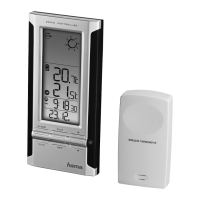
BMeasuring station
17. Recess for wall mounting
18. Battery compartment
1. Explanation of Warning Symbols and Notes
Warning
This symbol is used to indicate safety instructions or to draw
your attention to specichazards and risks.
Note
This symbol is used to indicate additional information or
important notes.
2. Package Contents
•‘Action’ weather station (base station for indoors /measuring
station for outdoors)
•5AAA Microbatteries
•These operating instructions
3. Safety Notes
•The product is intended for private, non-commercial use only.
•Use the product for its intended purpose only.
•Protect the product from dirt, moistureand overheating, and
only use it in adry environment.
•Donot use the product in the immediate vicinity of heaters
or other heat sources or in direct sunlight.
•Keep this product, as all electrical products, out of the reach
of children!
•Donot operate the product outside the power limits given in
the specications.
•Donot use the product in areas wherethe use of electronic
devices is not permitted.
•Donot use the product in moist environments and avoid
splashes.
•Donot place the product near interference elds, metal
frames, computers, TVs, etc. Electronic devices and window
frames can negatively affect the product’sfunctionality.
•Donot drop the product and do not expose it to any major
shocks.
•Donot modify the product in any way.Doing so voids the
warranty.
•Keepthe packaging material out of the reach of children due
to the risk of suffocation.
•Dispose of packaging material immediately according to
locally applicable regulations.
Warning –Batteries
•When inserting batteries, note the correct polarity (+ and
-markings) and insert the batteries accordingly.Failure to
do so could result in the batteries leaking or exploding.
•Only use batteries (or rechargeable batteries) that match
the specied type.
•Beforeyou insert the batteries, clean the battery contacts
and the polar contacts.
•Donot allow children to change batteries without
supervision.
•Donot mix old and new batteries or batteries of a
different type or make.
•Remove the batteries from products that arenot being
used for an extended period (unless these arebeing kept
ready for an emergency).
•Donot short-circuit batteries.
•Donot charge batteries.
•Donot throw batteries in a re.
•Keep batteries out of the reach of children.
•Never open, damage or swallow batteries or allow
them to enter the environment. They can contain toxic,
environmentally harmful heavy metals.
•Immediately remove and dispose of dead batteries from
the product.
•Avoid storing, charging or using batteries in extreme
temperatures.
4. Getting Started
Note
Beforeuse, ensureyou insert the batteries in the measuring
station rst and then in the base station.
4.1 Insert batteries
Measuring station
•Open the battery compartment (19) and remove the contact
breaker.
•Then close the battery compartment cover.


 To Next Page