2
G Quick Guide
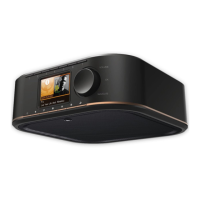
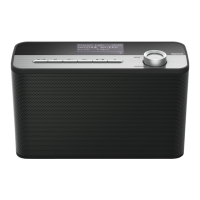
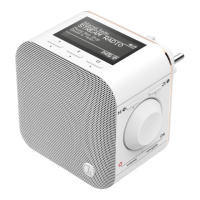
Controls and Displays
Front
1. [MODE] button
2. [PLAY/PAUSE] button
3. [VOLUME]+/- buttons
4. [MUTE] button
5. [MEMORY] button
6. Bluetooth
®
LED indicator
7. Network LED indicator
8. AUX-In LED indicator
9. Presets LED indicator
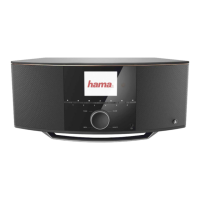
Rear
10. Slide switch for mono/L/R
11. [SETUP/PRESET] button
12. Mains power supply
13. AUX-In socket
14. LAN connection
15. Line-out socket
16. Optical-out socket
17. Slide switch for backlight
18. Update port
!
Important note -Quick Guide:
• This is aquick guide to provideyou withthe mostimportant basic information, such as safety warnings and howtoget
started usingthe product.
• Forthe sake of protecting the environmentand savingvaluableresources, Hama dispenseswith aprintedinstruction
manual and providesthis only in theform of aPDF le availablefor download.
• Thecomplete instruction manual is availableat: www.hama.com -> 00054837 -> Downloads
• Savethe instruction manual to your computer’sharddrive for futurereference, or print it outifnecessary.
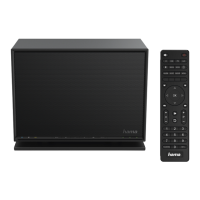
Remote Control
1. [POWER] button
2. [MUTE] button
3. Internet Radio -Mode
4. DABRadio -Mode
5. FM Radio -Mode
6. AUX -Mode
7. Backlight Level
8. Media-Player -Mode
9. [MODE] button
10. [EQUALIZER] button
11. [ALARM] button
12. [SLEEP] button
13. [SNOOZE] button
14. [MENU] button
15. [PREVIOUS] button
16. [NEXT] button
17. Navigation buttons
▲ Up
▼ Down
◄ Back
► Forward, okay
18. [SELECT] (Enter/OK) button
19. [REWIND] button
20. [FAST-FORWARD] button
21. [VOLUME] +/- buttons
22. Presets Up /Down buttons
23. [PLAY/PAUSE] button
24. [BACK] button
25. Presets buttons (1-10)
26. [PRESETS/FAVORITES] Menu
27. [INFO] button


 To Next Page
 Loading...